How to Create a Trending Glowing Mirror AI Photo for Instagram Using ChatGPT
Instagram trends change every day, and right now, Glowing Mirror AI Photos are getting massive attention. Thousands of creators are posting these eye-catching AI-generated images, and many of them are receiving thousands of likes, shares, and comments.
If you’ve been wondering how to turn your normal photo into a stunning glowing mirror-style portrait, you’re in the right place. In this guide, I’ll show you the complete process step by step using ChatGPT and a simple AI prompt.
What Is a Glowing Mirror AI Photo?
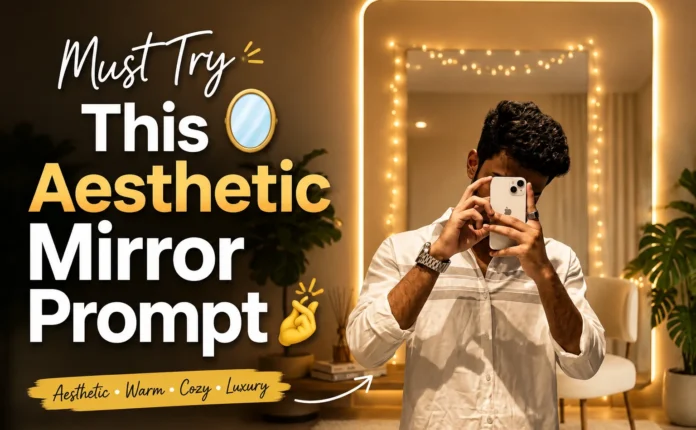
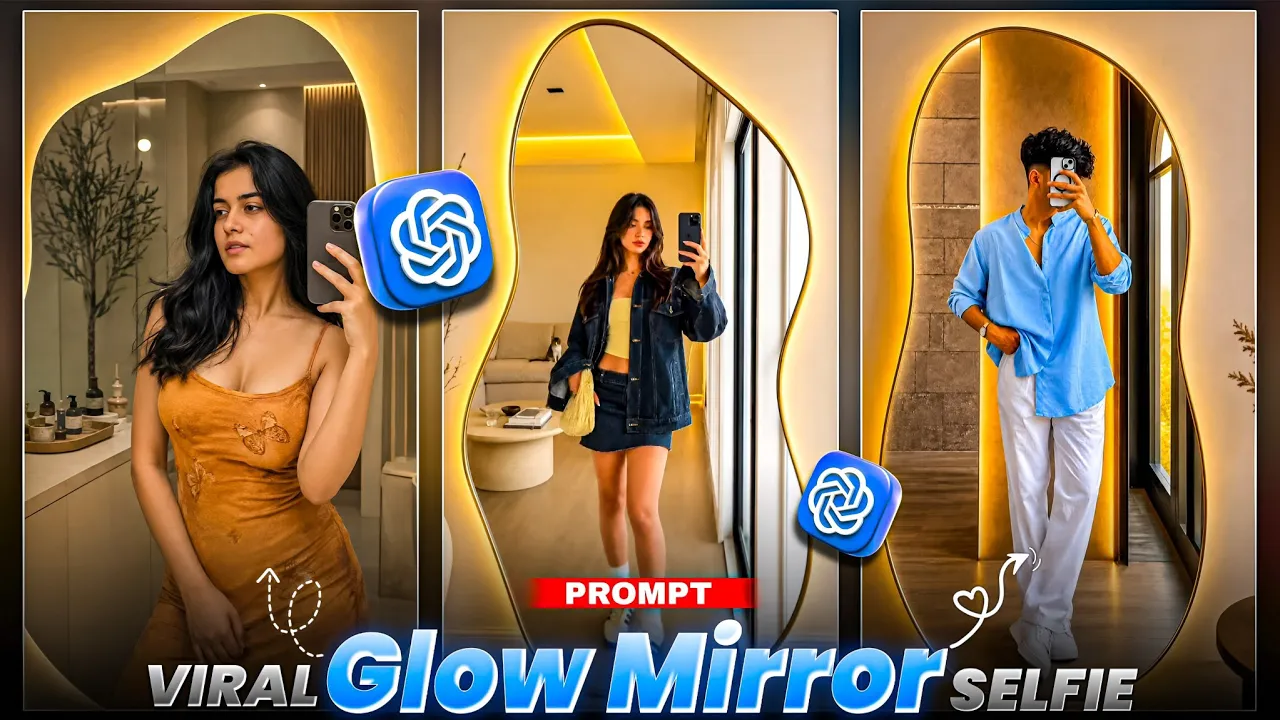
A Glowing Mirror AI Photo is a creative AI-generated image where the subject appears in front of a glowing mirror with cinematic lighting, reflections, neon effects, and professional-quality visuals. These photos are becoming extremely popular on Instagram Reels, Stories, and profile posts.
Requirements
Before starting, make sure you have:
- A smartphone
- A clear photo of yourself
- The ChatGPT app installed
- A glowing mirror AI prompt
- Internet connection
Download ChatGPT
You can download ChatGPT from the official website:
- ChatGPT: https://chatgpt.com
You can also learn more about AI image generation from:
- OpenAI Image Generation Guide: https://openai.com
- Adobe AI Inspiration: https://www.adobe.com/express
Step 1: Install and Open ChatGPT
First, go to the Play Store and install the ChatGPT application if you haven’t already.
After installation:
- Open the app.
- Log in using your Gmail account.
- Once logged in, you’ll see a “+” (Plus) icon.
Step 2: Upload Your Photo
Tap the “+” icon and select the photo upload option.
Now choose a clear image from your gallery where:
- Your face is clearly visible.
- Your body is properly visible.
- The image quality is good.
The better the original photo, the better the final AI-generated result will be.
Step 3: Copy the Glowing Mirror Prompt
Most creators provide their AI prompts through Telegram channels or video descriptions.
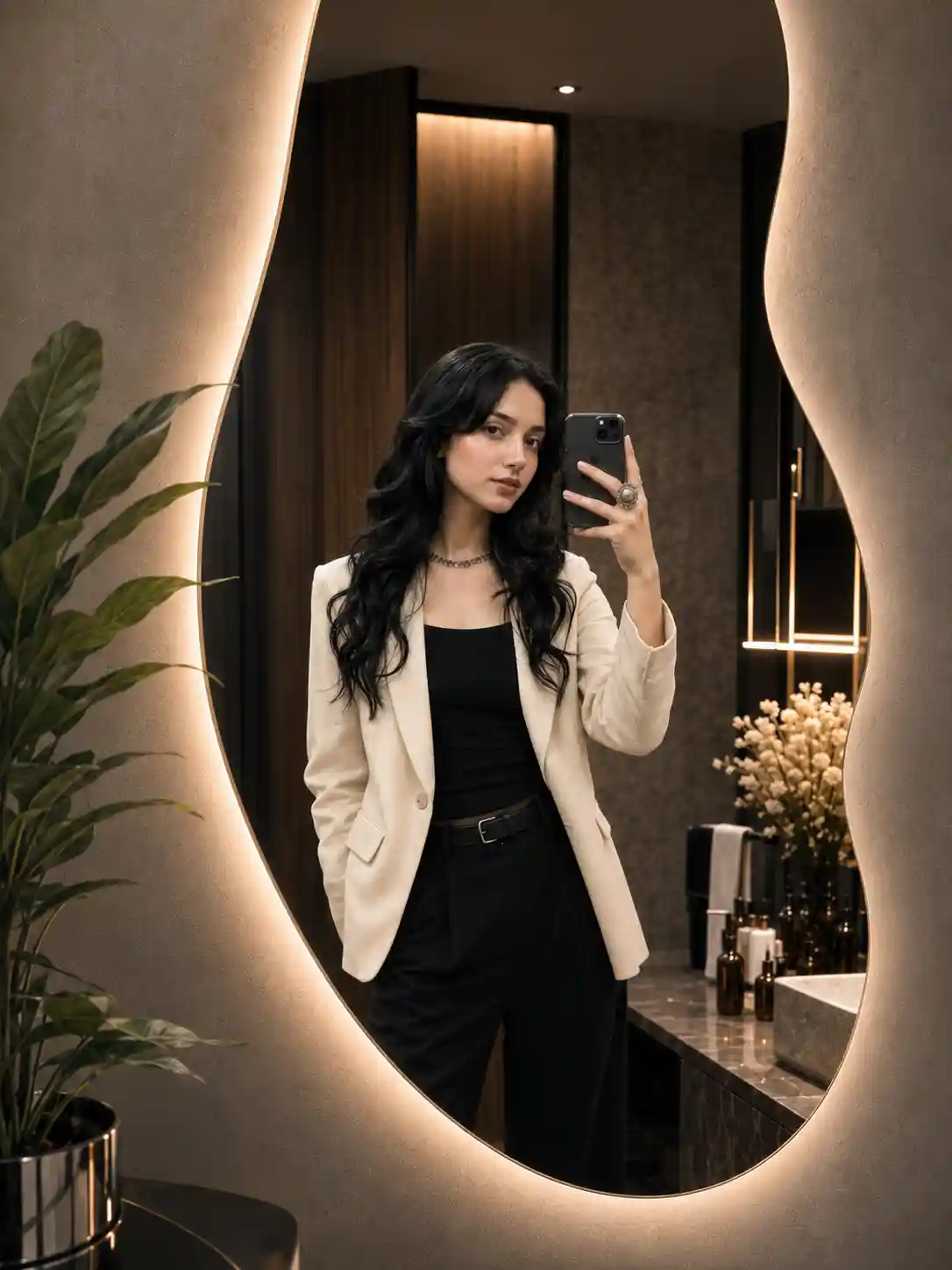
Ultra-realistic mirror selfie of a fashionable young woman in a luxury contemporary dressing room. Large irregular organic-shaped mirror with integrated warm LED backlighting, soft golden glow around the frame. Modern minimalist styling. Textured concrete walls, dark wood accents, decorative indoor plant, premium bathroom decor, warm ambient lighting. Realistic skin details, natural reflections, shallow depth of field, cinematic color grading, luxury lifestyle photography, fashion campaign quality, soft highlights, elegant composition, photorealistic, HDR, 85mm lens, f/1.8, ultra-detailed, Instagram fashion influencer aesthetic, luxury interior design, 4K, masterpiece, high-end editorial photography. –ar 9:16 keep the face 100% same as reference image upload
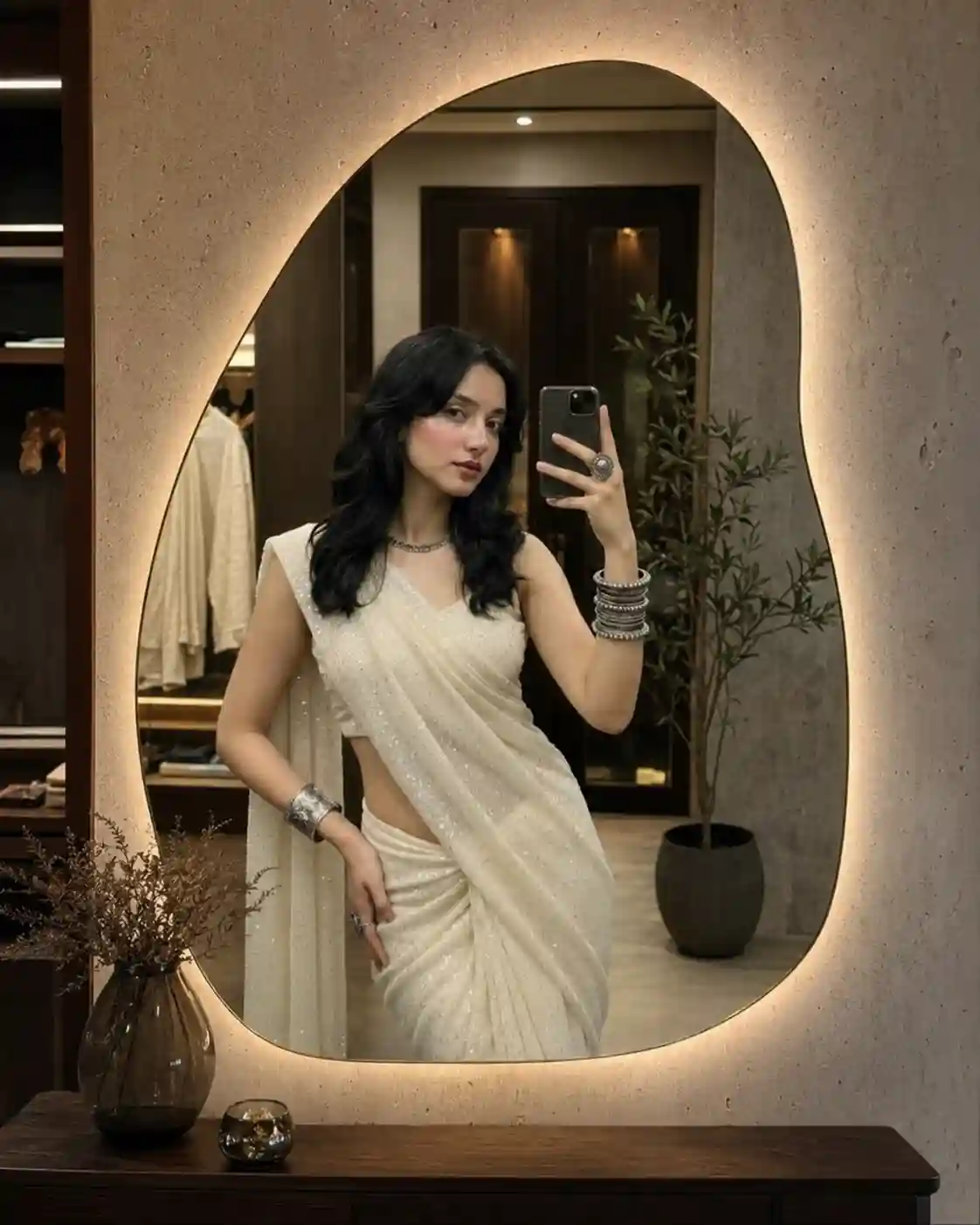
Ultra-realistic luxury mirror selfie of a stylish young woman in a modern high-end dressing room, exact same face as reference image. Large organic-shaped mirror with warm LED backlight glow, textured concrete walls, dark wood details, indoor plant, premium decor, soft ambient lighting. Natural reflection, realistic skin texture, shallow depth of field, cinematic color grading, elegant composition, luxury lifestyle fashion photography, influencer aesthetic, HDR, 85mm lens, f/1.8, ultra-detailed, photorealistic, editorial quality, 4K, –ar 9:16.
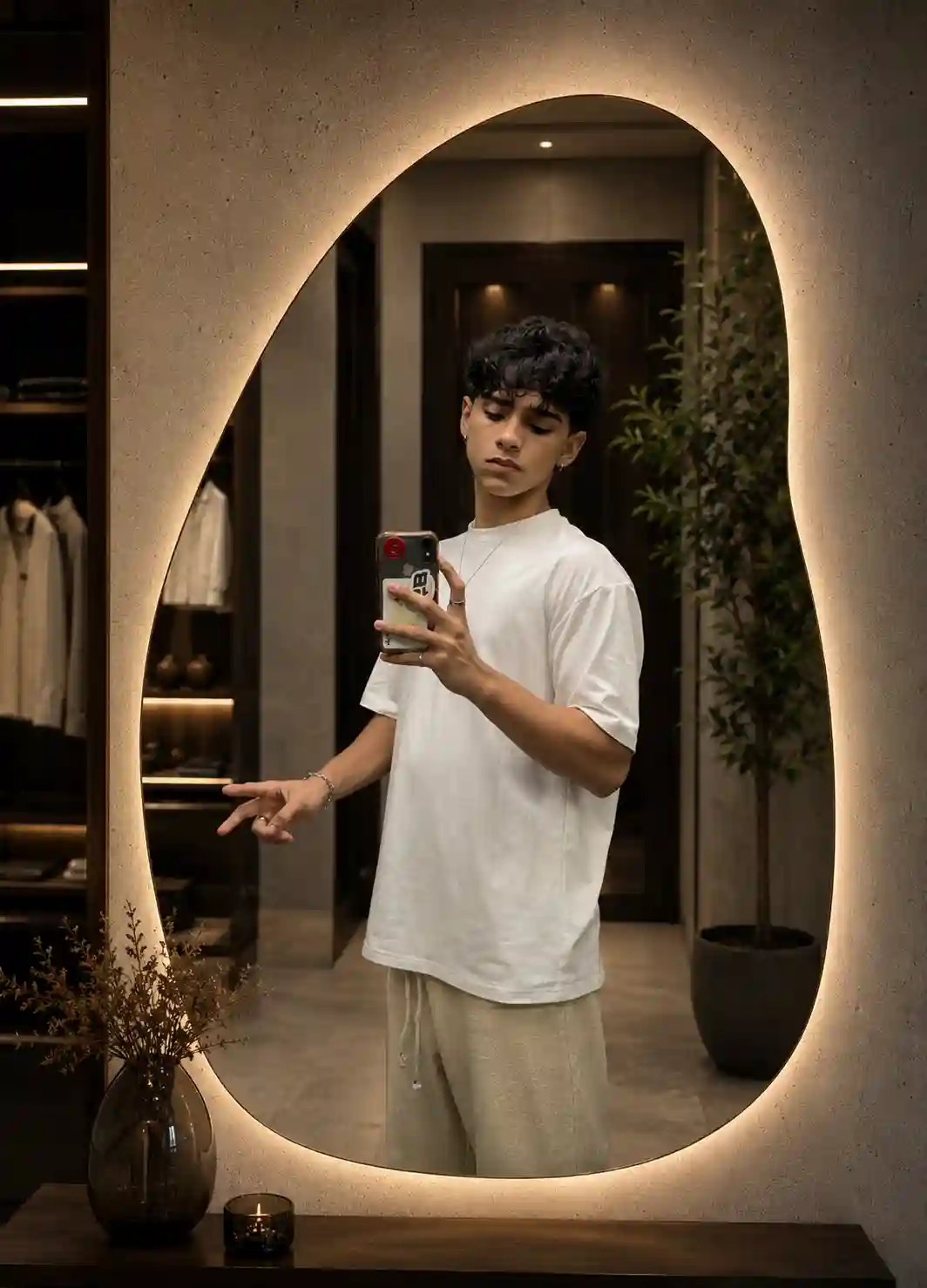
Ultra-realistic luxury mirror selfie of a stylish young man, exact face match from reference image. Contemporary high-end dressing room with textured concrete walls, dark wood accents, indoor plant and premium decor. Large organic-shaped mirror featuring warm LED backlit glow. Natural reflections, realistic skin texture, cinematic color grading, soft ambient lighting, shallow depth of field. Luxury lifestyle fashion photography, influencer aesthetic, elegant composition, HDR, photorealistic, editorial quality, 85mm lens, f/1.8, ultra-detailed, 4K, –ar 9:16.
Copy the glowing mirror prompt and return to ChatGPT.
Paste the prompt into the chat box after uploading your image.
Step 4: Generate the AI Photo
After pasting the prompt:
- Tap the black arrow/send button.
- Wait for ChatGPT to process the request.
- The AI image generation process will start automatically.
Depending on server speed and image complexity, generation may take a few moments.
Step 5: Review the Generated Result
Once the image is ready, compare it with your original photo.
You’ll notice that:
- The face remains similar to the original.
- The lighting becomes cinematic.
- The mirror effect looks realistic.
- The overall image appears more professional and Instagram-ready.
This is what makes the glowing mirror effect so popular among content creators.
Step 6: Download the Photo
After the image has been generated:
- Open the generated image.
- Tap the download button located at the top.
- Save the image to your gallery.
Your glowing mirror AI photo is now ready to upload to Instagram, Facebook, WhatsApp Status, or any social media platform.
Tips for Better Results
To get the best glowing mirror AI photos:
- Use high-resolution selfies.
- Avoid blurry images.
- Ensure your face is fully visible.
- Use detailed AI prompts.
- Experiment with different lighting styles and colors.
Why Are Glowing Mirror Photos Trending?
These photos are becoming viral because they:
- Look professionally edited.
- Require no advanced editing skills.
- Can be created within minutes.
- Stand out on Instagram feeds.
- Generate higher engagement and shares.
Many Instagram creators are using AI-generated visuals to increase profile reach and attract new followers.
Final Thoughts
Creating a trending Glowing Mirror AI Photo is easier than ever. With ChatGPT and the right prompt, you can transform an ordinary photo into a cinematic masterpiece in just a few clicks.
If you enjoy creating AI-generated Instagram photos, keep experimenting with new prompts and effects because new trends appear almost every week. The more creative your images are, the more likely they are to stand out and go viral on social media.
Have fun creating your own glowing mirror AI portraits and sharing them with your audience!

📢 Join Our WhatsApp Channel
Get daily AI photo editing prompts, tools, and tips directly on your phone.
Join Now on WhatsApp 🚀