“Why be arrogant, my friend? We are made of dust, and to dust we shall return. We came into this world crying, and one day we will leave it while making others cry. No matter how many good deeds we do, true appreciation often comes only after we are gone.”
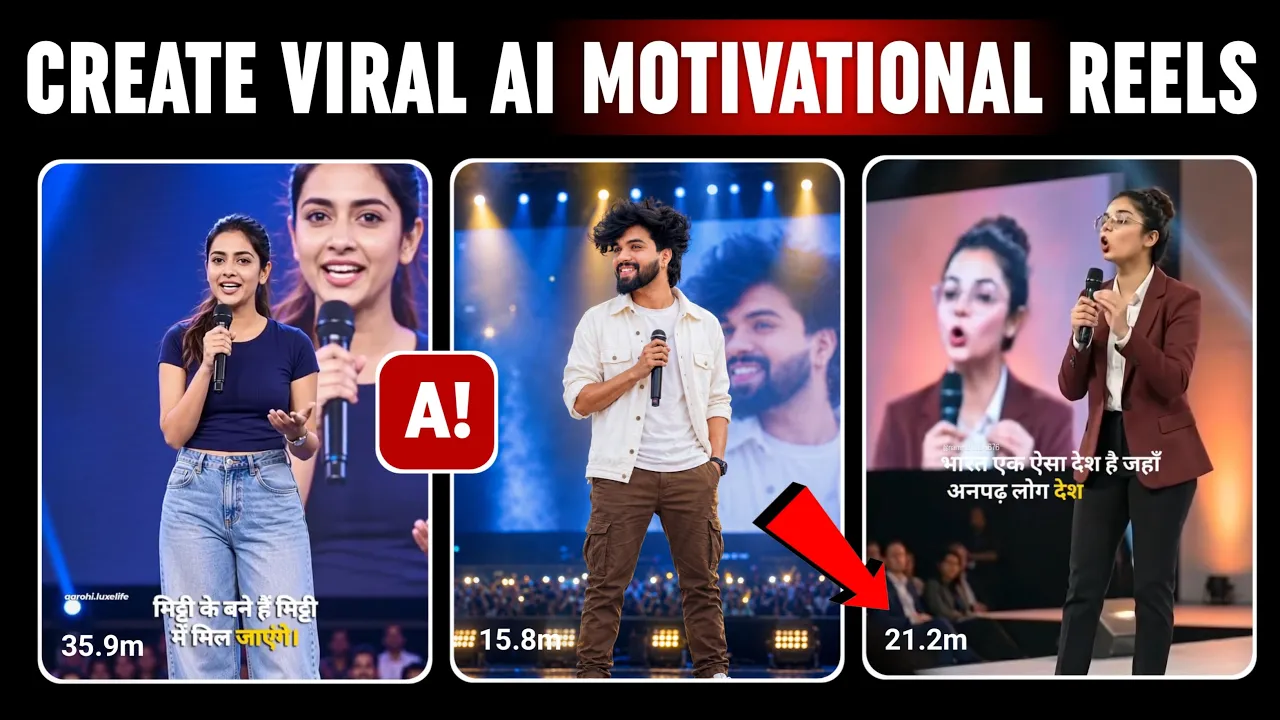
Motivational reels are one of the fastest-growing content formats on Instagram, YouTube Shorts, and Facebook Reels. Thousands of creators are getting millions of views simply by combining emotional quotes with cinematic AI visuals.
In this guide, I’ll show you exactly how to create these viral AI motivational videos—from generating powerful motivational images to turning them into animated videos with AI. The best part? Most of the tools are completely free.
Why AI Motivational Reels Are Going Viral
Short-form motivational videos are easy to consume, emotionally engaging, and highly shareable. With AI, you no longer need expensive cameras, actors, or editing skills.
Using just your smartphone, you can:
- Create cinematic AI portraits
- Generate inspiring motivational quotes
- Animate still images into realistic videos
- Upload directly to Instagram Reels, YouTube Shorts, and TikTok
Step 1: Generate Your AI Image
First, open either ChatGPT or Google Gemini on your smartphone. Both apps are available for Android and iPhone.
Select the Image generation option and upload your own photo. This will be the face used in your AI-generated artwork.
Next, choose one of the cinematic reference styles. These styles determine the overall appearance of your portrait. At the moment, dramatic cinematic lighting is one of the most viral styles on Instagram.
After selecting your preferred style, paste your AI image prompt.
You only need to customize two things:
- Lighting colors (Blue & Yellow, Red, Purple, Orange, etc.)
- Clothing style and colors
For example:
Create a cinematic portrait with dramatic blue and yellow lighting. The subject is wearing a white and brown outfit with realistic facial details, sharp focus, and high-quality professional photography.
This same prompt works for both male and female portraits with different cinematic styles.
Once your image is generated, simply download it to your phone.
Step 2: Open Flow AI
Now open your Chrome browser and search for Flow AI.
Flow AI allows you to convert still images into realistic talking videos for free.
Create a new project and upload the AI portrait you just generated.
Step 3: Generate Motivational Quotes with ChatGPT
If you don’t already have a motivational quote, simply ask ChatGPT:
Write a 3–4 line motivational quote in Hindi or English.
ChatGPT instantly generates multiple options.
One example:
Failure belongs only to those who stop trying. Those who fight themselves every single day write history. Success comes to those who trust hard work more than dreams.
Copy the quote you like the most.
Step 4: Convert the Image into a Talking Video
Inside Flow AI:
- Paste your motivational dialogue.
- Select the uploaded image.
- Choose the Video generation option.
- Select the Gradient style.
- Choose the appropriate aspect ratio for Instagram Reels.
- Select the Omni Flash model.
- Set the duration to 10 seconds.
Now press Generate.
Within a few moments, Flow AI transforms your still portrait into a realistic animated motivational video.
Step 5: Check the Generated Video
Always preview your video before downloading.
If your motivational quote is too long, the AI may only generate part of it within the 10-second limit.
Don’t worry—that’s completely normal.
Simply split the remaining dialogue into another generation.
Upload the same image again, remove the lines already used, paste the remaining text, and generate another clip.
You can later combine both clips in any free video editor.
Step 6: Export Your Video
Once you’re satisfied with the result:
- Click Download
- Select 720p resolution
- Save the video
Your AI motivational reel is now ready for Instagram, Facebook Reels, TikTok, and YouTube Shorts.
Pro Tips to Increase Viral Reach
- Use emotional background music.
- Add subtitles for better engagement.
- Keep videos between 8–15 seconds.
- Use cinematic lighting and realistic facial expressions.
- Post consistently every day.
- Use trending hashtags related to motivation.
Recommended AI Tools
- ChatGPT – Generate motivational quotes and image prompts.
- Google Gemini – Create AI prompts and images.
- Flow AI – Convert images into talking AI videos.
- CapCut – Add music, subtitles, and final editing.
Useful Resources
Final Thoughts
Creating viral AI motivational reels has never been easier. By combining ChatGPT or Gemini for inspirational quotes, AI-generated cinematic portraits, and Flow AI for realistic video animation, anyone can produce engaging short-form content directly from a smartphone.
If your dialogue is longer than the supported video duration, simply divide it into multiple clips and merge them later. With consistent posting, creative visuals, and meaningful motivational messages, you can build an audience across Instagram Reels, YouTube Shorts, Facebook Reels, and TikTok.
Start experimenting with different styles, lighting effects, and motivational themes, and let AI handle the heavy lifting while you focus on creating content that inspires people every day.

📢 Join Our WhatsApp Channel
Get daily AI photo editing prompts, tools, and tips directly on your phone.
Join Now on WhatsApp 🚀