Introduction
Most AI-generated portraits fail for one simple reason they look too perfect. Clean lighting, perfect framing, artificial blur… everything screams “generated.”
What actually feels real are the imperfect moments. Slightly tilted frames, uneven light, natural shadows, and that unplanned composition you’d normally ignore in your camera roll.
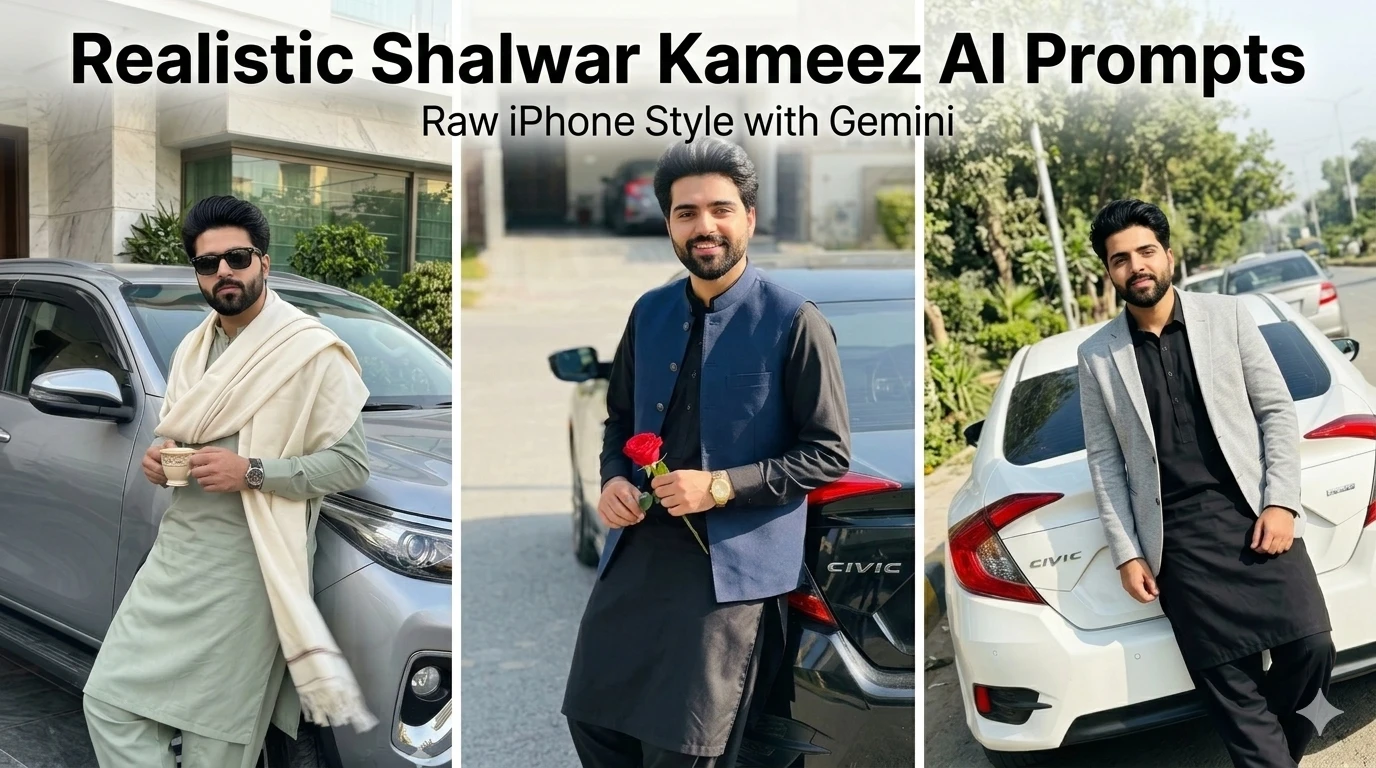
In this post, I’m sharing a set of realistic shalwar kameez prompts designed specifically for Google Gemini to produce raw, unfiltered smartphone-style images. These aren’t cinematic portraits they’re meant to feel like accidental captures taken on an iPhone.
Each example below follows that same philosophy, but with subtle differences in styling, mood, and character.
Image 1:
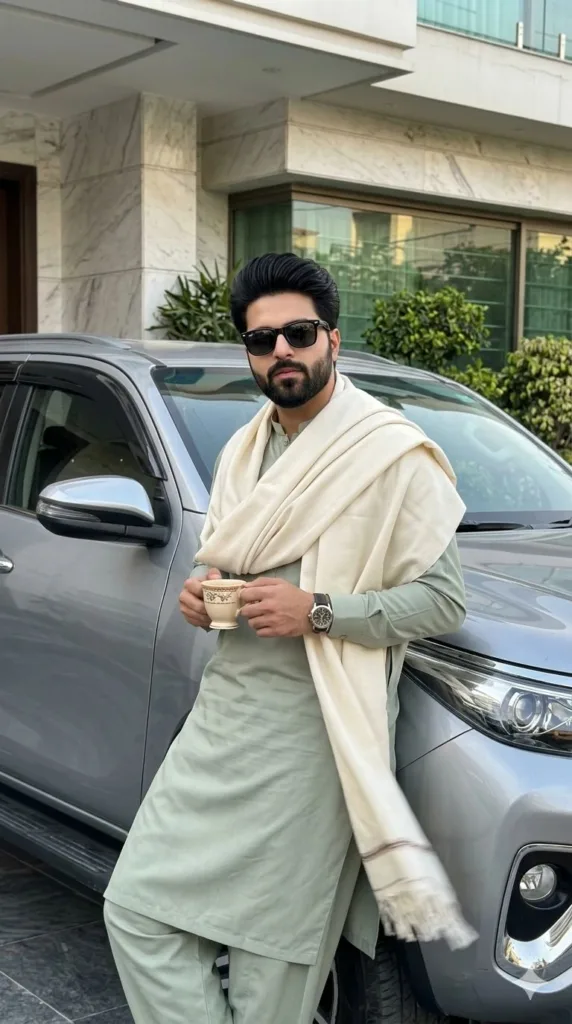
Prompt Used:
Unintentional smartphone photo of a stylish young South Asian man (face 100% identical to reference, no changes) standing beside a metallic silver SUV outside a modern marble house. He leans casually against the front fender, holding a small traditional teacup in both hands. Wearing a light sage green kurta shalwar with a cream shawl draped naturally, black sunglasses, and a wristwatch.
Shot handheld on iPhone from a slightly low, imperfect angle, off-center framing. Soft daylight creates uneven highlights and natural shadows on face, fabric, and car surface. Shawl slightly moving in breeze with subtle motion blur.
Background shows marble textures, glass windows, and greenery fully sharp, no blur or depth effect. Raw exposure, no filters, no cinematic grading or retouching authentic accidental snapshot feel. Ar 9:16
Image 2:
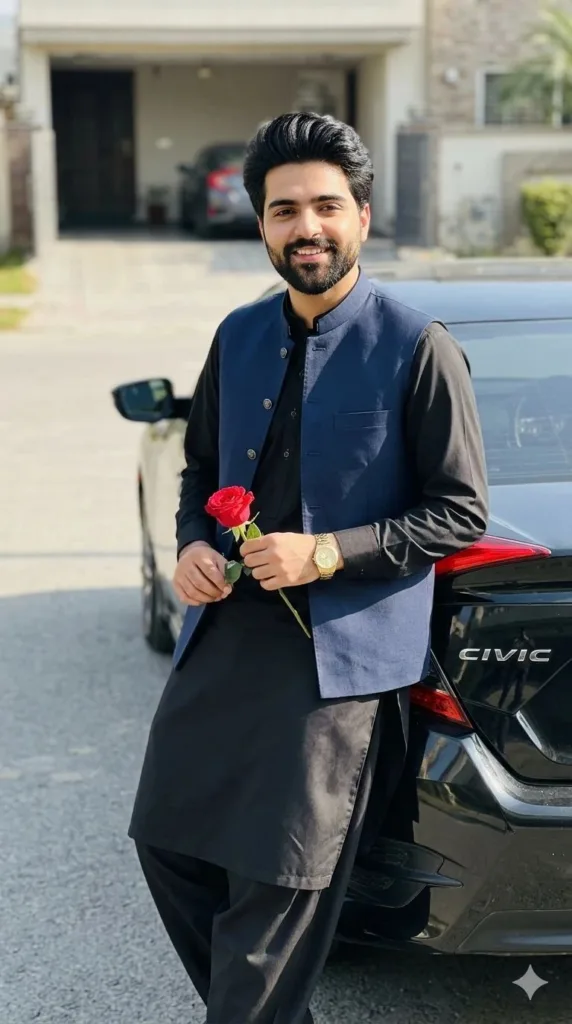
Prompt Used:
Unintentional smartphone photo of a stylish young man (face 100% identical to reference, no changes) leaning casually against the rear fender of a black Honda Civic. Wearing a black shalwar kameez with dark blue waistcoat and gold watch, no glasses, holding a red rose naturally in one hand.
Shot handheld on iPhone, slightly tilted and off-center framing. Bright sunny daylight creates harsh highlights and real shadows on face, clothes, and car surface. Relaxed, unposed expression, slight body movement captured mid-moment.
Background shows outdoor street/driveway clearly with natural colors, fully sharp no blur or portrait mode. Raw exposure, slight motion softness, no filters or cinematic grading authentic accidental snapshot feel. ar 9:16
Image 3:
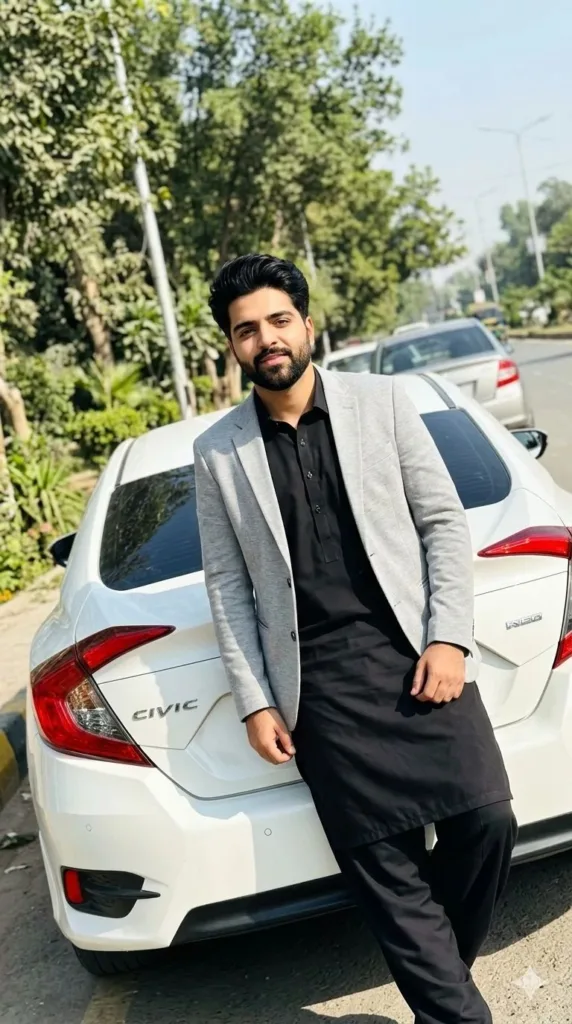
Prompt Used:
Unintentional smartphone photo of a young boy (face 100% identical to reference, no changes) leaning casually against the back of a white Honda Civic. Wearing black shalwar kameez with a light grey blazer, slight natural smile while looking toward the camera. No glasses.
Shot handheld on iPhone, slightly tilted and off-center framing. Bright daylight creating uneven highlights and real shadows. Roadside setting with trees and greenery fully sharp in background, no blur.
Raw exposure, slight motion softness, no filters or cinematic grading authentic accidental snapshot feel. ar 9:16
How to Generate These in Google Gemini
The key isn’t just the prompt it’s how strictly you stick to realism constraints:
Avoid cinematic keywords (they instantly make images look artificial)
Always mention:
“unintentional smartphone photo”
“handheld iPhone”
“off-center framing”
Force no blur / no bokeh to keep backgrounds sharp
Keep lighting imperfect (harsh sun or uneven daylight works best)
Lock identity clearly if you’re using a reference face
Gemini responds especially well when you describe imperfections intentionally. That’s what breaks the “AI look.”
Conclusion
Realism in AI images isn’t about higher quality, it’s about less control. The more you remove perfection, the more believable the result becomes.
These prompts work because they mimic how people actually take photos: quickly, slightly misaligned, under imperfect lighting.
If you’re generating content for social media or storytelling, this raw style stands out far more than polished, over-edited visuals. It feels familiar and that’s exactly what makes it convincing.
Try Google Gemini Here:
This blog post and AI prompts were created by Shahbaz Ahmad.
Follow me on TikTok @Dudefrompak for more ready-to-use prompts.

📢 Join Our WhatsApp Channel
Get daily AI photo editing prompts, tools, and tips directly on your phone.
Join Now on WhatsApp 🚀