How to Create Viral FIFA World Cup AI Photos for Instagram Using ChatGPT
Have you noticed that Instagram is currently filled with amazing FIFA World Cup-themed AI photos? Thousands of users are creating personalized football fan images and uploading them to Instagram, where many of these posts are receiving millions of likes and views.
If you’re wondering how these viral FIFA World Cup photos are created and how you can make one for yourself, then you’re in the right place. In this tutorial, I’ll show you the complete process step by step. The best part is that you don’t need any professional editing skills. You can create your own FIFA World Cup AI image in just a few minutes using ChatGPT and a simple prompt.
Why FIFA World Cup AI Photos Are Going Viral
AI-generated images have become one of the biggest trends on social media. Football fans from around the world are using AI tools to create stunning images of themselves wearing their favorite team’s jersey, standing in a stadium, and looking like professional football players.
These personalized FIFA-style images look realistic and eye-catching, making them perfect for Instagram posts, profile pictures, stories, and reels.
Step 1: Find the FIFA AI Prompt
The first thing you need to do is open your Chrome browser and search for a website that provides FIFA World Cup AI prompts.
Once you find the website, open it and look for the FIFA World Cup AI photo article. If you can’t find it on the homepage, simply use the website’s search feature and type:
FIFA or FF
After searching, the FIFA AI photo article should appear automatically.
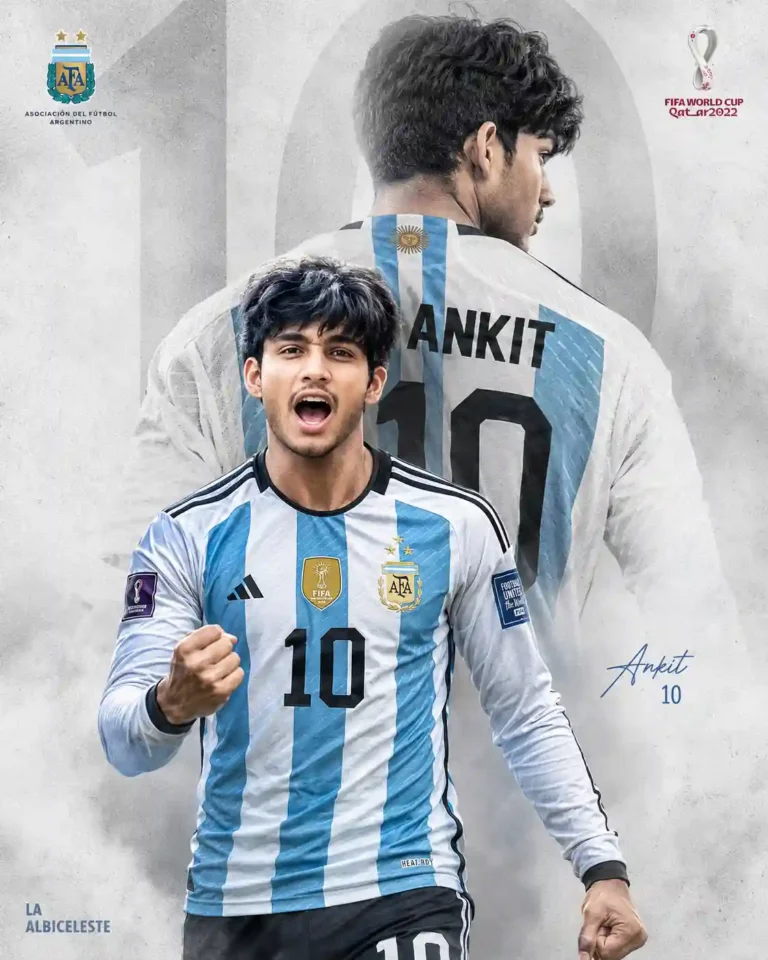
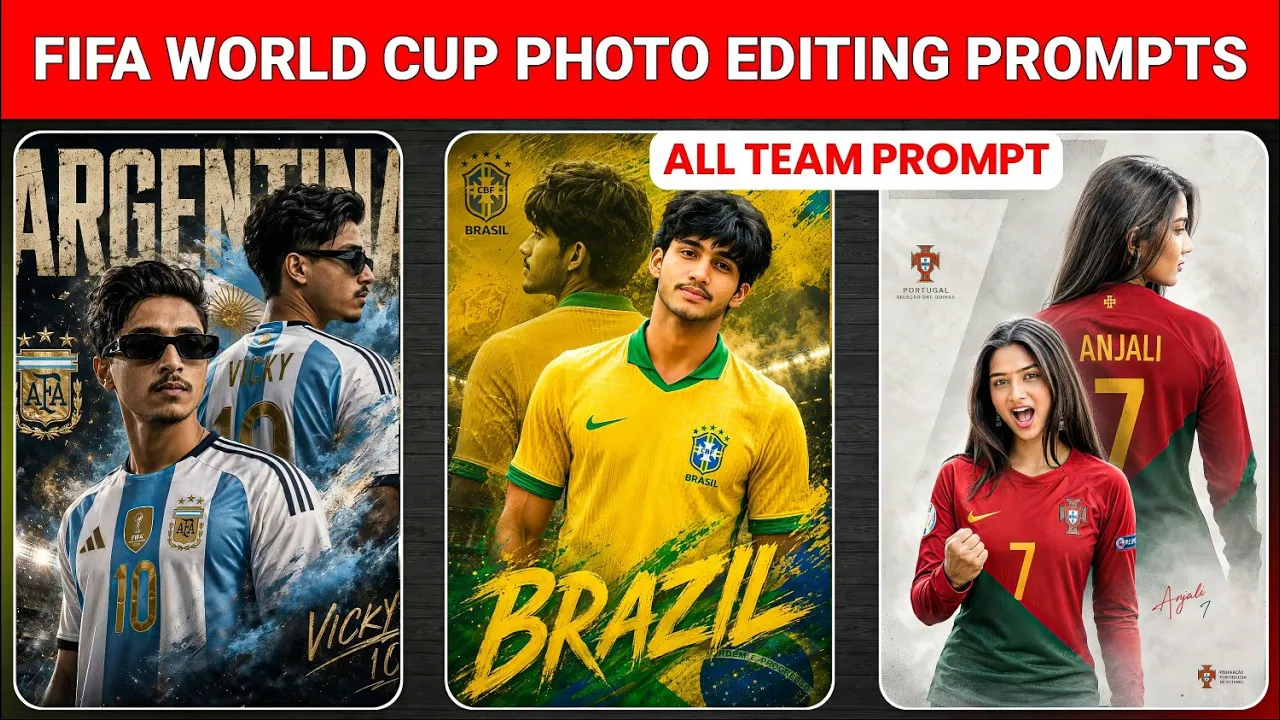
Create a high-quality 8K sports poster from the uploaded photo, keeping the original face unchanged. Dress him in the latest full-sleeve Argentina football jersey with authentic team branding and sponsor logos. Use a cinematic double-exposure composition: foreground shows him shouting in victory with a clenched fist, while a large faded rear-view silhouette appears behind, displaying “ANKIT” and number “10” on the jersey. Clean textured light-gray background with a subtle oversized “10” watermark. Dramatic lighting, strong contrast, ultra-sharp focus, realistic details, professional football poster design.
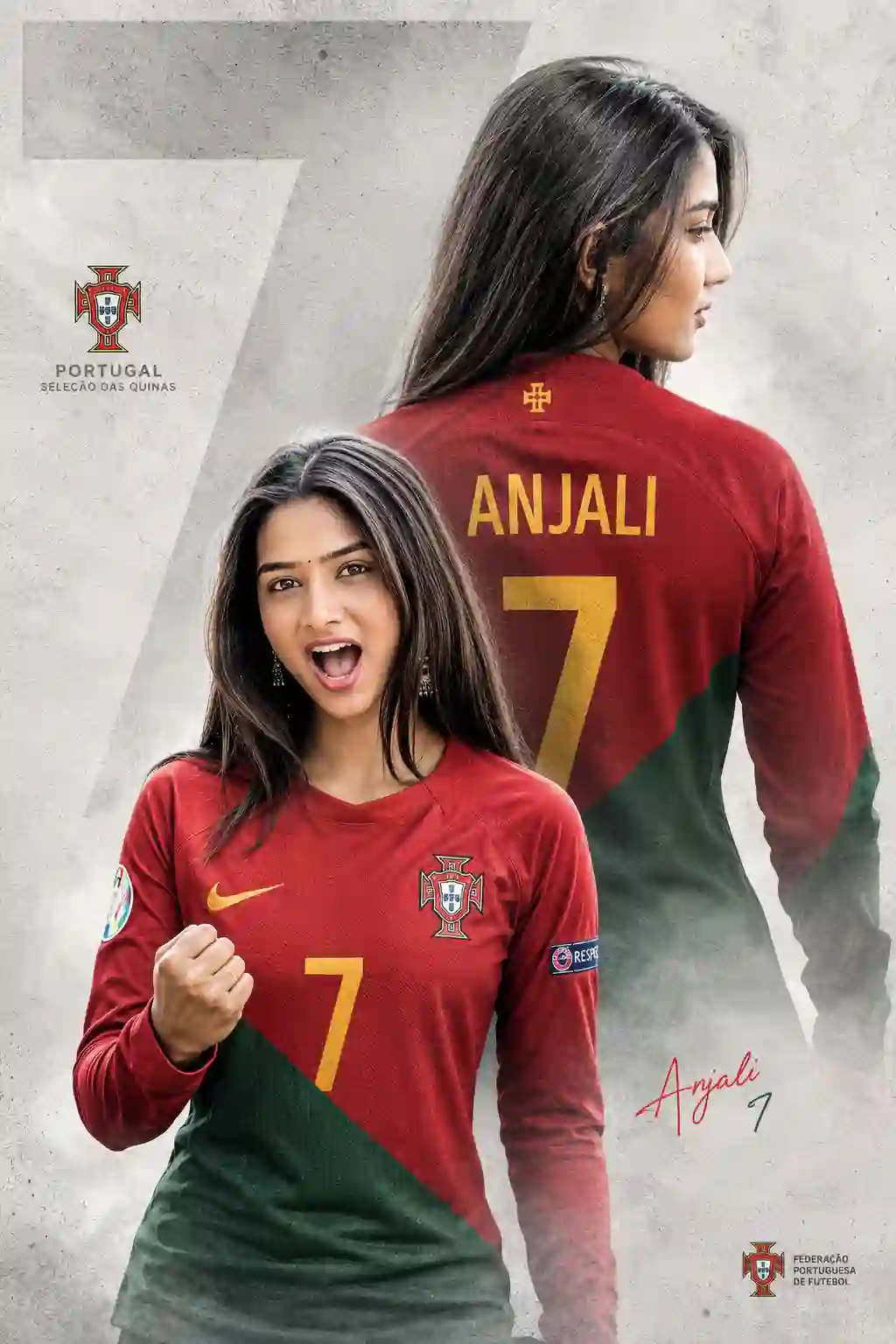
Convert this photo into a high quality image without changing orginal face and He is dressed in a (Portugal) football team latest jersey in iconic accents with full sleev, featuring authentic (Portugal) team branding and sponsor logos. The design uses a powerful double exposure effect: in the foreground, he is captured mid-shout in an intense, triumphant celebration with a clenched fist; in the background, a larger, faded silhouette of him is shown from behind, displaying the name “ANJALI” and the jersey number “7“. The background is a clean, textured light gray with a large, subtle “7” watermark. Cinematic lighting, dramatic contrast, sharp focus, ultra-detailed 8K resolution, professional sports poster graphic design style.
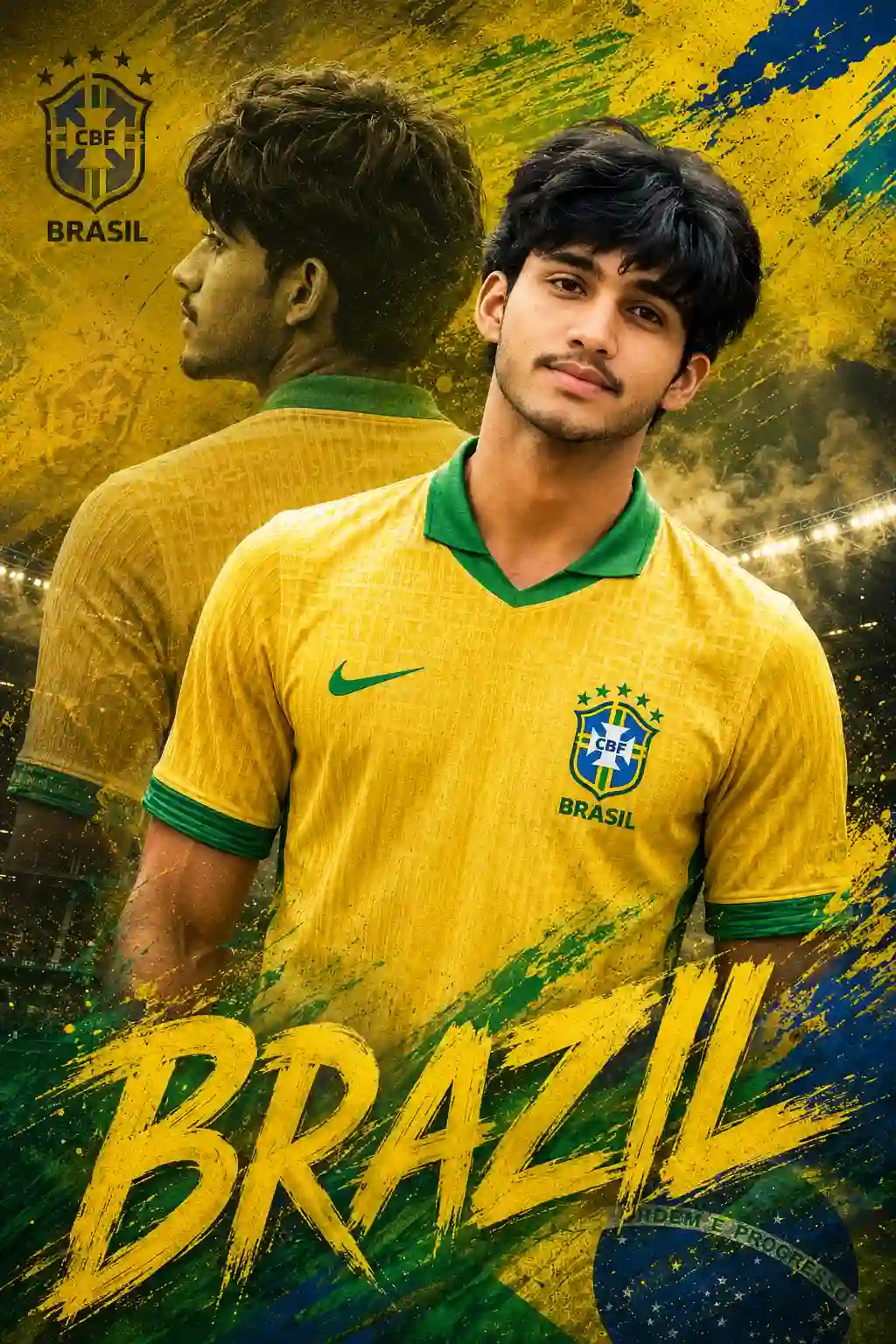
Create an 8K cinematic Brazil football poster from the uploaded photo, keeping the original face unchanged. Wear the latest Brazil half-sleeve jersey with realistic fabric, Brazil crest, and green collar accents. Use a double-exposure layout featuring a confident front pose and a faded rear silhouette. No names or jersey numbers. Add bold “BRAZIL” typography, Brazil football logo, yellow-green-blue paint effects, grunge textures, smoky stadium atmosphere, and dramatic cinematic lighting. Ultra-realistic facial details, sharp beard texture, vibrant colors, premium sports poster design.
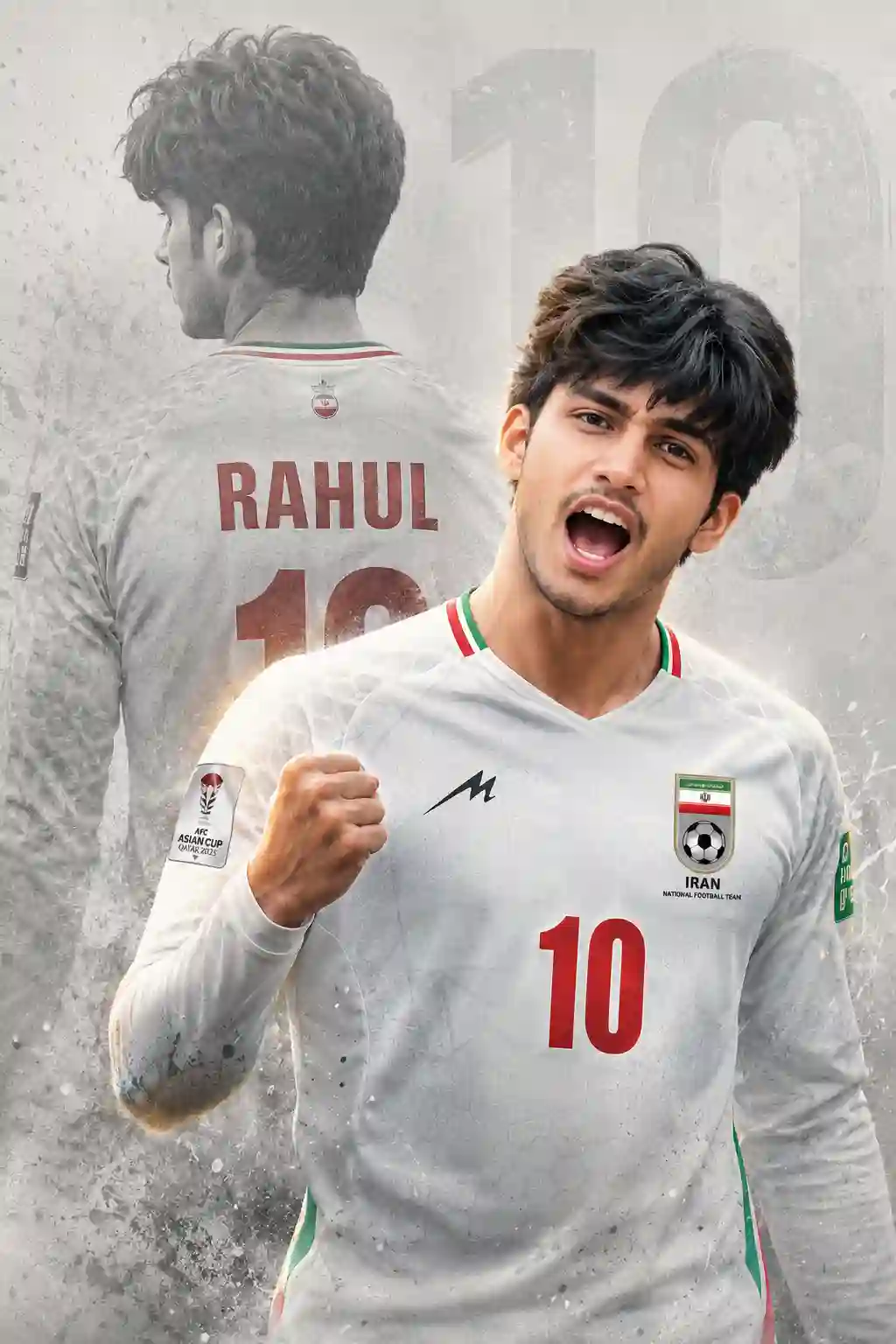
Create an ultra-detailed 8K cinematic sports poster using the uploaded photo, keeping the original face unchanged. Dress him in the latest (IRAN) full-sleeve football jersey with authentic logos and branding. Use a double exposure effect: foreground shows him shouting in a powerful celebration with a clenched fist, while the background features a faded rear-view silhouette with the name “RAHUL” and number “10”. Add a clean textured light grey background with a subtle large “10” watermark. Apply dramatic lighting, high contrast, sharp focus, and professional poster design style.
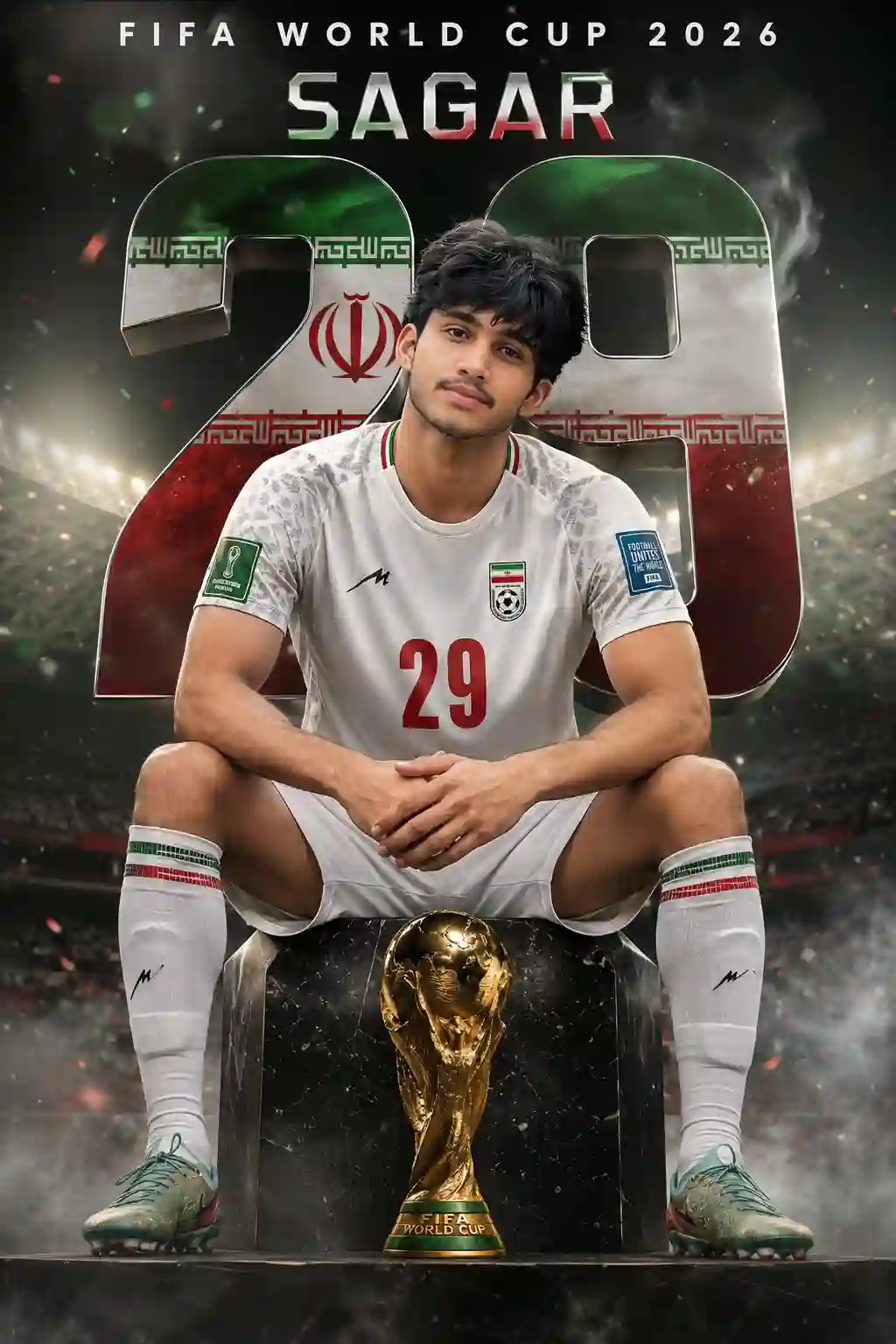
Create an ultra-realistic 8K HDR FIFA World Cup 2026 poster using the uploaded face as exact identity reference (no facial changes at all). Show player sitting on a podium in a confident pose (elbows on knees, hands clasped). Dress him in official IRAN national team jersey with number 29. Add giant “29” in background, stadium lights, smoke, Iran theme colors, and premium sports magazine style. Include text: “FIFA WORLD CUP 2026 SAGAR 29”. Use cinematic lighting, sharp focus, and no distortion.
Step 2: Choose Your Favorite Team
When you open the article, scroll down to see different AI prompts designed for various football teams.
You can select any team that you support. Whether you’re a fan of Argentina, Brazil, Portugal, France, Germany, England, or any other nation, you can create a customized AI image showing your support.
The website usually provides multiple prompt variations, allowing you to generate different styles of football-themed photos.
Step 3: Copy the Prompt
Under each sample image, you’ll find a detailed AI prompt.
Select the entire prompt and copy it to your clipboard.
Before using it, you’ll need to customize it by replacing the default details with your own information.
Make sure to change:
- Your name
- Jersey number
- Team preference
- Any other personal details mentioned in the prompt
This customization helps the AI generate a more personalized and realistic image.
Step 4: Open ChatGPT
Now open ChatGPT and start a new conversation.
If you don’t already have an account, you can create one through the official website:
After opening ChatGPT, click the + icon and upload your photo.
For the best results:
- Use a clear front-facing image.
- Make sure your face is visible.
- Avoid blurry or low-quality photos.
- Use good lighting.
The better your original photo, the better the final AI-generated result will look.
Step 5: Paste the Prompt
After uploading your image, paste the copied FIFA World Cup AI prompt into ChatGPT.
Before sending it, double-check the following:
- Your name is correct.
- Your jersey number is correct.
- Your favorite team is mentioned.
- Any additional customizations have been added.
Once everything looks perfect, click the send button.
Step 6: Generate Your FIFA AI Photo
Now all you need to do is wait.
ChatGPT will analyze your uploaded photo and the prompt you’ve provided. Within a short time, it will generate a FIFA World Cup-themed image featuring your face.
The final image may include:
- Professional football jersey
- Stadium background
- FIFA World Cup atmosphere
- Customized player number
- Realistic sports photography effects
The results can look surprisingly professional and are perfect for sharing on social media.
Step 7: Download and Save the Image
Once the AI image is generated, click the save or download button.
Your FIFA World Cup AI photo will be saved to your device, ready for posting on:
- WhatsApp Status
- TikTok
- X (Twitter)
- Snapchat
Many creators are using these images to participate in trending football-related content and increase engagement on their profiles.
Tips for Creating Better FIFA AI Photos
To get the highest-quality results, follow these tips:
Use a High-Quality Selfie
A clear image helps the AI recognize your facial features more accurately.
Customize the Prompt
Don’t leave the default information unchanged. Adding your own name and jersey number makes the photo unique.
Choose Your Favorite Team
Supporting your favorite national team adds a personal touch to the image.
Experiment with Different Prompts
Try multiple prompt variations to create different styles of football-themed photos.
Use Good Lighting
Photos taken in natural daylight usually produce better AI-generated results.
Benefits of AI Photo Generation
AI image generation has become extremely popular because it allows users to create professional-looking content without advanced editing skills.
Some major benefits include:
- Fast image creation
- Professional-quality results
- No graphic design experience required
- Easy customization
- Perfect for social media trends
Tools like ChatGPT continue to make AI-generated content more accessible to everyone.
Useful Resources
- OpenAI ChatGPT: https://chatgpt.com
- FIFA Official Website: https://www.fifa.com
- Instagram Official Website: https://www.instagram.com
Final Thoughts
Creating a FIFA World Cup AI photo is one of the easiest ways to join the latest Instagram trend. With a simple prompt, a clear selfie, and ChatGPT, you can generate realistic football-themed images that look professional and eye-catching.
Whether you’re supporting Argentina, Brazil, Portugal, France, or any other national team, you can easily create a customized fan image and share it with your followers.
Give it a try today and create your own viral FIFA World Cup AI photo for Instagram!

📢 Join Our WhatsApp Channel
Get daily AI photo editing prompts, tools, and tips directly on your phone.
Join Now on WhatsApp 🚀