How to Create Viral IPL Couple AI Videos for Instagram Using ChatGPT & Flow AI
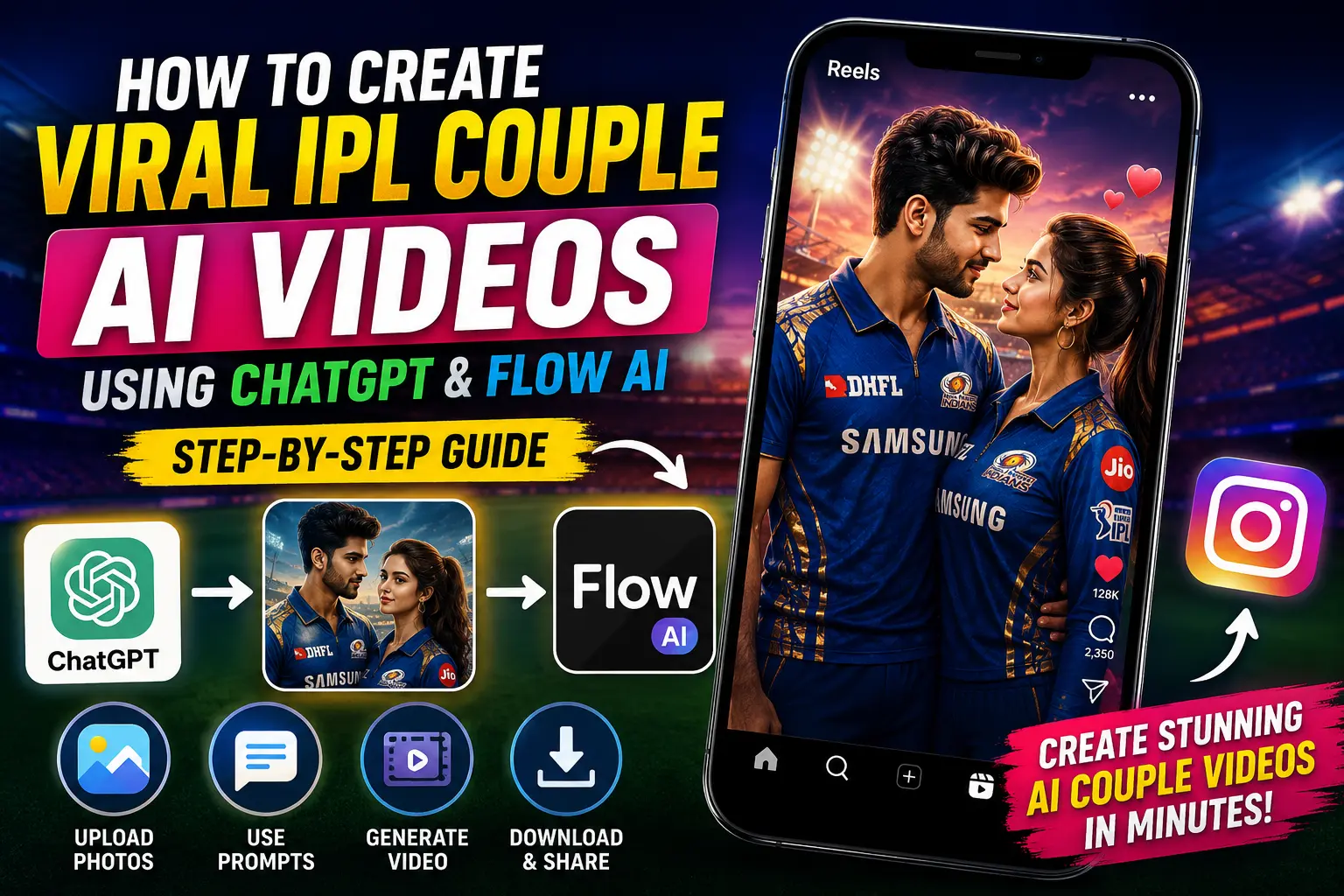
If you have been scrolling through Instagram lately, you probably noticed those trending IPL couple AI videos that are going super viral. These AI-generated couple videos are getting millions of views because of their cinematic style and realistic editing.
The best part is that you can also create these videos very easily. It is not exactly a single tap process, but yes, with a few simple steps, you can generate your own viral AI couple video without advanced editing skills.
In this guide, I will show you the complete process step-by-step using ChatGPT and Flow AI.
Why IPL Couple AI Videos Are Going Viral
Instagram’s algorithm currently loves AI-generated content, especially:
- IPL-themed edits
- Romantic couple animations
- AI cinematic transformations
- Trending reel-style videos
- Hyper-realistic AI animations
Creators are gaining thousands of followers just by uploading these AI-generated reels consistently.
Step 1: Open ChatGPT Application
First of all, open the official ChatGPT application on your mobile device.
You can download it from the official website:
After opening the app, tap on the Plus (+) icon.
Step 2: Upload Your Photos
Now you need to upload:
- Your own photo
- Your girlfriend’s or partner’s photo
Select both images carefully and add them inside ChatGPT.
Once both photos are uploaded, you will need an AI prompt. The creator mentioned that the prompt will be available on their Telegram channel, but you can also create your own cinematic prompt.
After pasting the prompt, simply click on Send.
Now wait for a few seconds while ChatGPT generates your AI-edited image.
Step 3: Save the Generated AI Image
After some processing time, your AI couple image will be generated in a cinematic style.
Simply save the generated image to your gallery.
Step 4: Open Flow AI Website
Now open Google Chrome or any browser and search for Flow AI.
You can visit the website directly here:
After opening the website:
- Tap on Create with Flow
- Sign in using your Gmail account
- Create a new project
Step 5: Upload the AI Photo
Now tap on the Start option and upload the AI-generated photo that you created using ChatGPT.
Once again, you will need another prompt for video generation.
Copy the video prompt and paste it into Flow AI.
Then simply click on Send.
Step 6: Generate the AI Video
After submitting the prompt, Flow AI will start generating your IPL-style AI couple video automatically.
This may take a little time depending on server speed.
Once the processing is complete, your final cinematic AI video will be ready.
Step 7: Download the Final Video
After the video is generated:
- Tap on the download option
- Save the video to your device
- Upload it directly to Instagram Reels
Your final AI reel will look similar to those viral IPL couple edits currently trending on Instagram.
Tips to Make Your AI Reels Go Viral
- Use trending IPL music
- Add cinematic transitions
- Upload in high quality
- Use trending hashtags
- Post consistently
- Keep reels under 15 seconds
Prompt for image generation
A screenshot from a live IPL cricket TV broadcast on Star Sports. The camera cuts to the audience — our reference image person sitting in the crowd, smiling naturally and unaware they’re on camera.
Both girlfriend and boyfriend sitting together.The subject is seated in premium stadium seats near the boundary rope during a high-energy match between Royal Challengers Bengaluru (RCB) and Chennai Super Kings (CSK). Hardlock: Do not alter their facial structure, skin texture, or likeness in any way.
The stadium atmosphere is electric — packed crowd, vibrant red and yellow team colors throughout the stands, dramatic stadium floodlights, flags waving, blurred motion from cheering fans in the background. Full authentic cricket broadcast overlay visible: IPL-style scorecard graphics, Star Sports logo watermark, over count, team scores, player stats ticker, match status. The game is IPL playoffs — Qualifier match atmosphere. RCB currently leading the series momentum after dominating previous matches against CSK.
The image should look exactly like a real TV broadcast screenshot — realistic sports broadcast cinematography, live camera framing, authentic sports color grading, slight compression artifacts, interlacing grain, subtle motion blur, realistic depth of field from a broadcast zoom lens, candid audience capture aesthetic.
16:9 aspect ratio, ultra-realistic live sports broadcast feel, indistinguishable from an actual televised IPL match screenshot.
Prompt for video generations
Create a realistic 15-second live Indian cricket broadcast crowd cutaway during a fictional IPL-style night match in a packed stadium. The scene must feel like a genuine IPL audience reaction captured by a far-away stadium zoom camera, not cinematic, staged, influencer-style, or front-facing.
The couple must closely match the reference image.
Boyfriend:
– Preserve exact identity, facial structure, hairstyle, stubble, skin tone, and expression
– Same light grey-blue small check shirt
– One arm naturally around the girl
– Holding a silver-and-red soda can initially
Girl:
– Match same appearance and outfit
– Same blue floral summer dress
– Natural shy expressions
Both remain seated throughout.
Environment:
Packed Indian cricket stadium at night with dense crowd, blue jerseys, floodlights, LED ribbon boards, realistic audience movement, foreground/background spectators partially blocking frame edges for authentic broadcast framing.
Camera Style:
Single continuous take, no cuts or angle changes. Telephoto stadium broadcast lens from far away with long-lens compression, slight broadcast softness, mild TV compression artifacts, subtle live-broadcast grain, authentic sports framing. Couple mostly watches stadium screen instead of camera.
Timeline:
0–4s:
Camera lands naturally on couple. Boyfriend casually smiles while watching match. Girl realizes they’re on screen and smiles shyly while avoiding eye contact.
4–7s:
Boyfriend casually lifts soda can slightly in celebration while still focused on match. Girl shyly hides part of her face smiling. Crowd reacts naturally.
7–11s:
Boyfriend lowers can and forms half-heart gesture. Girl shyly completes other half. Soft crowd cheering and laughter nearby.
11–13s:
Girl gives quick soft cheek kiss. Boyfriend reacts with proud grin and small laugh while still immersed in match atmosphere.
13–15s:
Both become embarrassed and smile softly. Girl looks away shyly. Boyfriend returns attention toward match.
Graphics:
Static fictional IPL-style scorebug throughout entire clip with fictional teams, score, wickets, overs, run rate, batsman/bowler stats, LIVE tag, and fictional sports-channel watermark. No score updates or animation.
Audio:
Natural stadium ambience, crowd murmur, distant cheering, soft laughter during romantic moments, two male cricket commentators casually reacting to couple appearing on broadcast. No dialogue from couple.
Important:
Strong face preservation, accurate wardrobe, seated entire time, no
Best Hashtags for IPL AI Reels
#IPL2026 #AIVideo #InstagramReels #CoupleAI #AIEditing #ViralReels #TrendingReels #FlowAI #ChatGPT #AICoupleVideo
Final Words
Creating viral IPL couple AI videos is now much easier thanks to tools like ChatGPT and Flow AI. You do not need professional editing skills or expensive software. Just upload your photos, use the right prompts, and generate cinematic AI videos within minutes.
If you are consistent with uploading trending AI reels, you can quickly grow your Instagram page and increase engagement.
For more AI editing tutorials and viral Instagram tricks, keep exploring the latest AI tools and trends.

📢 Join Our WhatsApp Channel
Get daily AI photo editing prompts, tools, and tips directly on your phone.
Join Now on WhatsApp 🚀