Introduction
There’s a big difference between AI images that look generated and ones that feel like they were casually captured in real life. Most people can spot the fake instantly—over-smooth skin, perfect lighting, unrealistic depth of field.
I wanted the opposite.
So I started experimenting with Google Gemini to create images that feel like raw, unedited iPhone photos—slightly imperfect, natural lighting, real skin texture, and most importantly, consistent identity.
Instead of chasing “cinematic perfection,” the goal here is realism that holds up even under close inspection.
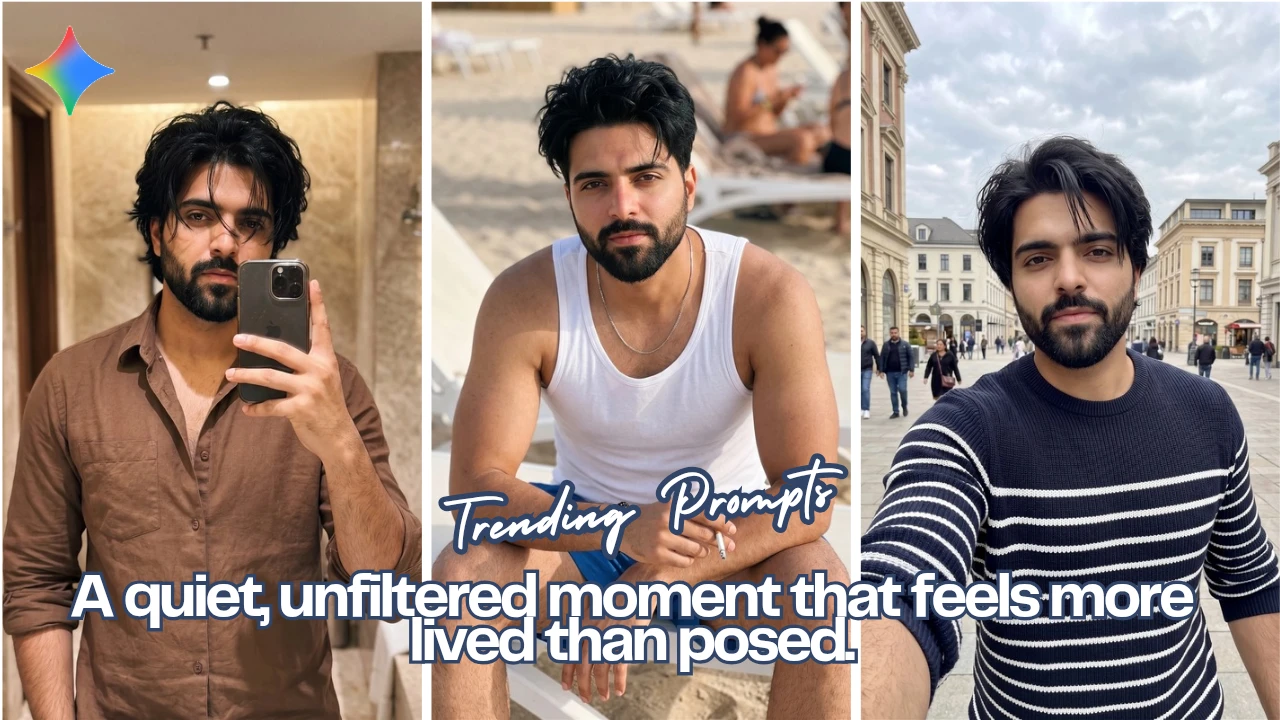
Below are three scenes I used to test this approach, along with the exact prompts and what each result is meant to capture.
Scene 1: Beach Lounge – Natural Light, Natural Imperfection
📸 Image Placeholder
Prompt Used:
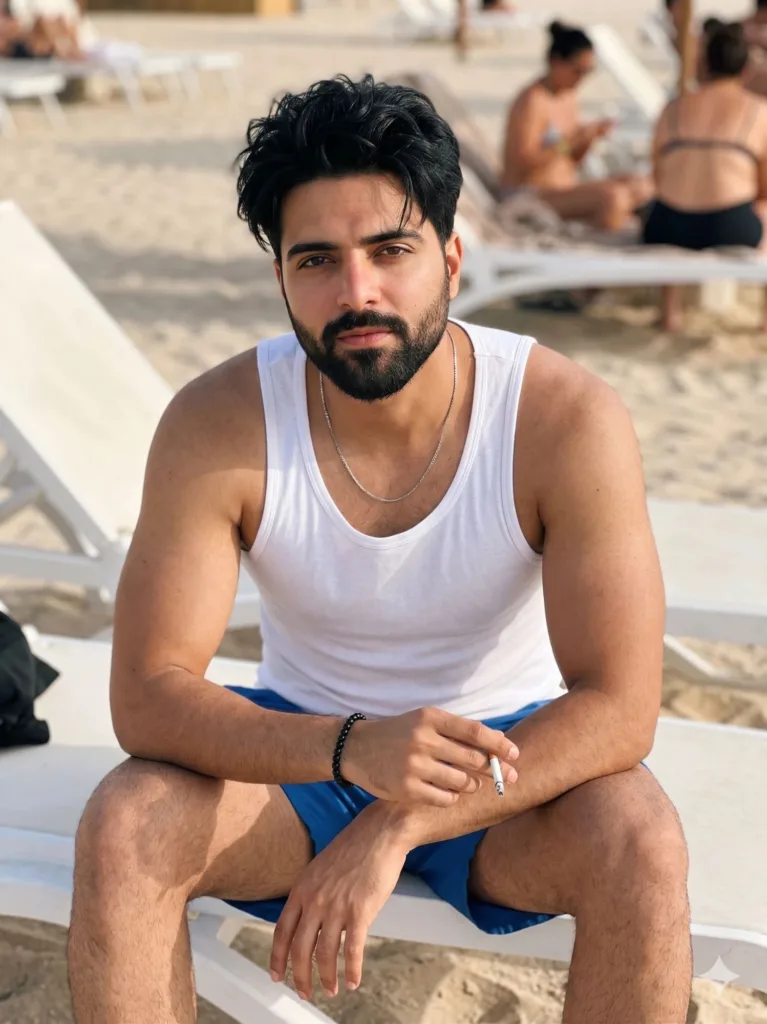
Ultra-realistic iPhone-style photo using the uploaded face as the only identity source, preserving exact facial features, skin tone, and natural imperfections (no alteration, no beautification), young South Asian man with a tall athletic V-shaped physique, naturally defined arms and shoulders (lean, not bulky), slightly messy black hair falling naturally, no tattoos
healthy skin with subtle real texture (fine pores, slight unevenness), very light sun-kissed tone with a very soft natural sunburn across nose and upper cheeks (extremely subtle, not red or exaggerated), natural skin sheen from outdoor light, no plastic smoothing
wearing a fitted white tank top with slight fabric stretch around chest and shoulders, blue shorts, minimal accessories (thin necklace and simple bracelet), no glasses
sitting on a white beach lounge chair, leaning slightly forward with elbows resting on thighs, hands casually holding a cigarette in a relaxed natural grip, posture unforced and slightly slouched, calm confident expression with soft intense eye contact, slightly parted lips
bright beach setting in natural daylight, soft warm sunlight with mild highlights and gentle shadows, realistic sand texture, scattered white lounge chairs, a few people in the background slightly out of focus due to distance (not artificial blur), subtle breeze moving hair naturally
camera angle slightly top-down as if taken casually by another person standing nearby, mid-to-close framing (chest to head), no portrait mode, no artificial bokeh, background remains naturally readable, slight handheld imperfection (minor tilt, tiny motion softness), raw unedited iPhone capture look, neutral color tone (not cinematic graded)
Quality Tags: ultra realistic, photorealistic, high detail, 4k, natural lighting, real skin texture, raw photo, candid, unposed, imperfect framing
–ar 3:4 –style raw –v 6 –q 2
Negative Prompt: shirtless, overmuscular bodybuilder, heavy sunburn, red blotchy skin, plastic skin, excessive smoothing, unrealistic glow, cinematic color grading, strong depth of field, bokeh, HDR look, distorted anatomy, extra fingers, duplicate face, cartoon, anime, CGI, watermark, text, logo, oversharpen
Scene 2: Mirror Selfie – Everyday Realism
📸 Image Placeholder
Prompt Used:
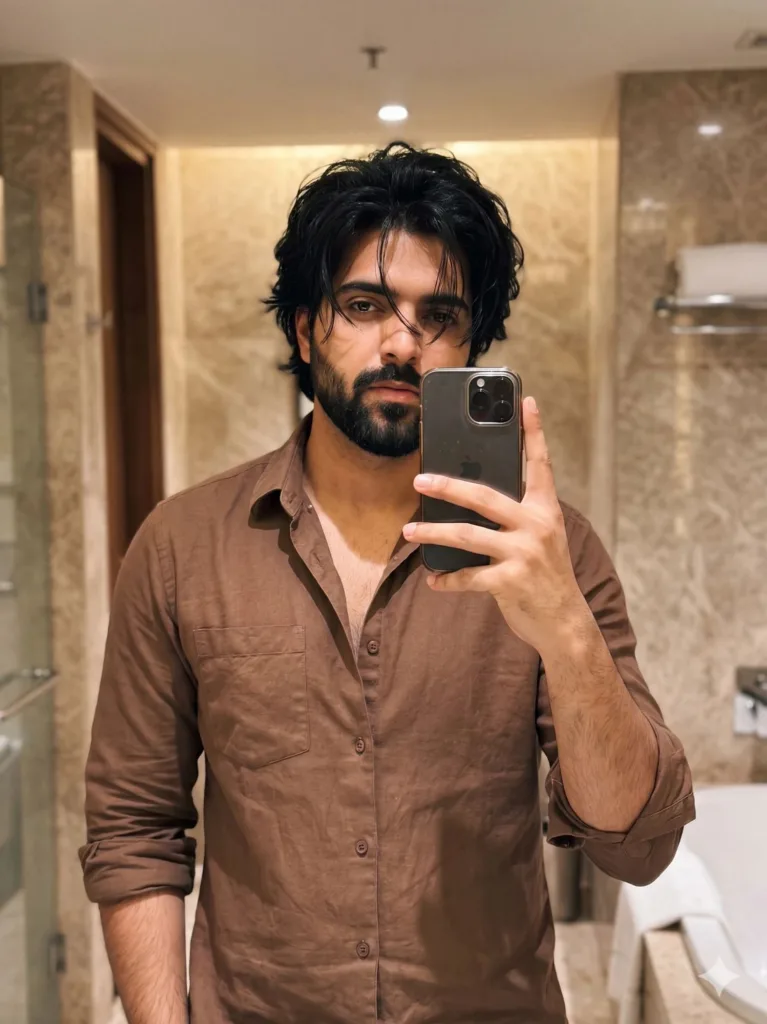
Ultra-realistic mirror selfie using the uploaded face as the only identity reference, preserving exact facial features, skin tone, and natural imperfections, young South Asian man with a tall athletic V-shaped physique and naturally defined arms, no glasses, healthy skin with subtle real texture (fine pores, slight unevenness, no artificial smoothing), clean natural look, no tattoos
slightly messy medium-length black hair falling loosely over the eyes with a few uneven strands
wearing a brown button-up shirt, slightly unbuttoned at the top revealing a bit of chest, sleeves casually rolled up with natural creases and slight fabric wrinkles around the elbows and forearms
standing in a warm-toned bathroom taking a mirror selfie, one hand holding a smartphone partially covering part of the face, the other hand resting casually on the sink, relaxed posture with body slightly angled sideways, head tilted slightly downward looking at the phone screen
expression calm and neutral with a subtle serious gaze, unforced and natural
lighting from overhead warm bathroom lights creating mild uneven shadows under the eyes and jaw, slight highlight on forehead and nose, realistic indoor lighting (not cinematic), subtle reflections on mirror with faint smudges or streaks visible, marble wall textures and neutral beige tones in the background, everyday bathroom setting
background fully visible and in focus (no portrait mode), slight grain from indoor lighting, minimal motion softness, slightly imperfect framing with a bit of tilt, raw iPhone-style capture, no heavy color grading, no stylization, looks like a real casual photo
–ar 3:4 –style raw –v 6 –q 2
Negative Prompt: beauty filter, plastic skin, excessive smoothing, heavy acne, harsh dramatic lighting, strong cinematic shadows, shallow depth of field, bokeh, distorted anatomy, exaggerated muscles, over-sharpening, HDR look, cartoon, CGI, watermark
Scene 3: Outdoor Walking Selfie – Motion & Imperfection
📸 Image Placeholder
Prompt Used:
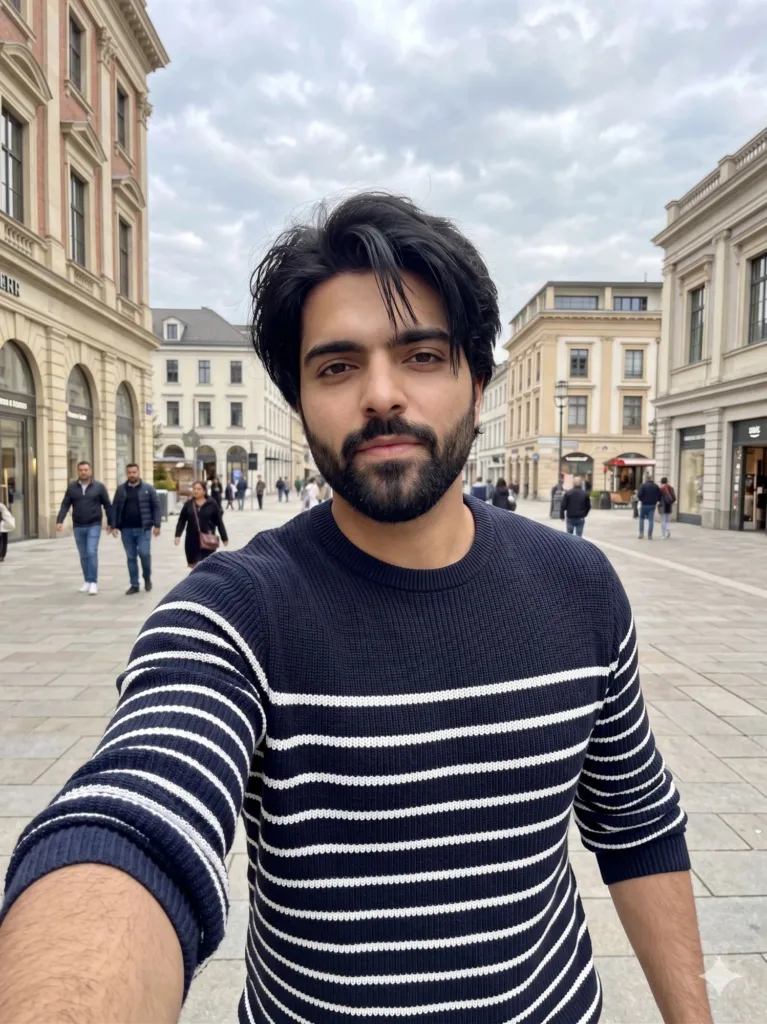
Ultra-realistic iPhone front camera selfie (no phone visible) using the uploaded face as the only identity source, preserving exact facial features, skin tone and natural imperfections, young South Asian man with a tall athletic V-shaped physique and naturally defined arms, healthy skin with subtle texture, black medium-length slightly messy hair falling over forehead, no tattoos, no glasses, walking casually in an open plaza in Islamabad with European-style architecture influence, cloudy sky creating soft diffused daylight and mild shadows, wearing a dark navy long-sleeve knit sweater with horizontal white stripes, slightly fitted with natural fabric stretch around forearms, holding phone at arm’s length in a moving selfie angle, upper body slightly leaning forward mid-step, relaxed posture, direct eye contact with a calm confident expression, slight motion blur in background from walking, people passing behind in natural movement, environment fully sharp (no portrait mode), slightly off-center imperfect framing, mild lens softness, neutral tone no heavy grading, raw candid iPhone snapshot, realistic and unposed –ar 3:4 –style raw –v 6 –q 2
Negative Prompt: overmuscular, bodybuilder physique, plastic skin, excessive smoothing, heavy acne, distorted anatomy, extra limbs, blurry face, overexposed highlights, oversaturated colors, cartoon, anime, CGI look
The Process (What Actually Matters)
After testing a lot of variations, a few things made the biggest difference:
• Identity lock is everything
If the face shifts even slightly, the illusion breaks. Every prompt reinforces that the uploaded face is the only reference.
• Imperfections are not optional
Slight skin unevenness, tiny lighting inconsistencies, minor framing issues—these are what make the image believable.
• Avoid cinematic language
The more you push “film look,” the more artificial it feels. Real iPhone photos are flat, neutral, and sometimes slightly messy.
• Kill depth-of-field effects
No artificial blur, no fake bokeh. Let the background exist naturally.
• Think like a real camera, not an artist
Slight tilt, motion softness, uneven lighting—these are flaws in photography but assets in realism.
Conclusion
Most AI images fail because they try to look better than reality. But people don’t trust perfection anymore—they trust familiarity.
By keeping things grounded—real lighting, natural skin, imperfect framing—you can push AI outputs into a space where they stop looking generated and start feeling captured.
That shift is subtle, but once you see it, it’s hard to unsee.
Try Google Gemini Here
This blog post and AI prompts were created by Shahbaz Ahmad.
Follow me on TikTok @Dudefrompak for more ready-to-use prompts.

📢 Join Our WhatsApp Channel
Get daily AI photo editing prompts, tools, and tips directly on your phone.
Join Now on WhatsApp 🚀