Introduction
Every Eid, we try to capture moments that feel real — not staged, not forced, just natural memories. But this time, I wanted to experiment with something different.
Instead of just taking photos, I tried recreating Eid day moments using AI — the kind that look like they were shot on a phone, slightly imperfect, full of life.
Using Google Gemini, I tested a few prompts to generate candid, story-like images. Surprisingly, the results didn’t feel artificial at all. They looked like something straight out of a real Eid morning.
In this blog, I’m sharing the exact prompts I used, along with the process — so you can create your own realistic Eid visuals too.
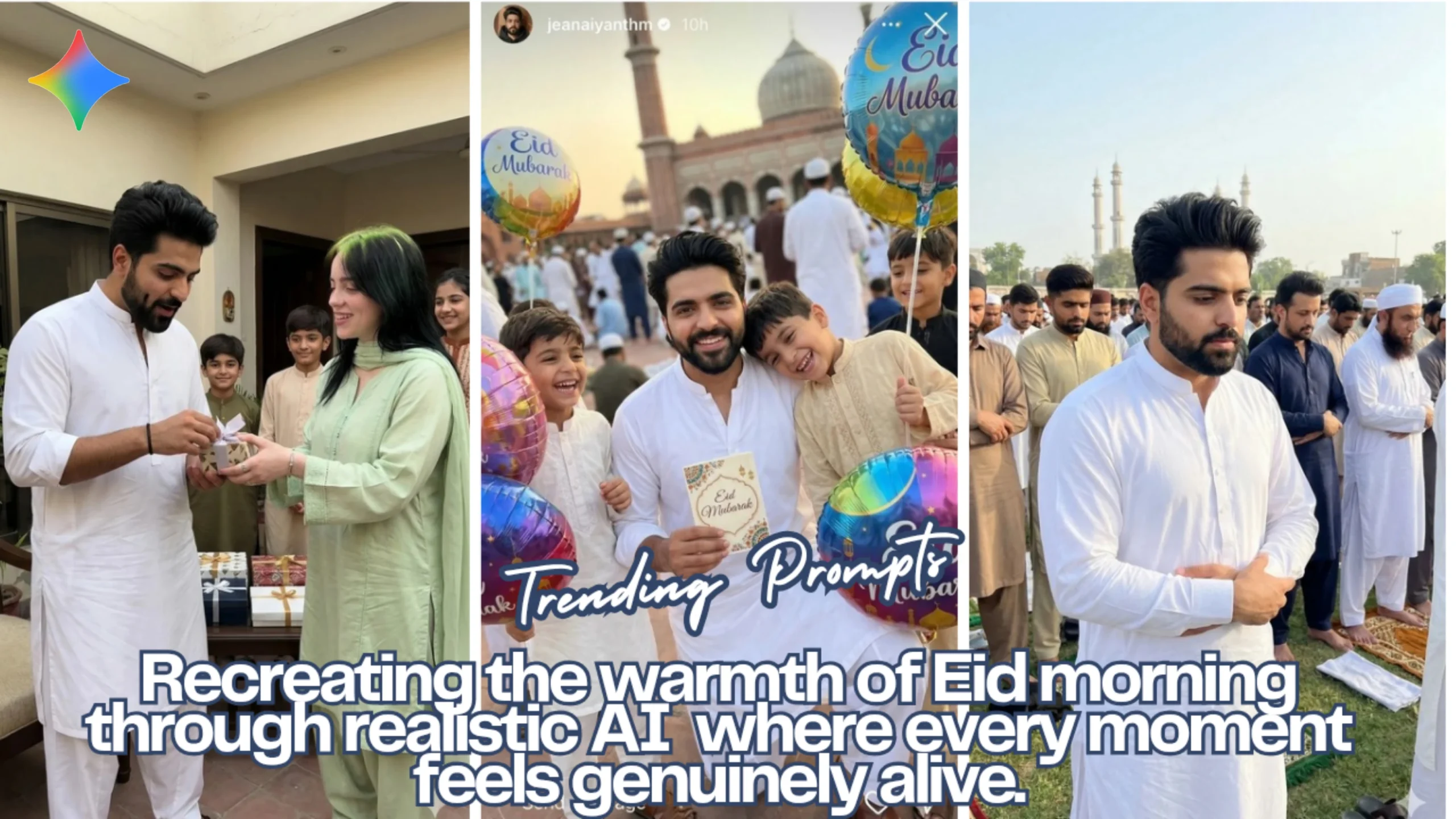
Image 1: Eid Morning with Kids & Balloons
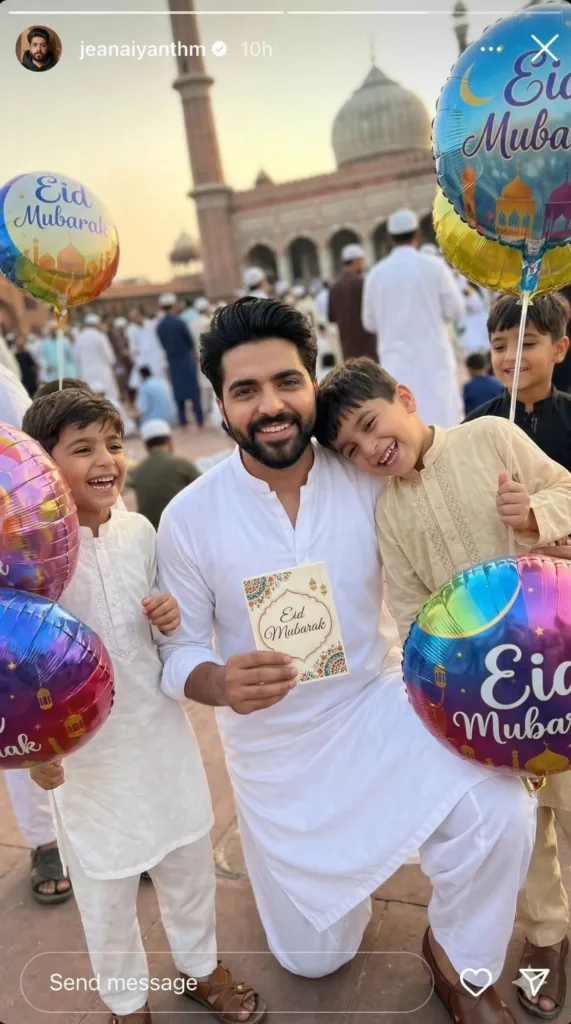
Prompt Used:
–ar 9:16 –style raw –ultra-realistic candid photo of the man from the reference image (keep the same face and natural features) standing in an outdoor Eid prayer courtyard with smiling children around him holding “Eid Mubarak” balloons, wearing a crisp white shalwar kameez, warm natural interaction, handheld smartphone selfie feel with slight tilt, golden hour light, soft background with prayer mats and crowd, realistic skin texture, vibrant festive mood, no filters
Image 2: Eid Prayer Scene (Namaz Moment)
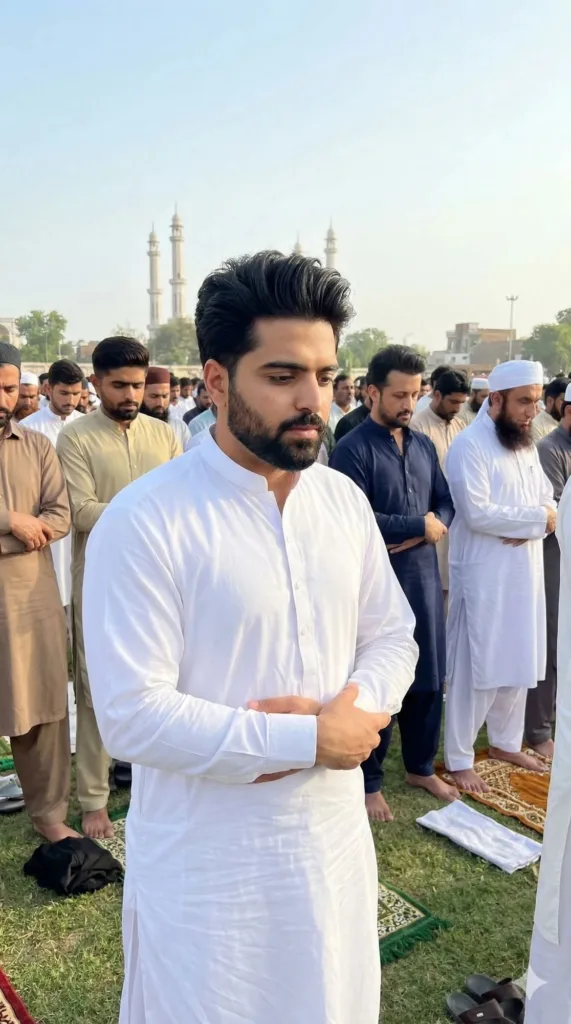
Prompt Used:
–ar 9:16 –style raw –ultra-realistic candid photo of the man from the reference image (keep the same face and natural features) standing in Eid namaz (hands folded, calm focus) in an open prayer ground, wearing a crisp white shalwar kameez, with rows of men behind him praying together, handheld smartphone perspective with slight tilt, soft morning or golden hour light, natural crowd depth, realistic skin texture, authentic outdoor Eid atmosphere, no filters
Image 3: Eid Gift Exchange at Home
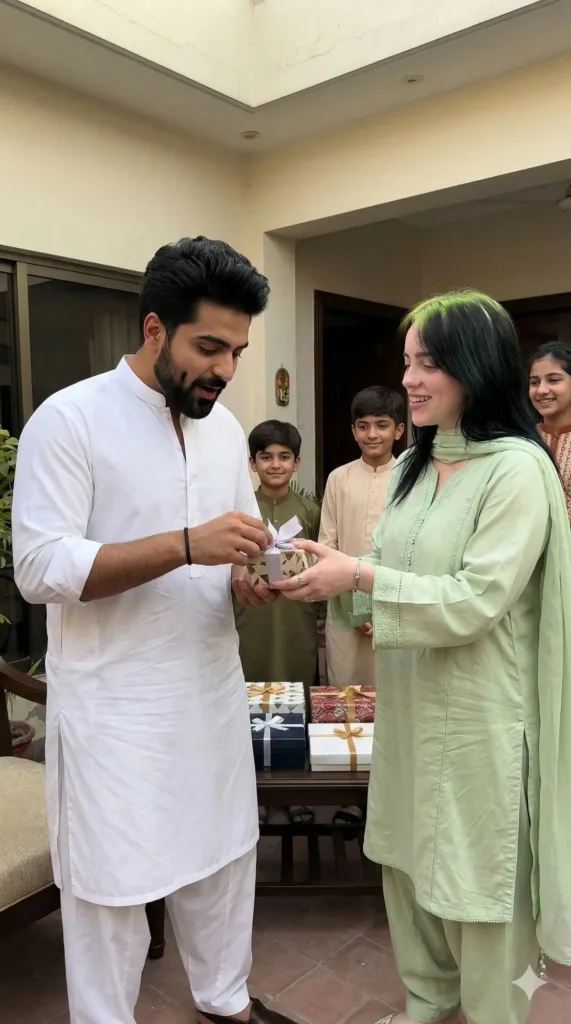
Prompt Used:
–ar 9:16 –style raw –ultra-realistic candid photo of the man from the reference image (keep the same face and natural features) receiving and opening an Eid gift from a woman resembling any Hollywood celebrity in a home courtyard, he in a white kurta pajama and she in a pastel shalwar suit, warm natural interaction with soft smiles, children in the background, handheld smartphone perspective with slight tilt, natural daylight, realistic skin texture, authentic festive moment, no filters
How I Generated These Images Using Google Gemini
The process is actually simpler than most people expect, but the difference comes from how carefully you write your prompts.
Step 1: Open Gemini
Go to Google Gemini and start a new chat.
Step 2: Upload Your Reference Image
If you want consistent identity (same face in every image), upload your photo first.
This is important — otherwise, every result will look like a different person.
Step 3: Paste the Prompt
Copy one of the prompts exactly as written and paste it into Gemini.
Step 4: Generate & Review
Let Gemini generate the image.
If something feels off (expression, framing, lighting), tweak only a small part of the prompt — not everything.
Step 5: Repeat for Consistency
Use the same identity reference + similar structure across prompts to keep a consistent visual story.
Final Thoughts
What stood out to me wasn’t just the quality — it was how natural these images felt.
They weren’t overly perfect. Slight tilt, imperfect lighting, small expressions — all of that made them believable.
If you’re creating Eid content (or any lifestyle content), this approach works because it focuses on moments, not just visuals.
And honestly, that’s what people connect with.
Try Google Gemini Here:
This blog post and AI prompts were created by Shahbaz Ahmad.
Follow me on TikTok @Dudefrompak for more ready-to-use prompts.

📢 Join Our WhatsApp Channel
Get daily AI photo editing prompts, tools, and tips directly on your phone.
Join Now on WhatsApp 🚀