Introduction
Most AI-generated images look impressive at first glance but they fall apart when you try to use them like real campaign visuals. The lighting feels off, the composition lacks intent, or everything just looks… too perfect in a fake way.
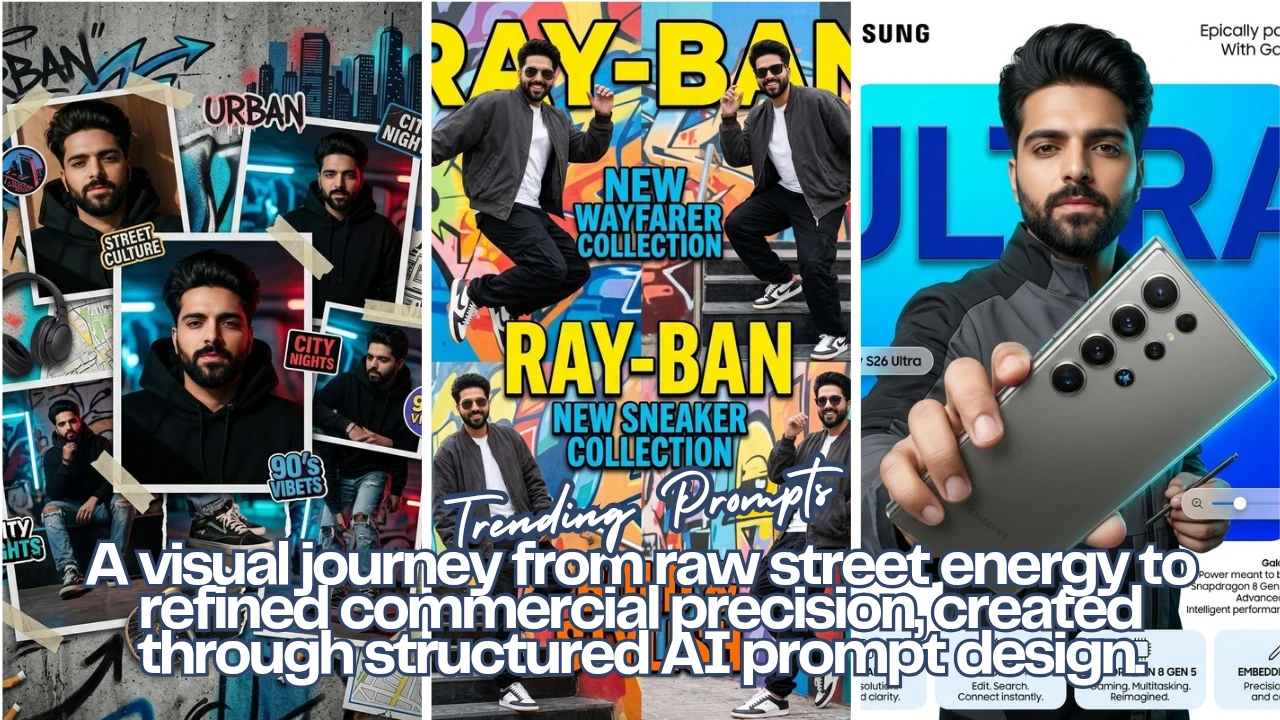
Instead of chasing “cool images,” I experimented with something more structured: building a visual journey using Google Gemini starting from raw street energy, moving into fashion identity, and ending with a polished, global-level tech campaign.
The idea was simple: treat AI like a creative director would treat a shoot.
Here’s how each stage turned out.
Image 1: Urban Identity Collage
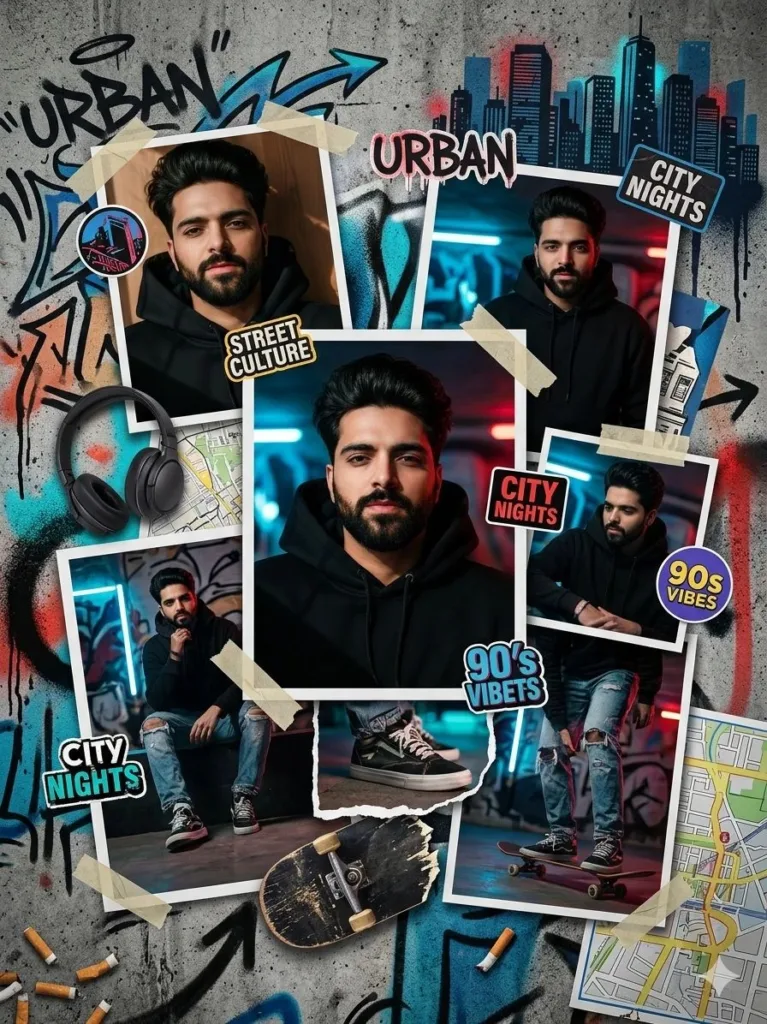
Prompt used:
A bold urban-themed collage on a textured concrete wall background with graffiti accents. Multiple torn paper layers and overlapping photo frames featuring a young man in trendy streetwear (hoodie, sneakers, ripped jeans). Dynamic composition with neon accents in red and blue, spray paint textures, stickers, and tape. Include elements like headphones, skateboards, and city skyline silhouettes.
This first image is intentionally messy. The torn paper, graffiti textures, and overlapping elements create visual noise but that noise is what gives it authenticity. It feels like something pulled straight off a city wall, not generated in a clean digital space.
Image 2: Fashion-Driven Persona
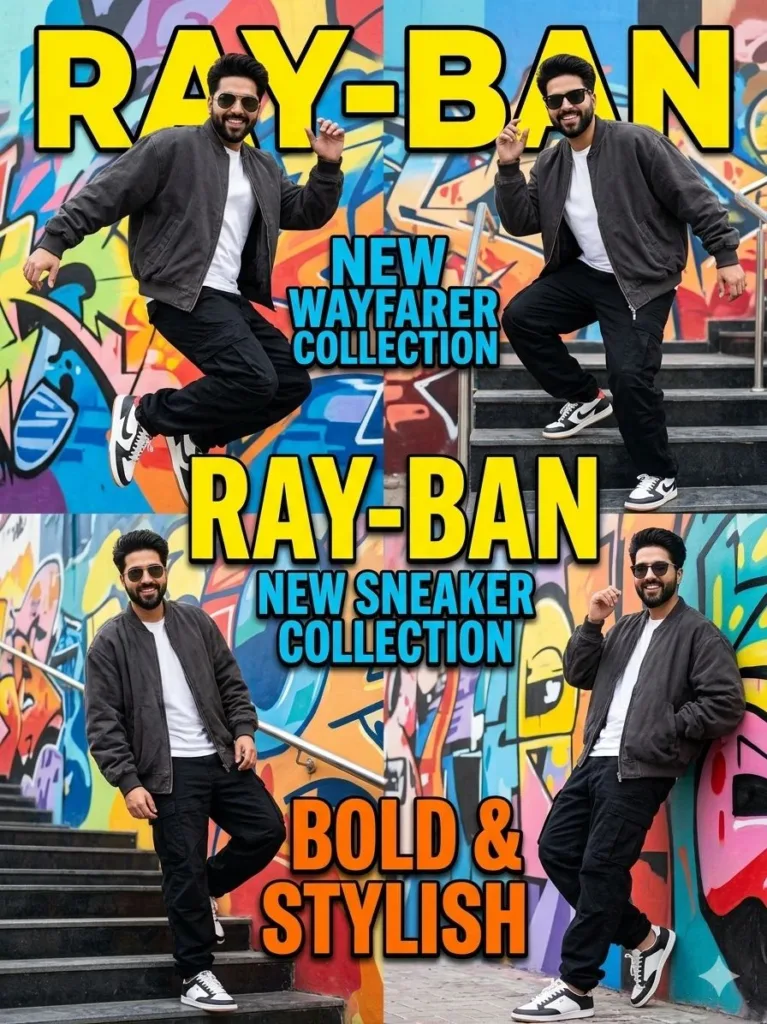
Prompt used:
A bold sneaker advertisement poster for Ray-Ban brand. A young man exactly same from reference image, 20–25 years old, with a lean athletic build, short dark hair, and light wheatish/dusky Pakistani skin tone, wearing a dark charcoal oversized bomber jacket, a white inner t-shirt, and black baggy cargo pants. Different poses with different Ray-Ban sunglasses. Background is multicolour.
Here, the direction becomes more controlled. The subject is no longer part of chaos—he’s the focus. The poses, outfit, and color-heavy background push it into advertisement territory.
One thing to note: mixing sneakers with a sunglasses brand creates a slightly unclear product focus. It works visually, but for real campaigns, clarity usually matters more than style.
We are not promoting any brands. These are just example shots.
Image 3: Premium Tech Campaign
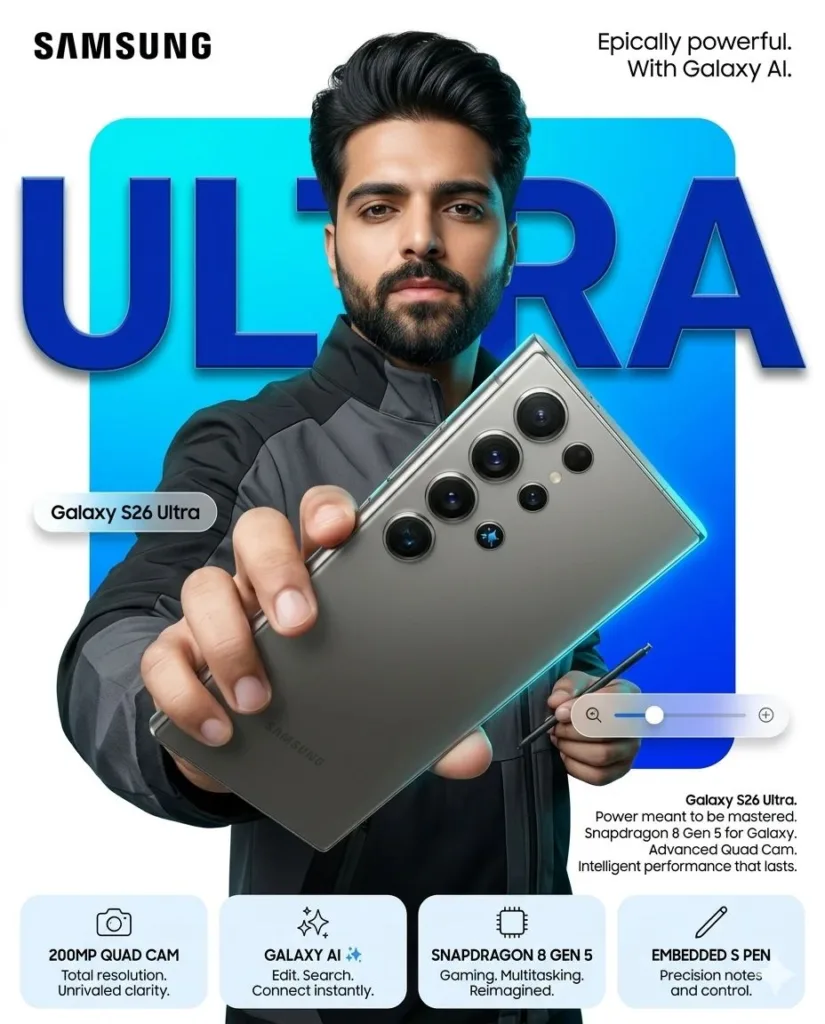
Prompt used:
4:5 vertical premium smartphone campaign poster, ultra-high resolution (8K), global OOH + digital + social ready Style: Samsung Premium Minimal × Bold Tech Composition × Hyper-real commercial photography…
This is where everything tightens. No clutter, no randomness—just deliberate composition.
The lighting does most of the work: soft key light for realism, rim light for separation, and controlled reflections on the device. The typography and layout push it into a space that feels close to real global campaigns.
Compared to the first image, this one feels almost clinical—and that contrast is what makes the progression interesting.
Conclusion
What stood out in this process wasn’t just the quality of the images—it was how much the intent behind the prompt changed the outcome.
• When the prompt was loose and layered, the result felt raw and expressive
• When it focused on styling, it became more commercial
• When every detail was controlled, it turned into a premium campaign visual
The biggest takeaway: realism in AI images doesn’t come from adding more detail—it comes from making better decisions about what to include and what to remove.
If you treat prompts like creative direction instead of keyword stuffing, the results start looking less like AI and more like something that could exist outside the screen.

📢 Join Our WhatsApp Channel
Get daily AI photo editing prompts, tools, and tips directly on your phone.
Join Now on WhatsApp 🚀