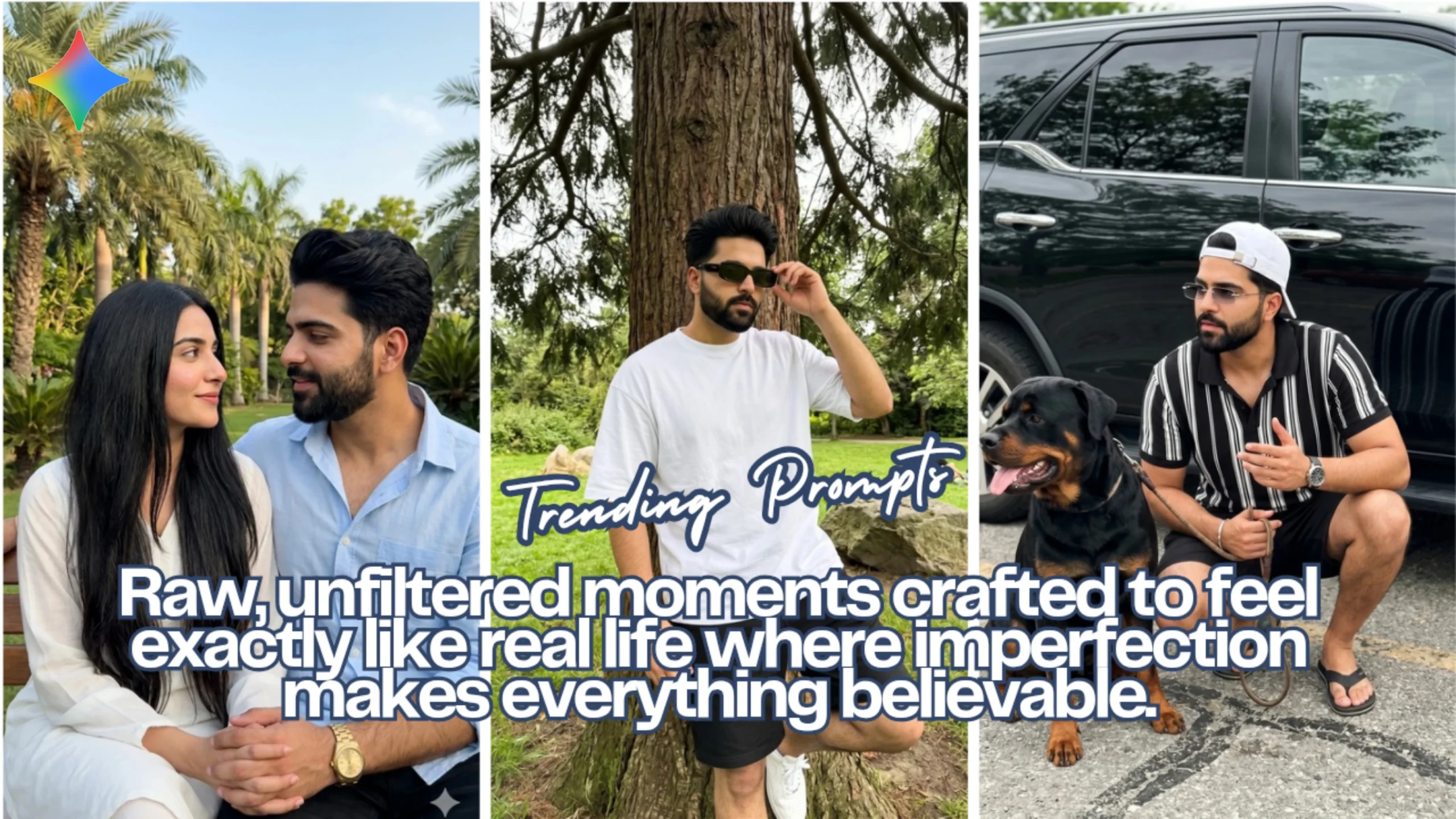
There’s a big difference between AI-generated images and images that genuinely feel like they were captured on a real phone in a real moment. Most people can spot the fake ones instantly—over-polished skin, perfect symmetry, dramatic lighting that screams “rendered.”
What I’ve been experimenting with lately is the opposite approach: building prompts that intentionally embrace imperfection. Slight camera shake, awkward framing, uneven lighting, natural posture—basically everything that makes a photo feel human.
Below are a few scenes I created using this method with Google Gemini. Each one is designed to mimic a real-life moment rather than a staged shoot.
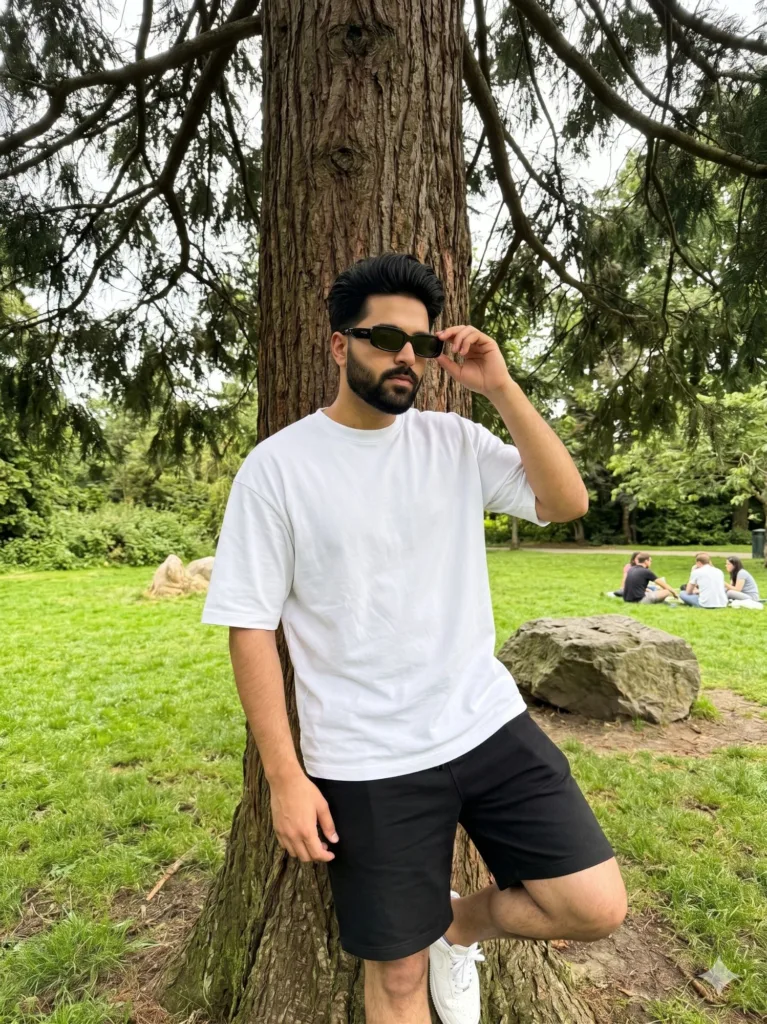
Scene 1: Under the Tree, A Natural, Unposed Moment
Prompt Used:
Use my uploaded image as a strict identity reference. Keep my exact real face, skin tone, hairstyle, and body proportions unchanged.
Ultra-realistic iPhone 15 Pro Max ultra-wide (0.5x) photo. Slight low-angle handheld perspective with natural wide-angle depth and subtle edge distortion.
Scene: I am standing casually under a large natural tree in a green park, leaning lightly against the trunk. One hand is raised naturally adjusting black rectangular sunglasses, the other resting relaxed by my side. Natural, unposed candid posture with slight body asymmetry and human imperfection.
Outfit: plain white oversized t-shirt, black shorts, white sneakers—all with realistic fabric folds and natural fit. No glasses.
Environment: lush green grass, a large rock nearby, open park space with a few distant people sitting casually in the background. Dense tree branches above creating organic framing. Background remains naturally detailed (no artificial blur).
Lighting: real outdoor daylight only, soft diffused sunlight filtering through tree branches. Accurate skin tones, balanced highlights and shadows (true iPhone Smart HDR look, not exaggerated).
Textures: highly detailed and true-to-life—visible skin pores, natural hair texture, realistic fabric wrinkles, detailed tree bark and grass texture. No smoothing, no artificial sharpening.
Colors: neutral, true-to-life color science consistent with iPhone photography. Slight natural green tones from environment, no filters, no cinematic grading, no stylization.
Focus: subject sharp, background naturally clear with real depth (no portrait mode, no fake bokeh).
Image characteristics: slight handheld micro-motion, imperfect framing, subtle exposure variation, authentic smartphone dynamic range.
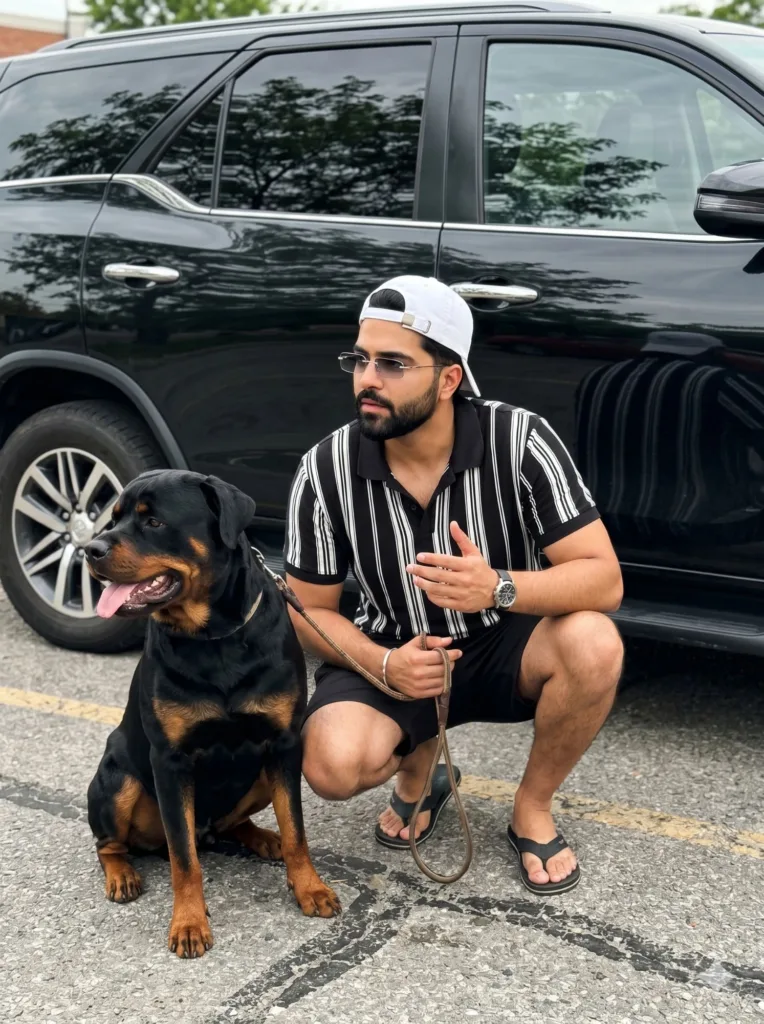
Scene 2: Parking Lot Candid Imperfect Framing, Real Energy
Prompt Used:
Use my uploaded image as a strict identity reference. Keep my exact real face, skin tone, and hairstyle unchanged.
Ultra-realistic iPhone photo.
A young man crouching beside a large Rottweiler dog in an outdoor parking area, captured unintentionally by someone else without the subject realizing. The moment feels mid-action—he is slightly adjusting his crouch or shifting balance, loosely holding the leash while his other hand is half-raised in an incomplete gesture. His expression is neutral or distracted, not looking at the camera, focused somewhere off-frame.
Framing: uneven and careless—subject awkwardly off-center, slight tilt in horizon, too much empty space on one side, minor accidental cropping (edge of foot, elbow, or cap slightly cut off). Composition feels random and unplanned.
Outfit: black and white vertical striped polo shirt, black shorts, flip-flops, white baseball cap worn backwards. Black sunglasses with subtle glare. Wristwatch on one hand.
The Rottweiler sits beside him in a natural, unposed way—body slightly angled, head mid-turn, tongue partially out. Strong muscular build with detailed, slightly uneven fur texture.
Environment: outdoor roadside parking area with rough textured asphalt and faint worn road markings. A black SUV parked very close behind them, clearly visible and occupying a noticeable part of the frame (not far in the background), slightly cut off due to careless framing. Realistic reflections of trees visible on the car windows. Background greenery appears incidental and not composed.
Lighting: real outdoor daylight with soft sunlight filtered through light clouds. Natural iPhone exposure with slight highlight inconsistency on reflective surfaces, but overall balanced and realistic. Accurate skin tones.
Textures: highly detailed and true-to-life—visible skin pores, natural fabric folds, realistic asphalt grain, subtle wear on flip-flops, and lifelike dog fur with natural light reflection.
Focus: everything clearly visible and in focus—subject, dog, and nearby car all sharp with natural depth from ultra-wide lens. No motion blur, no artificial blur, no portrait mode effect.
Image characteristics: spontaneous smartphone capture with imperfect timing and framing, but stable enough to remain sharp. Slight lens distortion from 0.5x ultra-wide, minor exposure imperfections, authentic iPhone look.
Aspect ratio: 3:4
No filters, no watermark, no cinematic grading, no stylization, no CGI look, no hyperreal exaggeration.
Scene 3: Summer Garden Soft, Intimate, and Unforced
Prompt Used:
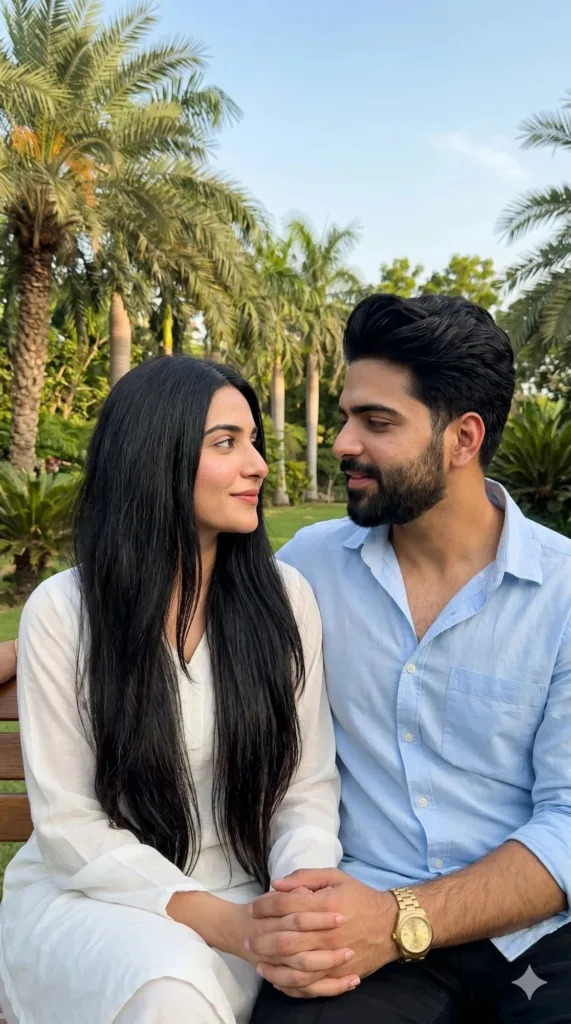
Ultra-realistic candid iPhone photo (9:16) in a Pakistani summer garden with palm trees and lush greenery under a soft blue sky, natural daylight with warm tones and gentle shadows, raw mobile realism.
Pakistani couple with exact preserved facial identity sitting close together: man turned toward the woman with a soft confident smile, wearing a light blue open-collar cotton shirt with subtle fabric texture catching light, gold wristwatch, no glasses; woman facing him with warm tender gaze and slight smile, long thick straight black hair flowing over shoulders, wearing a minimal white outfit partially visible, rich natural skin tone with soft glow.
Intimate unposed moment, slight handheld imperfection, natural skin texture with pores, no heavy blur, airy background with greenery and sky, peaceful romantic atmosphere
Final Thoughts
If there’s one pattern across all these images, it’s this: realism doesn’t come from adding more detail—it comes from removing perfection.
Most beginners focus on cinematic lighting, flawless skin, and dramatic compositions. But real photos—especially phone photos—are rarely like that. They’re slightly off, a bit messy, sometimes awkward… and that’s exactly why they work.
The key shifts that made the biggest difference for me:
• Letting go of perfect framing
• Adding subtle imperfections (tilt, cropping, asymmetry)
• Keeping lighting strictly natural
• Avoiding all forms of artificial “enhancement”
Once you start thinking like this, your results stop looking like AI and start looking like memories.
If you’re experimenting with Gemini, try tweaking just one thing: make your next prompt less perfect on purpose. You’ll immediately see the difference.
Try Google Gemini Here:
This blog post and AI prompts were created by Shahbaz Ahmad.
Follow me on TikTok @Dudefrompak for more ready-to-use prompts.

📢 Join Our WhatsApp Channel
Get daily AI photo editing prompts, tools, and tips directly on your phone.
Join Now on WhatsApp 🚀