Introduction
Most AI-generated images fail in one specific way they try too hard. Perfect lighting, flawless skin, cinematic blur… all of it screams artificial. But real life doesn’t look like that. Real moments are slightly messy, imperfectly framed, and often captured without intention.
This approach flips the usual process. Instead of chasing “perfection,” the goal is to recreate accidental realism photos that feel like they were taken quickly on a phone, in the middle of an actual moment.
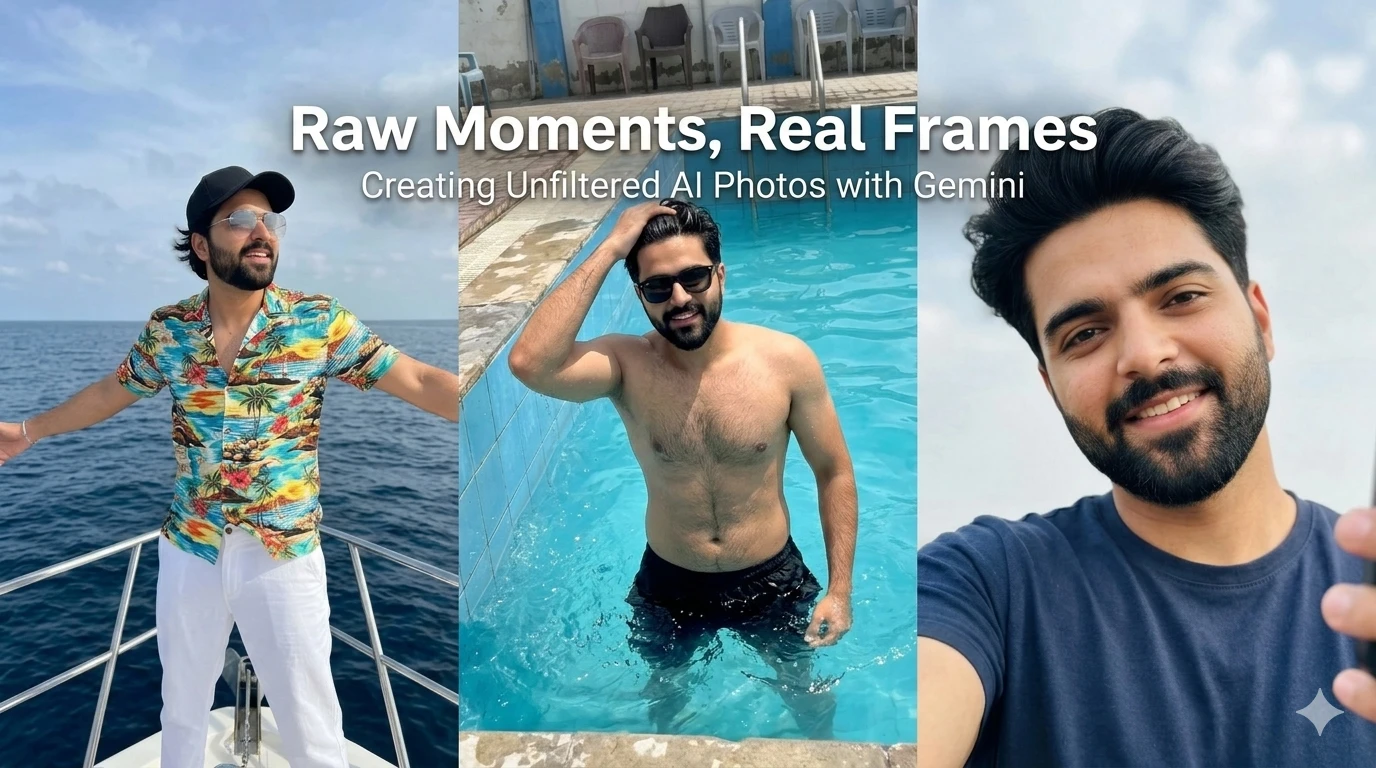
Below are three different scenes generated using Google Gemini, each built around the same idea: raw, unfiltered, human-like photography. You’ll find the prompts, image placeholders, and a short caption explaining the feel of each shot.
Scene 1: Yacht Moment, Unplanned Freedom

Prompt Used:
Unintentional smartphone photo of a stylish young man standing at the front of a yacht in the ocean, arms loosely open mid-moment, enjoying the breeze. Wearing a colorful Hawaiian shirt, white pants, rimless sunglasses, and a black hat.
Shot handheld on iPhone, slightly tilted and off-center framing with imperfect composition. Bright daylight creates uneven highlights and natural shadows on face, clothes, and yacht surface. Hair and shirt slightly moving in wind with subtle motion blur.
Background shows deep blue sea and partly cloudy sky fully sharp, no blur or cinematic depth. Raw exposure, no filters, no color grading authentic accidental snapshot feel, like a real travel moment.
Scene 2: Poolside Snapshot, Local Summer Energy
Prompt Used:
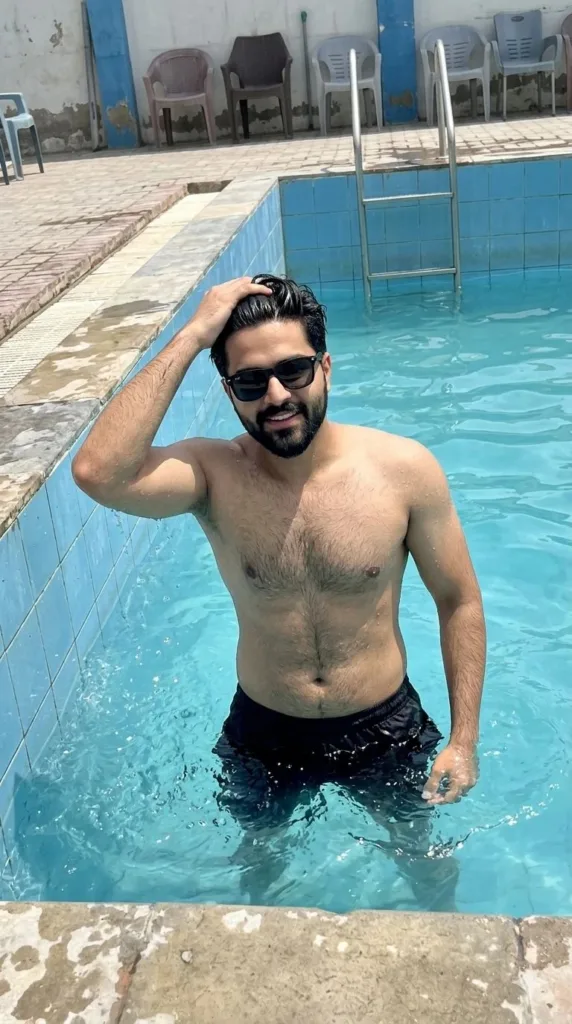
Young Pakistani male, mid-20s, athletic build, consistent identity with the same hairstyle, beard, and facial structure, captured in a raw candid iPhone snapshot inside a local outdoor swimming pool. Portrait 9:16, slightly tilted and imperfectly framed, as if taken quickly by a friend standing poolside. He is mid-action, running one hand through his wet hair while looking toward the camera with a natural, confident expression, not fully posed. Water splashes rise unevenly around him, partially frozen but with slight motion blur from the phone capture.
He wears black sunglasses and simple black shorts, wet fabric clinging naturally. The pool setting feels distinctly Pakistani slightly worn tiled edges, visible water tank or boundary walls, metal ladder on the side, and nearby plastic chairs or everyday items in the background. Harsh midday sunlight creates strong highlights on water and skin, with blown-out reflections and uneven exposure typical of a phone camera.
Colors remain true-to-life with slight overexposure in bright areas, natural skin texture, and no artificial smoothing. Background elements are visible but casually framed, adding to the unplanned feel. Raw, spontaneous, summer moment authentic, unfiltered, and completely un-staged viral social media realism.
Scene 3: Close-Up Selfie Quiet, Unfiltered Detail
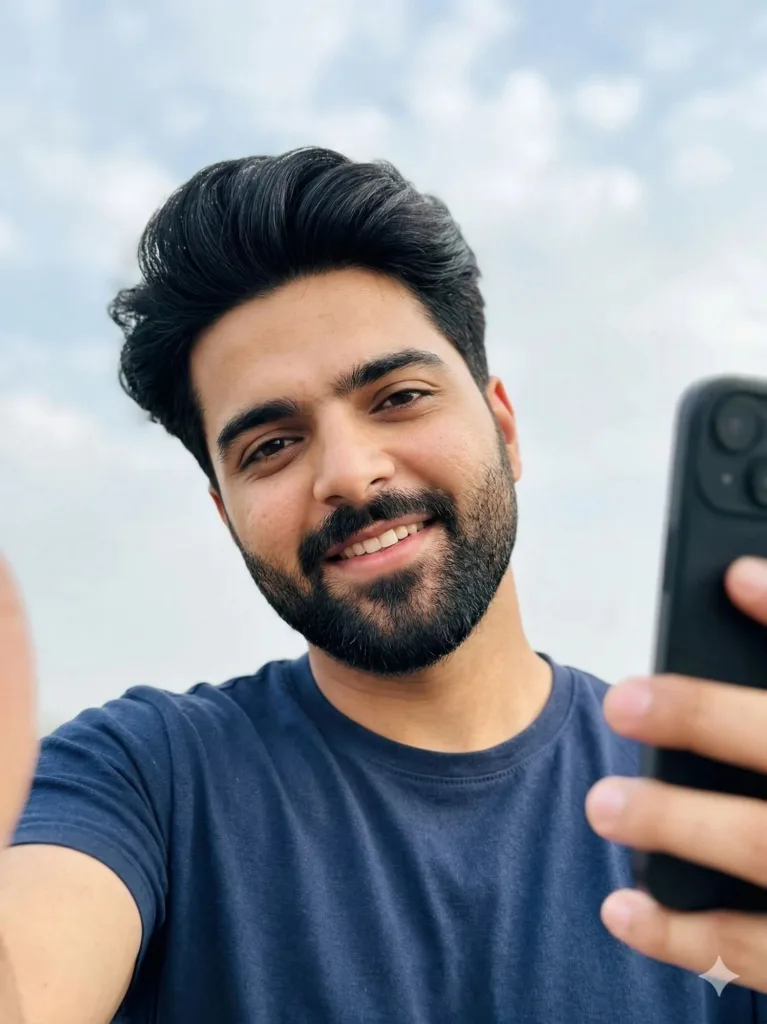
Prompt Used:
A young South Asian male in a casual t-shirt, close-up selfie filling most of the frame, casual off-center tilt, unposed and candid expression. Shoulders and upper torso visible. Outdoors under soft scattered clouds, evenly lit by natural daylight, background empty and unobstructed. Slight motion blur, visible pores and natural skin texture preserved. Handheld phone snapshot, documentary 35mm film style, neutral tones, spontaneous composition, no filters, smoothing, HDR, or artificial enhancements.
The Process Behind These Results (Google Gemini)
The key isn’t just the prompt it’s how you think about realism.
Start with imperfection
Instead of describing a perfect shot, describe a mistake: tilted framing, uneven light, motion blur.
Avoid cinematic language
Words like “dramatic,” “ultra-detailed,” or “8K” push the model toward artificial output. Real phone photos don’t look like that.
Anchor the environment in reality
Specific details (like worn tiles, plastic chairs, or harsh sunlight) make the scene believable.
Preserve natural skin and texture
Explicitly block retouching, smoothing, and beauty adjustments.
Think in moments, not poses
The subject should feel like they were captured mid-action, not performing for the camera.
Conclusion
What stands out in these images isn’t technical quality it’s familiarity. They resemble the kind of photos people already have in their galleries: slightly off, a bit overexposed, sometimes blurred, but real.
That’s the shift. Instead of using AI to create something “better” than reality, you use it to recreate reality itself flaws included.
And ironically, that’s what makes the images feel more convincing than anything perfectly composed.
Try Google Gemini Here:
This blog post and AI prompts were created by Shahbaz Ahmad.
Follow me on
TikTok @Dudefrompak
for more ready-to-use prompts.

📢 Join Our WhatsApp Channel
Get daily AI photo editing prompts, tools, and tips directly on your phone.
Join Now on WhatsApp 🚀