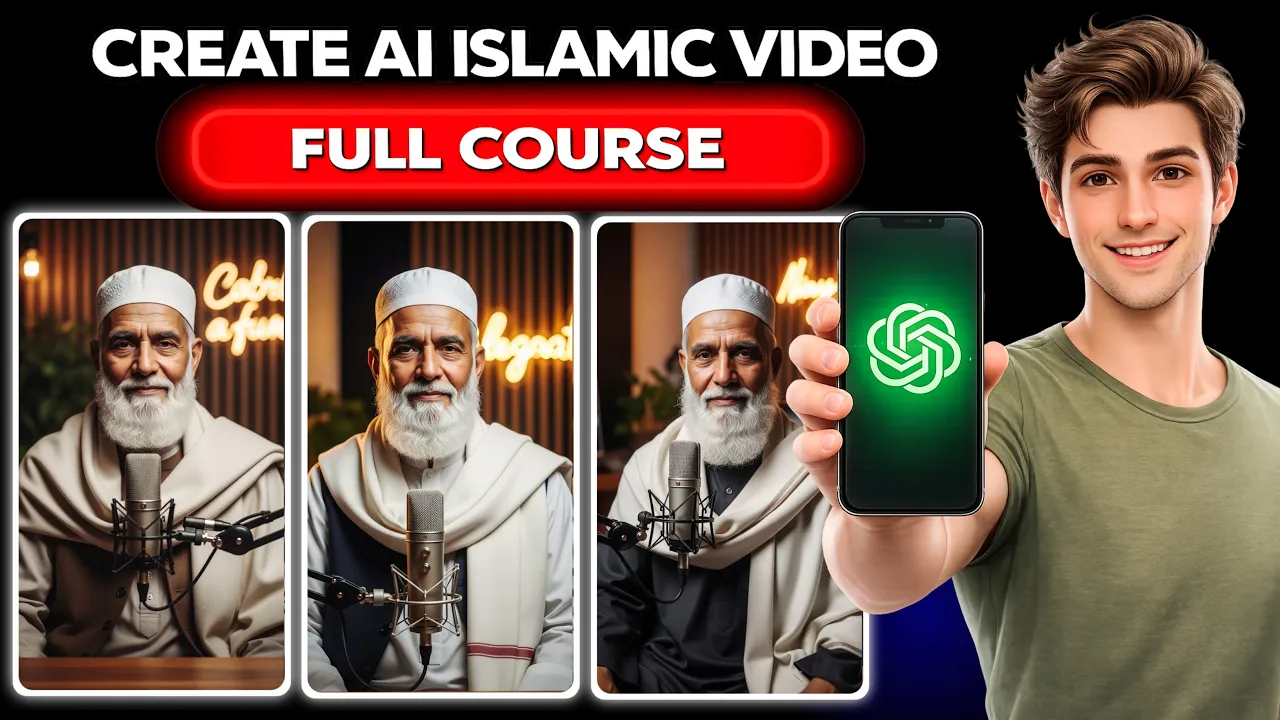
How to Create Viral AI Islamic Education Videos Using Your Mobile (Step-by-Step Guide)
First, watch this short example message:
“My dear brothers and sisters, Friday (Jummah) is a very blessed day. A small good deed on this day can change your destiny. Before or after the Friday prayer, recite Durood Sharif at least 100 times. Recite it with sincerity and strong belief. When you send blessings upon Prophet Muhammad (Peace Be Upon Him), Allah removes your difficulties and brings blessings into your livelihood. Remember, Friday is not just a day — it is a door of mercy. May Allah give us the ability to act upon these good deeds. Ameen.”
Friends, the video you just saw can actually be created in only 10 minutes. In this guide, I will show you how to create AI Islamic educational videos easily using just your smartphone.
You don’t need any advanced technical knowledge or professional editing skills. I will explain everything in simple language, step-by-step, including:
- How to generate an Islamic script using AI
- How to create AI images for your video
- How to convert those images into professional AI videos
- How to upload them to social media and grow followers
If you follow the entire tutorial carefully, you will be able to create similar videos very easily.
Step 1: Generate an Islamic Video Script Using AI
First, go to the description where you will find three prompts. Copy the first prompt. This prompt will help generate a unique and realistic Islamic story or message.
After copying the prompt, open ChatGPT.
Paste the prompt into ChatGPT. Inside the prompt, you will see a section that says:
“Insert Video Duration Here.”
Here you can specify how long you want the video to be. For example:
- 30 seconds
- 1 minute
- 2 minutes
In this example, we type 30 seconds and press send.
ChatGPT will then generate three different script options. You will see them listed below.
If you like one of the scripts, simply type the number of that script. For example:
3
If you want more script options, type:
More
ChatGPT will generate additional Islamic scripts.
Once you select the script you like, your video script is ready.
Step 2: Create AI Character Images
Now we need to create an image for the character that will appear in the video.
Copy the second prompt from the description.
Then open Google and search for:
Visk Lab AI
Open the website and log in using your Gmail account.
After logging in, you will see the dashboard.
- Click Enter Tool
- Paste the prompt in the prompt box
- Select the Reel Ratio (9:16)
- Click Generate
Within a few seconds, the AI will generate your image.
If you don’t like the result, simply click Generate Again.
To download the image, click the download icon.
Creating Consistent Characters
If you want to keep the same character in multiple scenes, you can upload the image again and modify it.
Click:
- Add Images
- Upload Image
- Select the image you downloaded
Once uploaded, you can give a simple instruction such as:
“Change the color of the kurta to white and the shawl to black.”
The AI will regenerate the same character with updated clothing.
This method helps create consistent characters across multiple scenes.
Step 3: Convert Image Into AI Video
Now we will convert the image into a video.
Copy the third prompt from the description and paste it into ChatGPT.
Inside the prompt you will see:
Insert Duration in Seconds
Choose the video length. For example:
- 8 seconds
- 10 seconds
- 15 seconds
In this example, we select 8 seconds.
Then paste your full Hindi script in the section that says:
Paste Your Full Hindi Script
Click send.
ChatGPT will now generate a video generation prompt.
Step 4: Generate the Video Using AI
Copy the first prompt generated by ChatGPT.
Now open Google and search for:
Flow AI Video Generator
Open the website and log in using Gmail.
After logging in:
- Click New Project
- Select Video
- Click Start
- Upload your character image
After the image uploads:
- Paste the prompt into the prompt box
- Click Generate
Within a few seconds, your AI video will be ready.
You can preview it and download it using the download button.
Step 5: Generate Multiple Video Clips
Return to ChatGPT and copy the second prompt.
Paste it again and generate another scene.
Repeat this process until all scenes of your script are converted into video clips.
Finally, combine them and upload them to social media.
Upload Videos and Grow Your Instagram Page
Once your video is ready, upload it on platforms like:
Islamic reminder videos often go viral quickly because they provide valuable guidance and motivation to viewers.
With consistent posting, you can grow thousands of followers and even monetize your content.
Final Thoughts
Creating AI Islamic education videos is now easier than ever. With tools like ChatGPT and AI image generators, anyone can produce professional-looking videos directly from their phone.
All you need is:
- A good Islamic message
- AI-generated images
- An AI video generator
By following the steps above, you can start creating meaningful Islamic content and build a strong audience on social media.
That’s all for today. See you in the next guide!

📢 Join Our WhatsApp Channel
Get daily AI photo editing prompts, tools, and tips directly on your phone.
Join Now on WhatsApp 🚀