Introduction
Curiosity is what made me try it. I had seen people using AI for headshots and style edits, but I wanted something more practical: a way to look at a face objectively and get ideas for improvement. Not a perfect answer, just a different perspective.
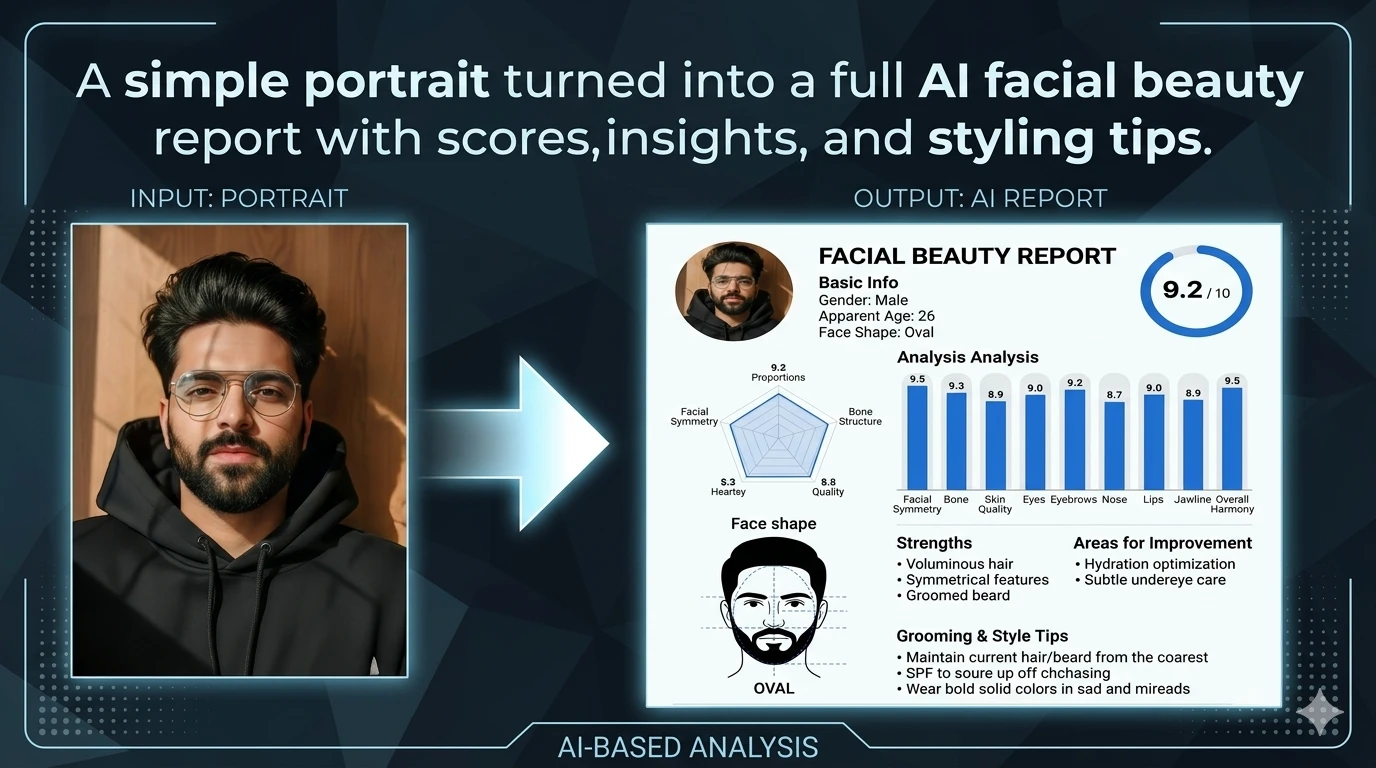
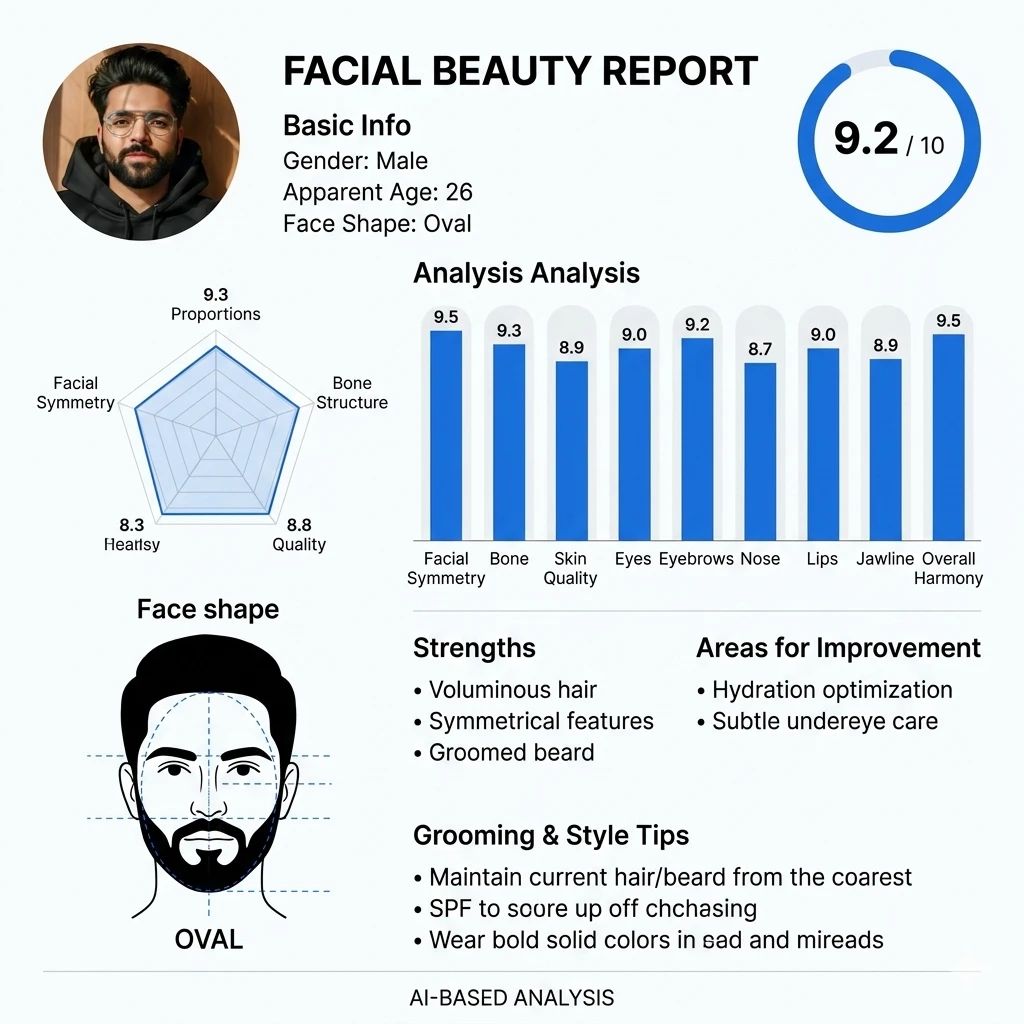
Using a single portrait and one detailed prompt in Gemini, I generated a facial beauty report that broke down features like symmetry, skin, proportions, and grooming suggestions. It looked like a premium dashboard — part beauty analysis, part style guide.
AI can’t define attractiveness, and its scores aren’t scientific. But it can be a useful visual tool for spotting things that are easy to overlook in everyday photos.
Turning a Portrait Into a Facial Beauty Report
Prompt used:
Create a modern “Facial Beauty Report” dashboard based on the uploaded portrait photo.
Analyze the face and generate realistic metrics.
Details
• Gender
• Apparent age: estimate
• Face shape: detect (oval, round, square, etc.)
Output layout
• Clean white UI, Instagram-style post
• Profile photo on left
• Title: FACIAL BEAUTY REPORT
Include:
• Overall Score (out of 10) + percentage circle
• Detailed analysis with scores:
Facial symmetry, proportions, bone structure, skin, eyes, eyebrows, nose, lips, jawline, overall harmony
• Face shape diagram with label
• Strengths (based on face)
• Areas for improvement (realistic suggestions)
• Grooming & style tips (hair, beard, skincare, outfits)
Style:
• Minimal, premium UI
• Blue accent charts
What the AI Looked At
The generated report evaluated visible traits from the uploaded photo and converted them into a structured design. It typically highlights:
• Face shape classification
• Symmetry balance
• Jawline definition
• Skin appearance
• Eye spacing and eyebrow shape
• Nose and lip proportion
• Overall harmony
• Suggested improvements in styling and grooming
The exact scores can vary depending on lighting, angle, and expression, which is why the source image matters a lot.
What Was Actually Useful
The score wasn’t the most helpful part. The practical suggestions were.
The AI often picks up on things that influence how someone appears in photos:
• whether hair volume suits face shape
• whether beard edges sharpen the jaw visually
• whether side lighting improves bone structure
• whether skin texture stands out under direct camera lighting
These aren’t life-changing discoveries, but they can improve portraits, profile pictures, and content creation decisions.
Tips for Better Results in Gemini
If you want cleaner outputs, the input photo matters more than the prompt alone:
• use a front-facing portrait
• avoid heavy filters
• keep natural lighting
• neutral facial expression works best
• crop shoulders and head clearly
• high-resolution photo improves detail detection
A strong prompt helps, but the original image determines most of the output quality.
Conclusion
What makes this useful is not the rating. It’s the perspective.
AI won’t tell anyone how attractive they are in real life, but it can show how facial features are perceived through composition, lighting, and visual balance. That makes it interesting for experimenting with style, haircuts, beard shape, or even just understanding why certain photos look better than others.
For anyone curious about improving their portraits or testing aesthetic changes, this kind of facial analysis prompt is a simple place to start.
Try Google Gemini here
This blog post and AI prompts were created by Shahbaz Ahmad.
Follow me on TikTok @Dudefrompak for more ready-to-use prompts.

📢 Join Our WhatsApp Channel
Get daily AI photo editing prompts, tools, and tips directly on your phone.
Join Now on WhatsApp 🚀