Introduction
Crowd-cam clips from live sports broadcasts often go viral because they feel accidental, raw, and real. A random fan gets shown on the big screen, the camera zooms in, and social media picks it up within minutes. That exact look is surprisingly easy to recreate with AI if you understand how to prompt for realism instead of polished cinematic visuals.
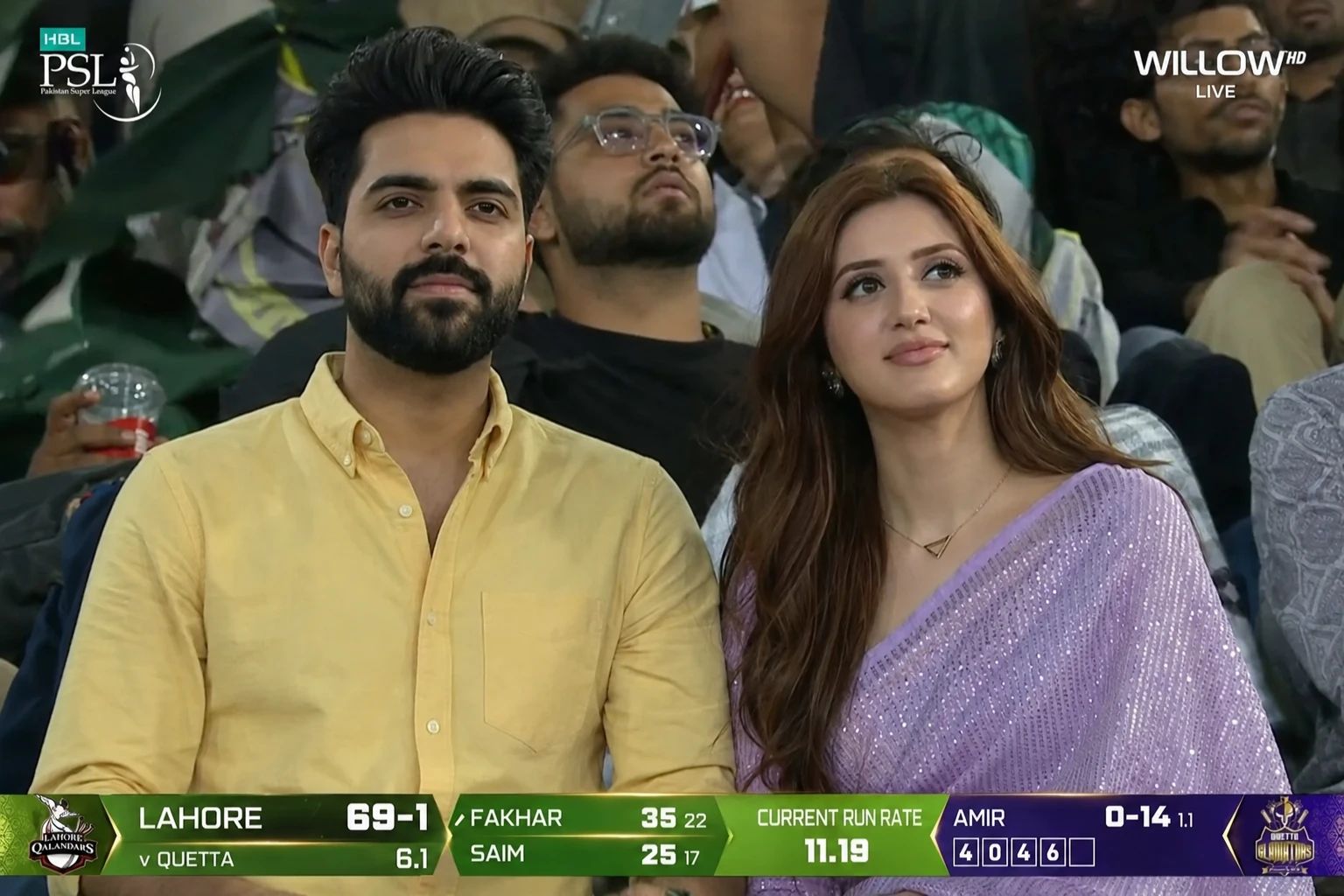
In this tutorial, I’ll show the exact workflow I used to create a realistic Pakistan Super League crowd-cam scene starting with an image in ChatGPT and turning it into a believable live broadcast video using AI tools. The goal is not flashy edits. It’s making the result feel like a real stadium camera captured a genuine moment.
Step 1: Generate the Base Crowd-Cam Frame in ChatGPT
The first step is creating a strong reference frame. This image becomes the visual foundation for the video later. The key here is to avoid making it look “AI pretty.” Most people over-polish faces and lighting, which breaks the illusion instantly.
Use a personal reference image and focus on preserving identity, natural skin texture, and imperfect broadcast-style framing.
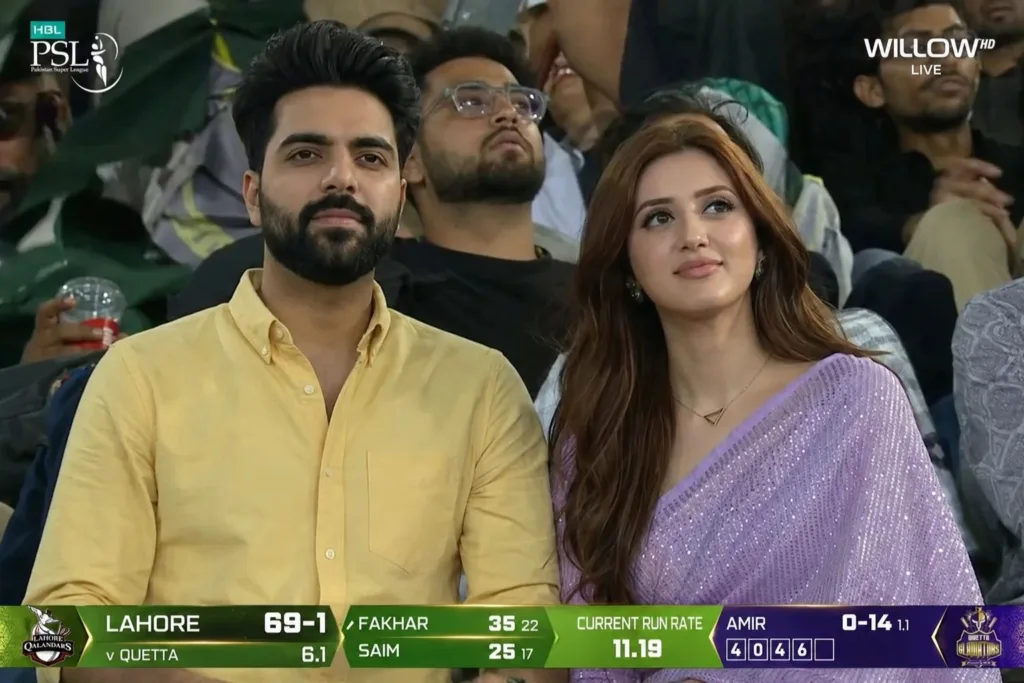
Prompt Used:
Ultra realistic PSL live broadcast crowd-cam video featuring the SAME BOY from the uploaded reference image with STRICT exact identity preservation. Do NOT change his face, bone structure, eyes, lips, eyebrows, beard pattern, skin texture, or facial proportions. No AI beauty filter, no influencer aesthetic, no glossy retouching, no cinematic fashion-shoot look.
Scene looks exactly like a real live TV broadcast during a Pakistan Super League night match accidentally capturing two normal spectators sitting together in the stadium crowd. A young woman is sitting beside him naturally, both watching the match casually with authentic crowd behavior and zero posing energy.
Style: genuine sports broadcast realism with slightly compressed TV quality, realistic digital noise, subtle motion blur, imperfect focus breathing, broadcast zoom lens behavior, and natural handheld camera shake from live stadium operators.
Environment: packed Pakistani cricket stadium at night with realistic PSL atmosphere — floodlights, crowd chants, LED boundary boards, fans waving team flags, cheering, recording on phones, eating snacks, holding drinks, wearing jerseys, face paint, and team merchandise. Natural crowd movement everywhere in background.
Behavior & interaction:
the boy casually watches the match
occasionally glances toward the woman beside him
subtle natural smile during exciting moments
brief awkward reaction after noticing crowd cam
adjusts posture naturally
fixes hair or sleeves casually
small eye movements and blinking
realistic breathing and micro expressions
woman laughs naturally at something happening in stadium
both briefly look at giant stadium screen then away
natural unscripted chemistry, not romantic posing
Important: NO TikTok behavior
NO exaggerated reactions
NO influencer expressions
NO model posing
NO perfect symmetry
NO unreal skin smoothing
Keep realistic pores, beard texture, baby hairs, slight under-eye texture, tiny sweat shine from stadium weather, authentic skin imperfections, and natural facial asymmetry.
Camera: Long-distance broadcast zoom lens from stadium media camera. Slight autofocus hunting, subtle shake, natural telephoto compression, imperfect framing like real crowd cam on live TV.
Lighting: Only real stadium floodlights and LED screen spill lighting. Uneven exposure and shadows allowed. No cinematic lighting.
Step 2: Convert the Still into a Live Crowd-Cam Video
Once the frame looked believable, I used the same prompt in a video generator. This helps preserve continuity because the motion is guided by the exact same environment and behavior.
The important part here is describing micro-actions instead of dramatic movement. Real crowd-cam clips go viral because the people barely react. That subtle awkwardness sells it.
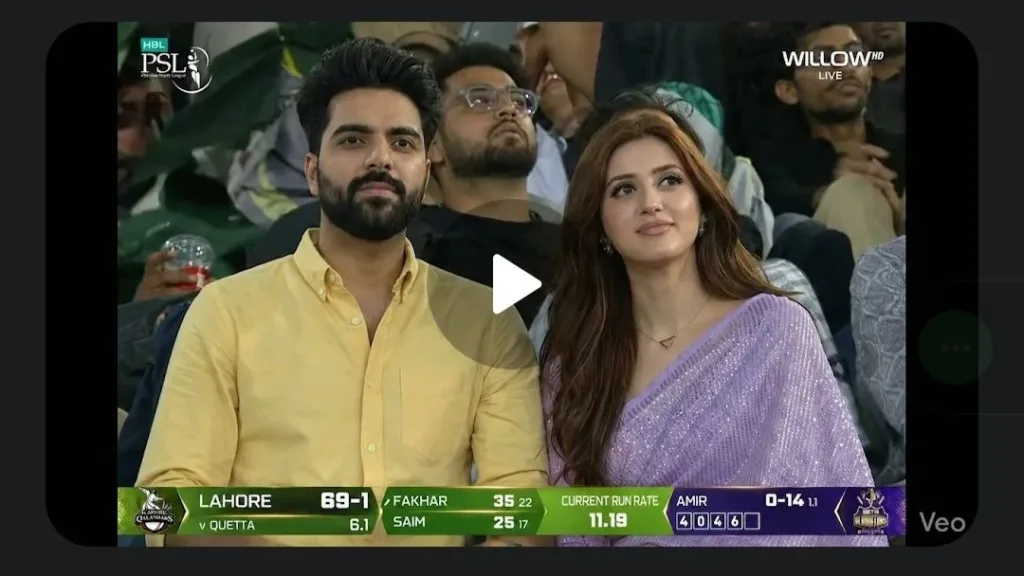
Prompt Used:
Ultra realistic PSL live broadcast crowd-cam video featuring the SAME BOY from the uploaded reference image with STRICT exact identity preservation. Do NOT change his face, bone structure, eyes, lips, eyebrows, beard pattern, skin texture, or facial proportions. No AI beauty filter, no influencer aesthetic, no glossy retouching, no cinematic fashion-shoot look.
Scene looks exactly like a real live TV broadcast during a Pakistan Super League night match accidentally capturing two normal spectators sitting together in the stadium crowd. A young woman is sitting beside him naturally, both watching the match casually with authentic crowd behavior and zero posing energy.
Style: genuine sports broadcast realism with slightly compressed TV quality, realistic digital noise, subtle motion blur, imperfect focus breathing, broadcast zoom lens behavior, and natural handheld camera shake from live stadium operators.
Environment: packed Pakistani cricket stadium at night with realistic PSL atmosphere — floodlights, crowd chants, LED boundary boards, fans waving team flags, cheering, recording on phones, eating snacks, holding drinks, wearing jerseys, face paint, and team merchandise. Natural crowd movement everywhere in background.
Behavior & interaction:
the boy casually watches the match
occasionally glances toward the woman beside him
subtle natural smile during exciting moments
brief awkward reaction after noticing crowd cam
adjusts posture naturally
fixes hair or sleeves casually
small eye movements and blinking
realistic breathing and micro expressions
woman laughs naturally at something happening in stadium
both briefly look at giant stadium screen then away
natural unscripted chemistry, not romantic posing
Important: NO TikTok behavior
NO exaggerated reactions
NO influencer expressions
NO model posing
NO perfect symmetry
NO unreal skin smoothing
Keep realistic pores, beard texture, baby hairs, slight under-eye texture, tiny sweat shine from stadium weather, authentic skin imperfections, and natural facial asymmetry.
Camera: Long-distance broadcast zoom lens from stadium media camera. Slight autofocus hunting, subtle shake, natural telephoto compression, imperfect framing like real crowd cam on live TV.
Lighting: Only real stadium floodlights and LED screen spill lighting. Uneven exposure and shadows allowed. No cinematic lighting.
Video duration: 10–15 seconds with continuous natural crowd activity and believable live broadcast realism.
Why This Style Works So Well
Most viral AI edits fail because they look too intentional. Real broadcast clips have imperfections:
random zooming
slight blur
crowd distractions
people not performing for the camera
uneven lighting
accidental expressions
That’s why your prompts should emphasize normal human behavior. Small actions like blinking, adjusting sleeves, or looking at the stadium screen make a huge difference.
The less “cinematic” you make it, the more believable it becomes.
Conclusion
This workflow works because it starts from a single realistic frame and then extends that into motion without changing the scene logic. Instead of creating a fantasy-style sports clip, you’re replicating something people already recognize from TV.
The same technique can be adapted for cricket leagues, football broadcasts, concerts, or even street interview clips. The core trick is simple: prompt for authenticity, not perfection.
If you’re experimenting with viral short-form content, crowd-cam concepts are one of the easiest ways to create attention-grabbing AI videos without expensive software. A single image plus a motion prompt is enough to make something that feels surprisingly real.
This blog post and AI prompts were created by Shahbaz Ahmad.

📢 Join Our WhatsApp Channel
Get daily AI photo editing prompts, tools, and tips directly on your phone.
Join Now on WhatsApp 🚀