There’s a big difference between AI images that look impressive and ones that feel like they were genuinely captured in a real moment. Most outputs fail not because the prompt is weak but because they chase perfection instead of reality.
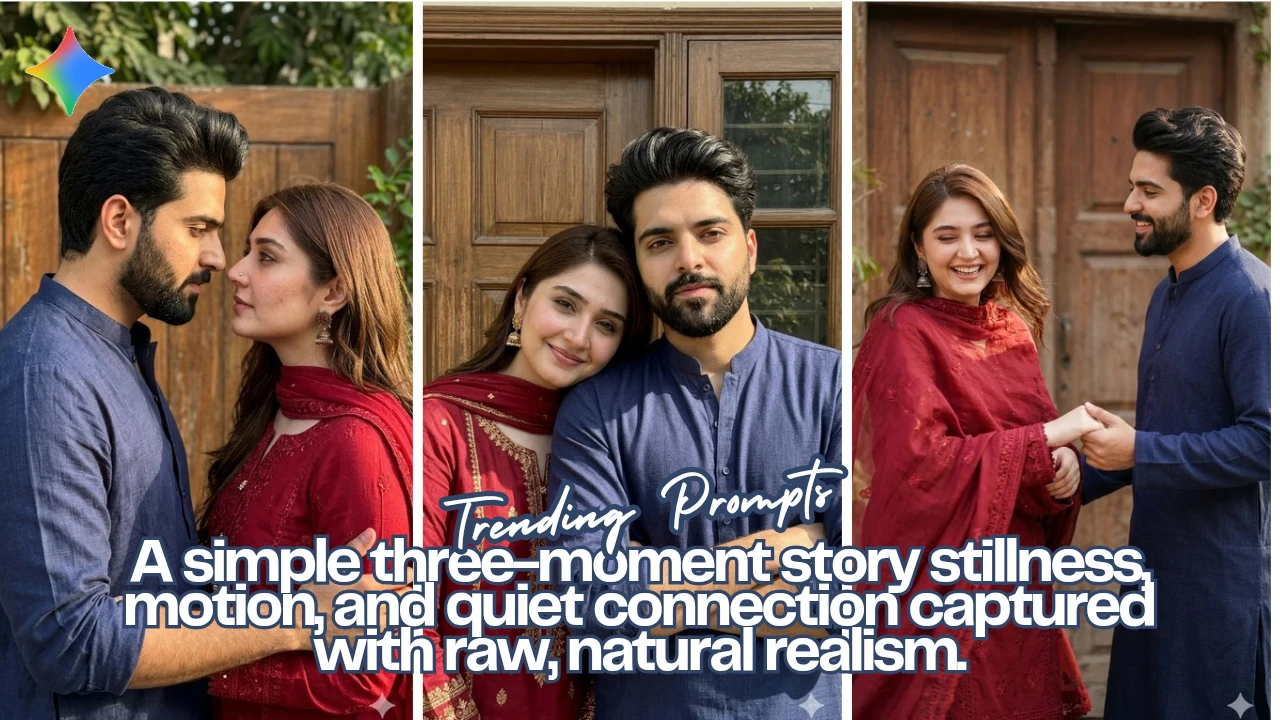
In this guide, I’ll walk you through a simple 3-scene setup that creates a natural romantic sequence from still connection to playful motion to quiet intimacy using Google Gemini.
Each image builds on the previous one, and more importantly, each avoids the typical “AI look” that ruins authenticity.
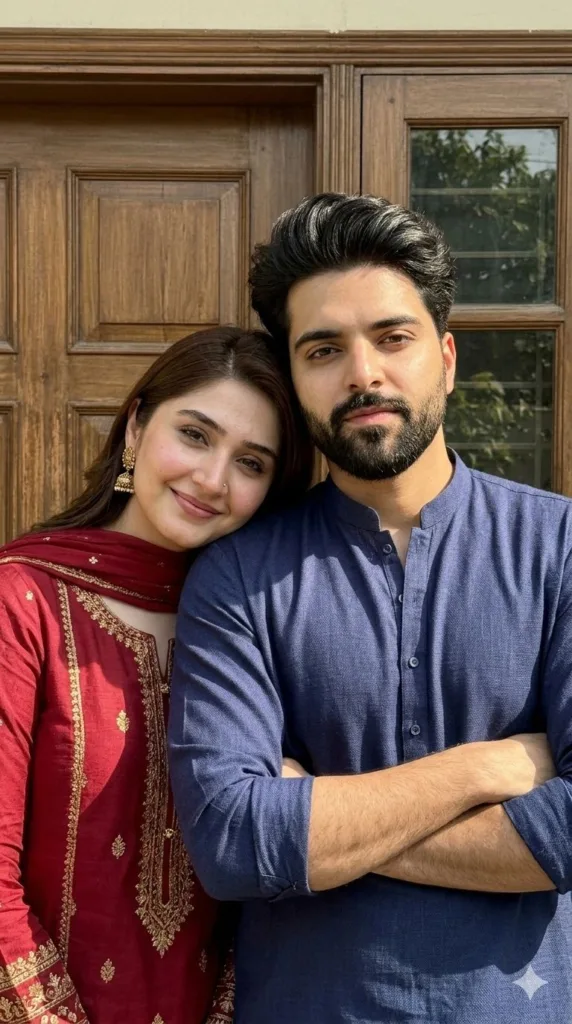
Scene 1: The Grounded Portrait (Still, Close, Real)
Prompt Used:
Capture a young South Asian couple outdoors in natural sunlight, the male standing with arms folded in a navy blue kurta and calm serious expression, the female from reference image 2 standing very close beside him in a deep red embroidered outfit, gently leaning her head on his shoulder while holding his arm and smiling warmly, both faces preserved exactly from reference images with natural skin texture and asymmetry, shot as a handheld smartphone-style upper-body portrait with slight tilt and off-center framing, wooden panel and subtle greenery in sharp background, realistic shadows, textures, and minor imperfections, authentic candid photo feel with no beautification, no blur, no CGI.
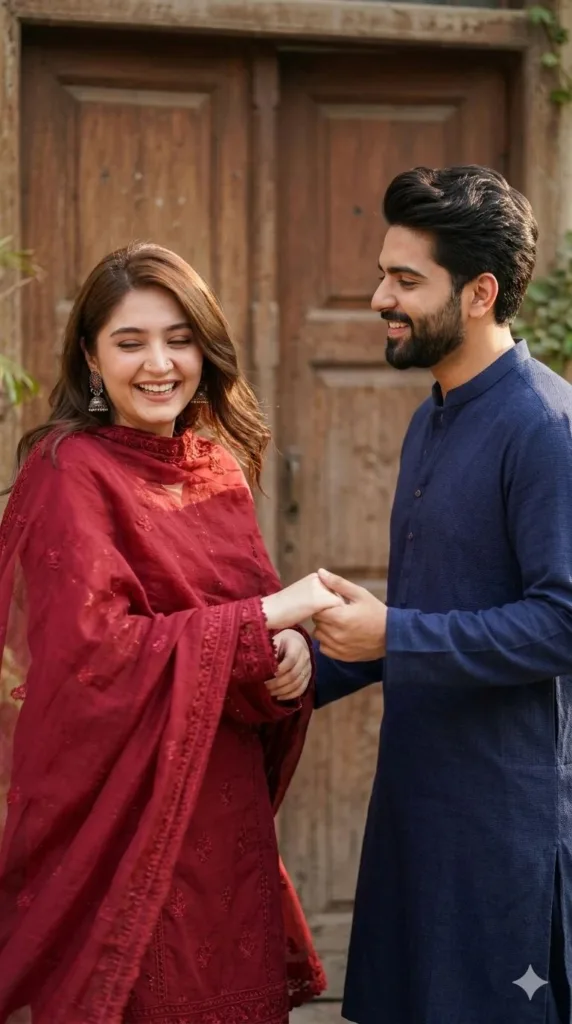
Scene 2: The Motion Shot (Playful, Unscripted Energy)
Prompt Used:
Capture a young South Asian couple in a spontaneous outdoor moment, Subject A (male) in a navy blue kurta holding Subject B’s hand as Subject B (female) gently spins in a deep red embroidered outfit with flowing dupatta, both faces preserved exactly from reference images with natural skin texture and asymmetry, Subject B laughing mid-motion with eyes slightly closed while Subject A smiles watching her, warm side sunlight creating soft highlights on hair and fabric, wooden panel and subtle greenery in sharp background, slight handheld tilt and natural motion softness, authentic playful candid feel with no beautification, no blur, no CGI, fully realistic textures and lighting.
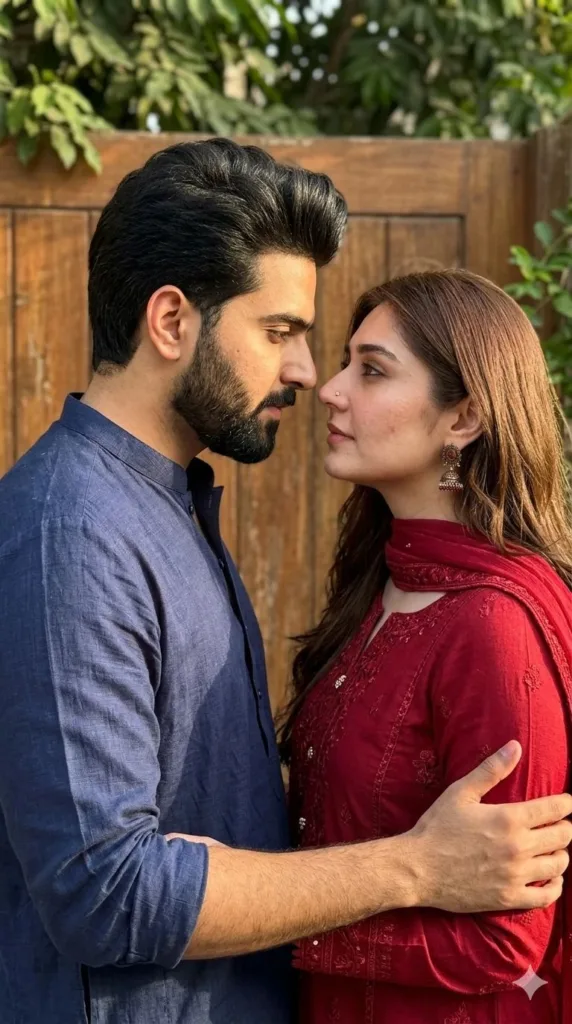
Scene 3: The Intimate Close Moment (Still, Emotional, Unfiltered)
Prompt Used:
Capture an intimate outdoor moment of a young South Asian couple standing very close, Subject A (male) in a navy blue kurta and Subject B (Female) in a deep red embroidered outfit, facing each other with soft eye contact, faces inches apart, Subject B gently holding Subject A’s arm while he leans slightly in, both identities preserved exactly from reference images with natural skin texture and asymmetry, calm emotional expressions with relaxed eyes and lips, warm diffused sunlight from the side creating soft highlights and shadows, wooden panel and subtle greenery in sharp background, handheld smartphone-style medium close-up framing with slight tilt and natural imperfections, ultra-realistic candid romantic feel with no beautification, no blur, no CGI.
How to Generate These Images Using Google Gemini
If you just paste prompts randomly, results will be inconsistent. The process matters more than the wording.
Here’s the practical way to do it inside Google Gemini:
1. Start with the reference images
Upload both the male and female reference images first. This is critical for identity lock without it, consistency breaks instantly.
2. Paste one prompt at a time
Don’t batch all three. Generate Scene 1 first, then use the same references again for Scene 2 and Scene 3.
3. Reuse the same references every time
Even if the prompt says “same identity,” Gemini won’t remember unless you re-upload or keep them in the same session.
4. Avoid editing the prompts mid-way
Small wording changes can break consistency. If something feels off, regenerate instead of tweaking too much.
5. Accept slight imperfections
If it looks too perfect, it’s usually wrong. Realism comes from uneven lighting, micro-blur, and natural asymmetry.
Final Thoughts
Most AI-generated portraits fail because they try to look cinematic, polished, and flawless. Real moments aren’t like that. They’re slightly uneven, a bit imperfect, and often captured in-between actions rather than during posed perfection.
If you focus on consistency, lighting, and natural behavior instead of visual “wow,” your results will stop looking like AI and start feeling like memories.
Try Google Gemini Here:
This blog post and AI prompts were created by Shahbaz Ahmad.
Follow me on TikTok @Dudefrompak for more ready-to-use prompts.

📢 Join Our WhatsApp Channel
Get daily AI photo editing prompts, tools, and tips directly on your phone.
Join Now on WhatsApp 🚀