Introduction
AI image generators are getting surprisingly good at recreating everyday moments. Not the overly dramatic cinematic images you often see online, but simple scenes that look like they were taken on a phone during a real event.
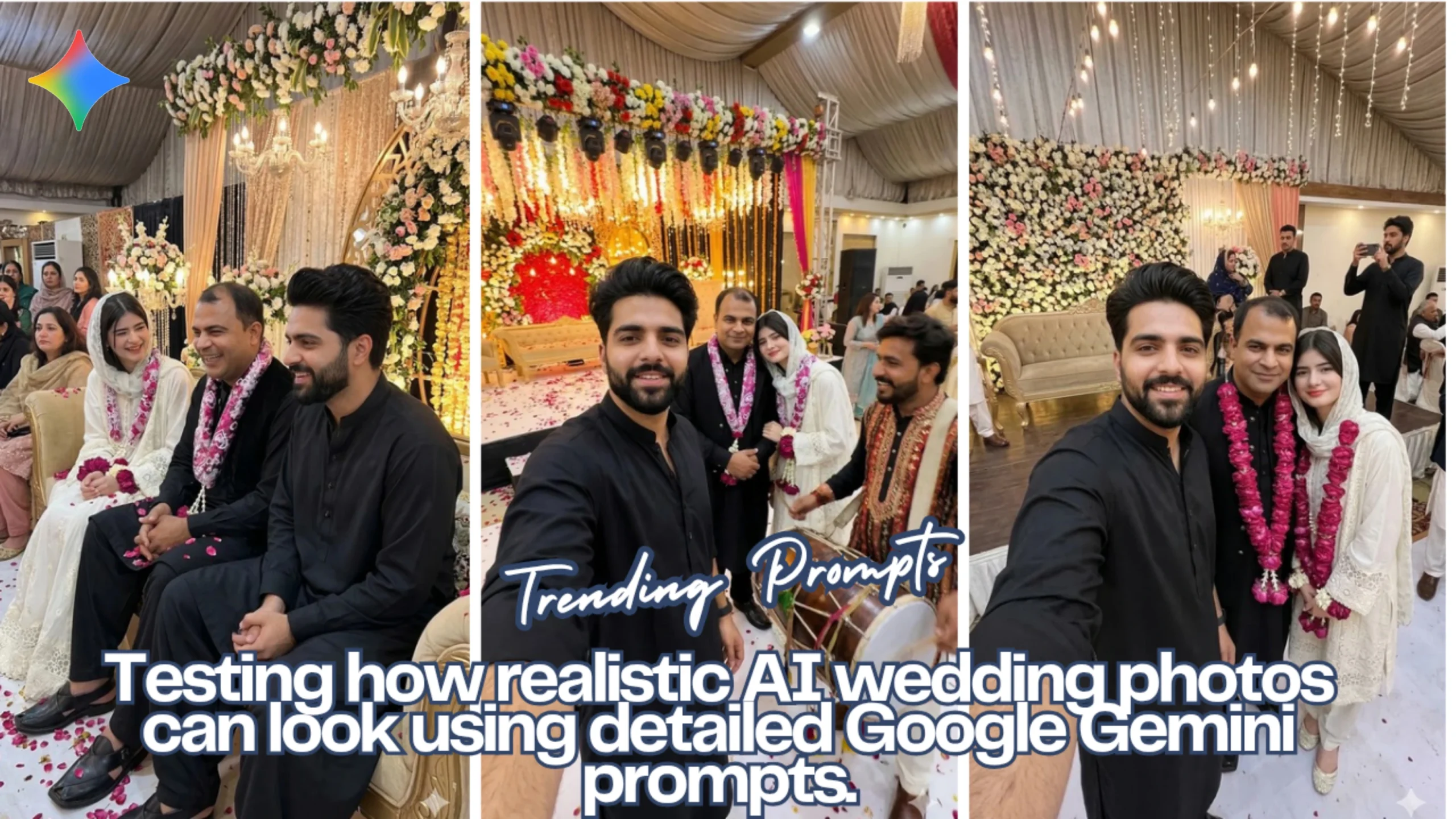
While experimenting with Google Gemini recently, I tried something a bit unusual. I wanted to see whether a prompt could recreate the kind of candid wedding photos people usually post on TikTok — quick selfies on the stage, relatives talking in the background, and those random snapshots that happen between the official photos.
The idea for this experiment was loosely inspired by the online jokes and discussions around TikToker Shehzad Hakeem Markhor and the imaginary “fifth marriage” scenario that keeps popping up in comment sections. Instead of making memes, I decided to test whether AI prompts could generate believable wedding scenes around that idea.
So I wrote three prompts. Each one describes a different moment from the same wedding celebration.
Below are the results and the prompts used to generate them.
Scene 1: The Classic Wedding Stage Selfie
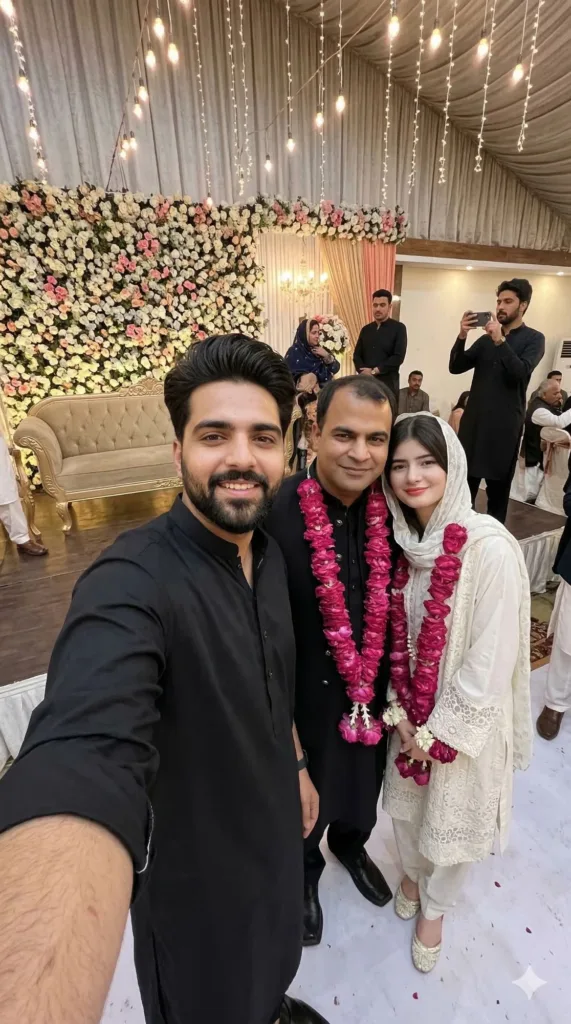
Prompt Used:
Use my reference face exactly for Subject A, plus the husband and wife from reference image 2 with their same faces and outfits; a 9:16 handheld wedding-stage selfie where I stand between the bride and groom smiling, decorated stage with flowers and guests behind, groom in black wedding outfit with pink garland, bride in white bridal dress with headscarf and pink garland, lively reception atmosphere, natural indoor lighting, real skin texture, slightly imperfect phone framing, no filters, no blur, no glasses.
Scene 2: A Quiet Moment on the Stage Sofa
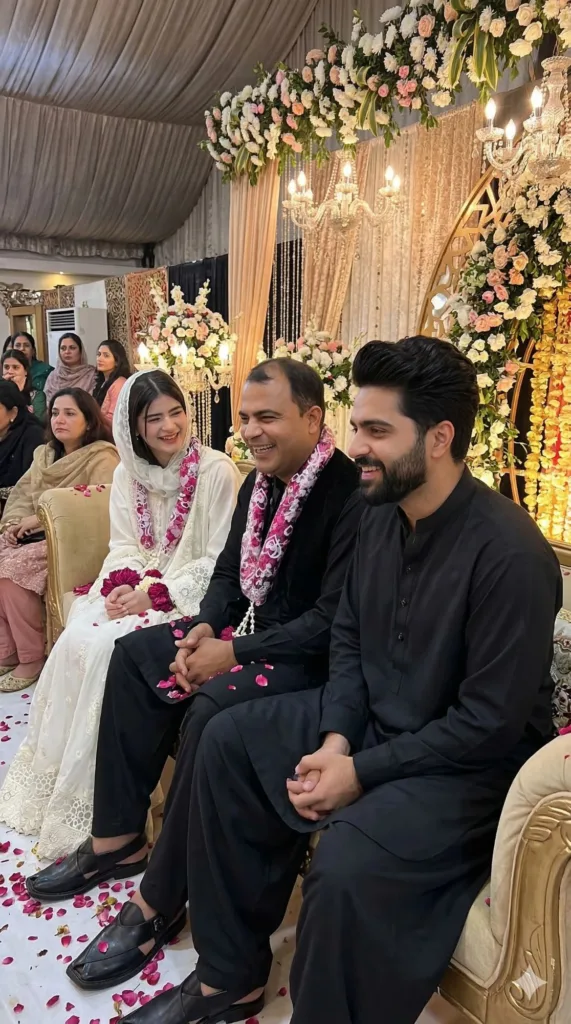
Prompt Used:
Use my reference face exactly for Subject A, with the bride and groom from reference image 2 keeping their same faces and outfits; candid 9:16 phone photo at a wedding where the bride and groom sit on a decorated stage sofa laughing, the groom in black wedding outfit with pink garland and the bride in a white bridal dress with headscarf and pink garland, while I sit nearby in a black shalwar kameez smiling and reacting, floral decorations and guests behind, warm indoor lighting, natural skin texture, real handheld photo look with no filters or blur.
Scene 3: Wedding Selfie During the Dhol Performance
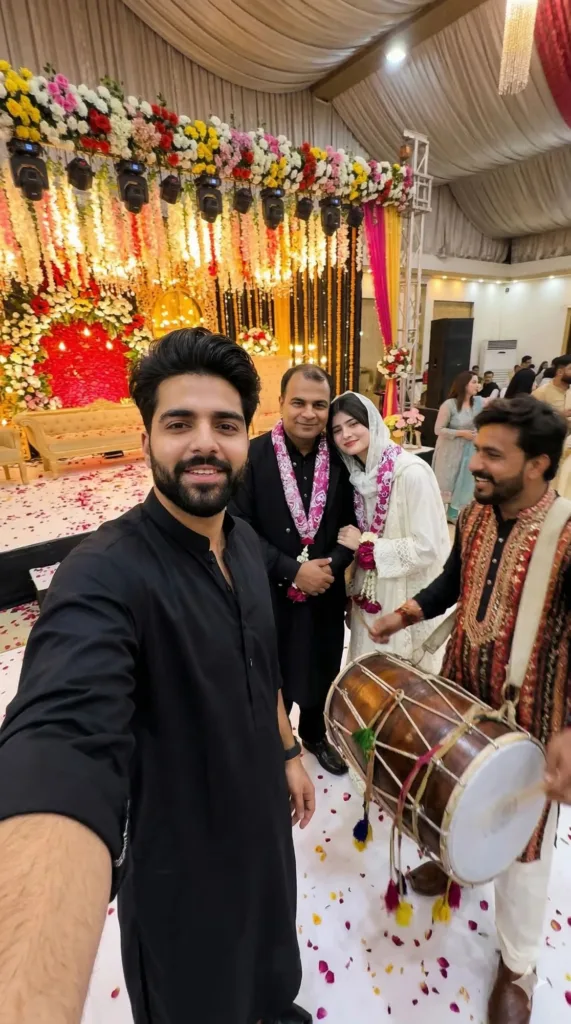
Prompt Used:
Use my reference face exactly for Subject A, with the bride and groom from reference image 2 keeping their exact faces and outfits; 9:16 handheld phone selfie at a lively wedding where I’m in front wearing a black shalwar kameez, the groom in a black wedding outfit with pink garland and the bride in a white bridal dress with headscarf and pink garland stand beside me smiling, while a dhol player in traditional attire plays nearby, floral stage decorations and guests behind, warm indoor wedding lights, natural skin texture, slight motion blur, real candid phone photo look with no filters or blur.
How These Images Were Generated in Google Gemini
The actual process isn’t complicated once the prompt is ready.
First, open Google Gemini and go to the image generation option. After that, upload the reference photos you want the AI to follow. This step helps keep the faces consistent across different images.
Then paste the prompt describing the scene. Details like the camera angle, lighting, clothing, and environment make a big difference. Without those details, the AI tends to produce images that look more like digital artwork than real photographs.
Finally, keep the aspect ratio set to 9:16, since that format works best for TikTok and other vertical platforms.
Final Thoughts
This small experiment shows how much detail matters when writing prompts. A simple description might produce an image, but adding things like lighting conditions, camera behavior, and background activity can completely change the realism.
The three scenes above — a stage selfie, a relaxed conversation, and a lively moment with a dhol player — all come from the same basic idea. Yet each one feels like a different moment from the same wedding.
For anyone experimenting with AI visuals, that’s probably the biggest takeaway: sometimes the difference between an average result and a believable one is just a few extra lines in the prompt.
Try Google Gemini Here:
This blog post and AI prompts were created by Shahbaz Ahmad.
Follow me on
TikTok @Dudefrompak for more ready-to-use prompts.

📢 Join Our WhatsApp Channel
Get daily AI photo editing prompts, tools, and tips directly on your phone.
Join Now on WhatsApp 🚀