AI image tools have become incredibly good at producing realistic photos, but getting something that actually looks natural still takes a bit of experimentation. If you’ve ever tried generating a selfie-style image, you probably noticed that many results feel overly polished or staged.
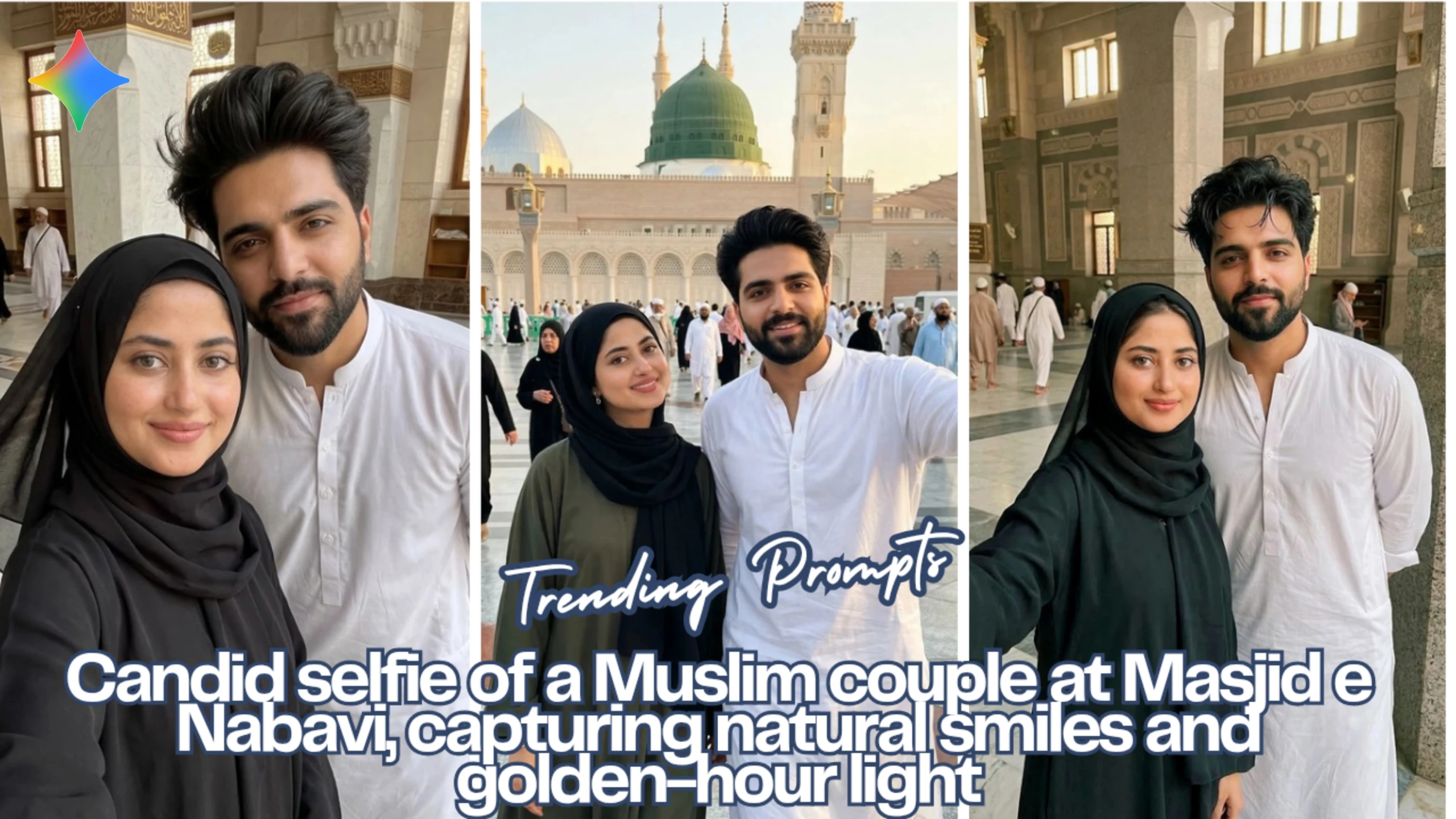
In this guide, I’ll walk through a small experiment I did using Google Gemini to create realistic Muslim couple selfies set around Masjid e Nabavi. The goal wasn’t to create anything dramatic or cinematic. Instead, the focus was on simple, respectful, candid moments—the kind of photos people usually capture on their phones while visiting Madinah.
Below are three prompts I used. Each one approaches the scene slightly differently, mainly through lighting and positioning.
Image 1: Golden Hour Courtyard Selfie
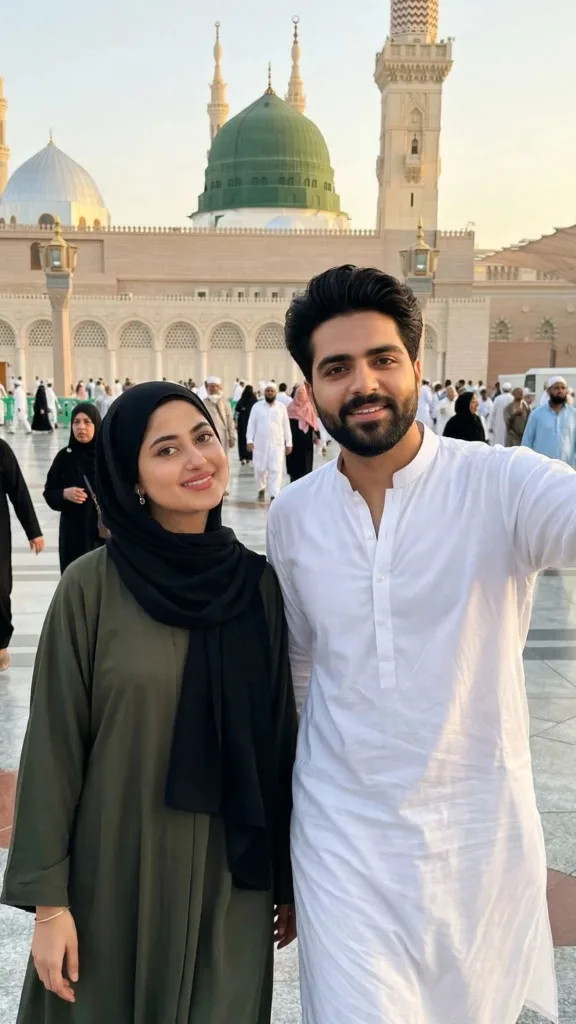
Prompt Used:
Use the provided reference images strictly as the facial identity sources. Do not reinterpret, beautify, enhance, or redesign the face. Keep the exact same bone structure, skin tone variation, beard pattern, hairline shape, and natural asymmetry. No aesthetic optimization. No glasses. Ultra-realistic handheld chest-up selfie of Subject A and Subject B walking side by side in Masjid Nabawi courtyard during golden hour. Subject A in white kurta pajama, Subject B in modest flowing dress with black hijab, slight natural smiles, gentle head tilt, subtle walking motion, warm sunlight, tight vertical framing, candid off-center look, natural skin texture and realistic background, no beautification or artificial effects.
What I like about this prompt is the golden hour lighting. It naturally adds depth to faces and clothing without making the image look artificially enhanced.
Image 2: Quiet Indoor Moment
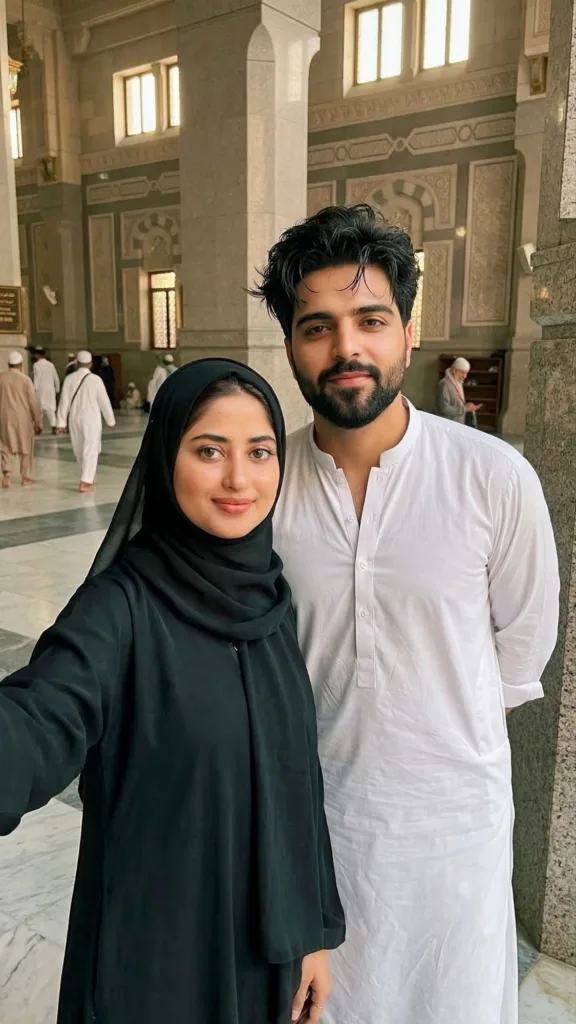
Prompt Used:
Use the provided reference image strictly as the facial identity source. Do not reinterpret, beautify, enhance, or redesign the face. Keep the exact same bone structure, skin tone variation, beard pattern, hairline shape, and natural asymmetry. No aesthetic optimization. No glasses. Ultra-realistic handheld chest-up selfie of Subject A (male) and Subject B (female) in a quiet corner of Masjid Nabawi. Use reference faces exactly, Subject A in white shalwar kameez, Subject B in modest black hijab dress, soft natural smiles, slight respectful lean, subtle hair/hijab movement, warm window light, tight vertical framing, candid off-center look, natural skin texture, realistic background, no beautification or artificial effects.
This scene feels different from the first one because the lighting is softer and more diffused. Instead of sunlight, the glow comes from large mosque windows, which creates a quieter atmosphere.
Image 3: Simple Portrait‑Style Selfie
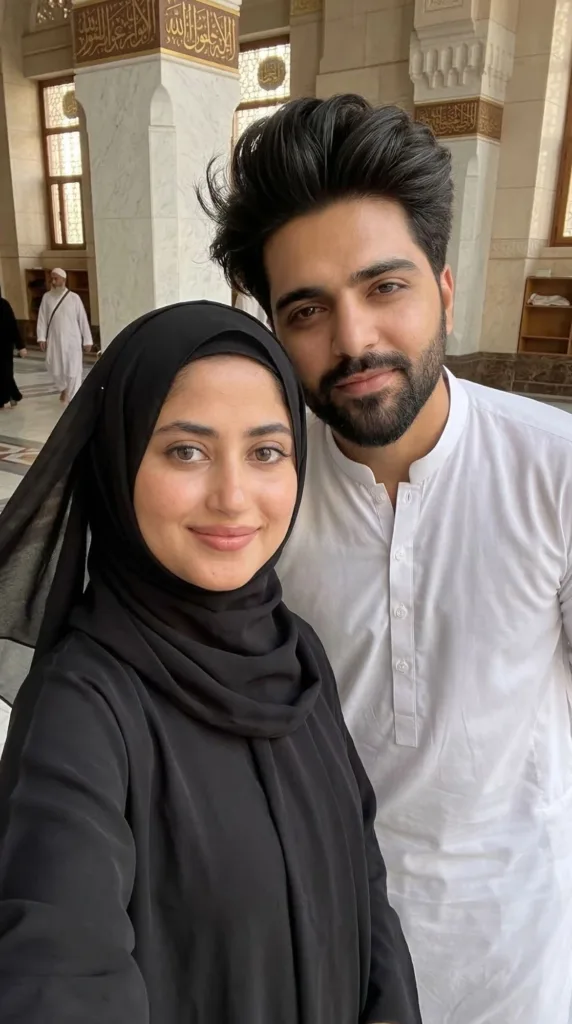
Prompt Used:
Use the provided reference image strictly as the facial identity source. Do not reinterpret, beautify, enhance, or redesign the face. Keep the exact same bone structure, skin tone variation, beard pattern, hairline shape, and natural asymmetry. No aesthetic optimization. No glasses. Ultra-realistic handheld chest-up selfie of Subject A and Subject B in a quiet corner of Masjid Nabawi. Use reference faces exactly, Subject A in white shalwar kameez, Subject B in modest black hijab dress, soft natural smiles, slight respectful lean, subtle hair/hijab movement, warm window light, tight vertical framing, candid off-center, natural skin texture, realistic background, no beautification or artificial effects.
Sometimes the simplest prompts work best. This one focuses mostly on facial realism and posture, which helps Gemini generate more believable results.
Final Thoughts
Generating believable AI selfies isn’t just about writing a long prompt. Small details matter more than people think—things like lighting direction, camera angle, clothing folds, and subtle expressions can make the difference between something that looks artificial and something that feels like a real phone photo.
Google Gemini handles realism surprisingly well when prompts are written carefully. If you keep the descriptions grounded and avoid overly cinematic instructions, the results usually feel much closer to an everyday selfie.
If you want to experiment with similar prompts, try adjusting just one element at a time—lighting, background, or camera framing. Even small tweaks can produce completely different images.
Try Google Gemini Here:
This blog post and AI prompts were created by Shahbaz Ahmad.
Follow me on TikTok @Dudefrompak for more ready-to-use prompts.

📢 Join Our WhatsApp Channel
Get daily AI photo editing prompts, tools, and tips directly on your phone.
Join Now on WhatsApp 🚀