Zero Dollar Viral Formula: 5 AI Video Niches You Can Start Today (No Paid Tools)
Everything you’re about to read follows one simple rule: zero dollars, zero excuses.
No paid software. No hidden tricks. If you have an internet connection, you can start building viral content today.
In this guide, we break down five of the fastest-growing video niches online and show you how to recreate the viral formula using 100% free tools. By the end of this post, you won’t just watch content — you’ll pick a niche and upload your first video today.
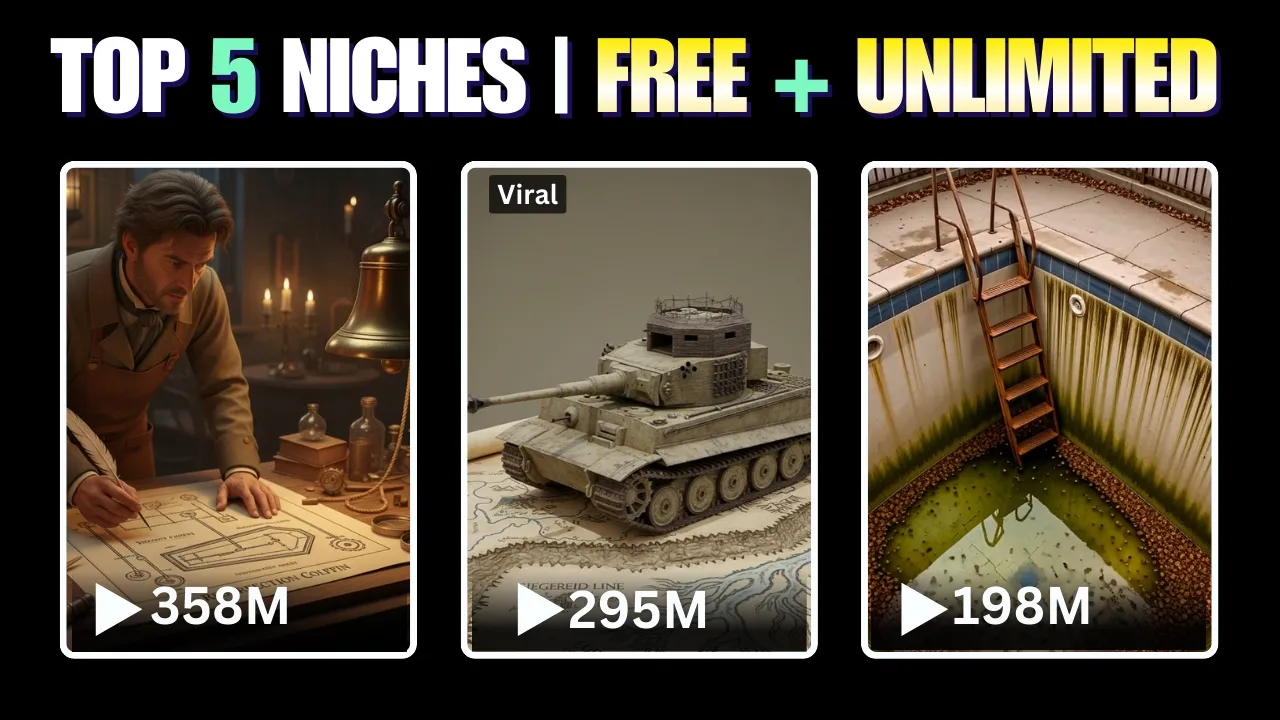
1. 3D Documentary Videos (Cinematic AI History Shorts)
Professional animated history documentaries are exploding on YouTube Shorts and TikTok. Most people think they require a full animation studio. They don’t.
You can create cinematic 3D documentary videos using:
- ChatGPT – for ideas, scripts, and scene prompts
- ElevenLabs – for studio-quality voiceovers
- Grok – for AI-generated video scenes
- CapCut – for final editing
Step 1: Generate Ideas & Script
Use ChatGPT to generate:
- 10 high-impact historical short ideas (under 60 seconds)
- A cinematic narration script
- Scene-by-scene 3D video prompts
Example topic: World War II
Within seconds, you’ll have a short documentary narration and a complete cinematic scene breakdown.
Step 2: Create Voiceover
Paste your script into ElevenLabs. Choose a documentary-style voice, adjust tone and speed, and download studio-quality narration.
Step 3: Generate 3D Video Scenes
Inside Grok:
- Go to the Imagine tab
- Set video ratio (3:2 initially)
- Paste each scene prompt
- Generate cinematic clips
Step 4: Edit in CapCut
- Set project ratio (16:9 or 9:16 for Shorts)
- Align scenes with voiceover
- Add auto captions
- Include subtle background music
Export in high quality. You now have a professional AI documentary — for free.
2. Viral Talking Objects (Animated Character Content)
Talking object videos are going insanely viral. Random pages with no personality are blowing up overnight.
Step 1: Turn Any Object into a Character
Inside ChatGPT, search for an Object Talk GPT. Type any object (laptop, pan, book, headphones). It will instantly generate:
- Image prompts
- Supporting character prompts
- Full dialogue script
Step 2: Generate Images
Use a free AI image tool like Whisk:
- Select ratio
- Paste prompt
- Generate cinematic images
- Download your favorite version
Step 3: Make Images Talk
Use Google Flow or Grok:
- Upload the image
- Paste dialogue
- Add emotional direction (e.g., “angrily”, “confidently”)
- Generate animation
Pro Tip: Don’t copy scripts exactly. Make them funnier and smarter.
3. Viral Backyard Renovation / Transformation Videos
These videos use a simple formula: Ugly → Transformation → Perfect Finish
Step 1: Generate Before & After Ideas
Ask ChatGPT to create transformation ideas starting with:
- Abandoned pools
- Cracked concrete
- Algae-covered backyards
And ending with:
- Clean edges
- Landscaping
- Modern lighting
- Luxury finish
Step 2: Generate Visual Scenes
Use Grok to create consistent time-lapse scenes. Keep framing, lighting, and environment consistent for realism.
Step 3: Combine Clips
Edit everything inside CapCut. Add satisfying sound effects and export in HD.
4. Cinematic Story Shorts (Zack D Style – Zero Budget)
You don’t need a $3,000 production team to create cinematic viral shorts.
Step 1: Reverse Engineer Viral Videos
- Extract transcript from a viral short
- Rewrite it using ChatGPT
- Generate cinematic scene prompts
Step 2: Create Images
Use a free AI image generator to create scenes based on prompts.
Step 3: Voiceover
Use ElevenLabs for realistic narration.
Step 4: Animate
Upload images into Grok and add small motion prompts for camera movement.
Step 5: Final Edit
Combine everything in CapCut. Add smooth transitions and captions.
You now have a cinematic AI short — completely free.
5. Viral Stand-Up Comedy Animation
Animated stand-up comedy clips are gaining millions of views daily.
Step 1: Find a Viral Stand-Up Clip
Search TikTok for “stand-up comedy”. Choose a clip with high engagement and download the MP3 audio.
Step 2: Create Animated Character
Use Adobe Express animation tool:
- Select a character
- Upload the MP3
- Auto-sync animation
Step 3: Design Comedy Stage
Use a free AI image generator to create a cartoon comedy club background. Upload into Adobe Express.
Step 4: Add Microphone & Captions
Inside CapCut:
- Add microphone PNG
- Remove background
- Enable auto captions
- Export in vertical format
Final Thoughts: Pick One & Upload Today
You don’t need all five niches. You need one.
- AI documentaries
- Talking objects
- Backyard transformations
- Cinematic story shorts
- Comedy animations
Pick one. Commit. Upload today.
No money. No excuses. Just execution.
The viral formula isn’t magic.
It’s system + repetition + consistency.
Stop watching. Start creating.

📢 Join Our WhatsApp Channel
Get daily AI photo editing prompts, tools, and tips directly on your phone.
Join Now on WhatsApp 🚀