Create Viral Gaming Character ID Effects Using AI (Step-by-Step Guide)
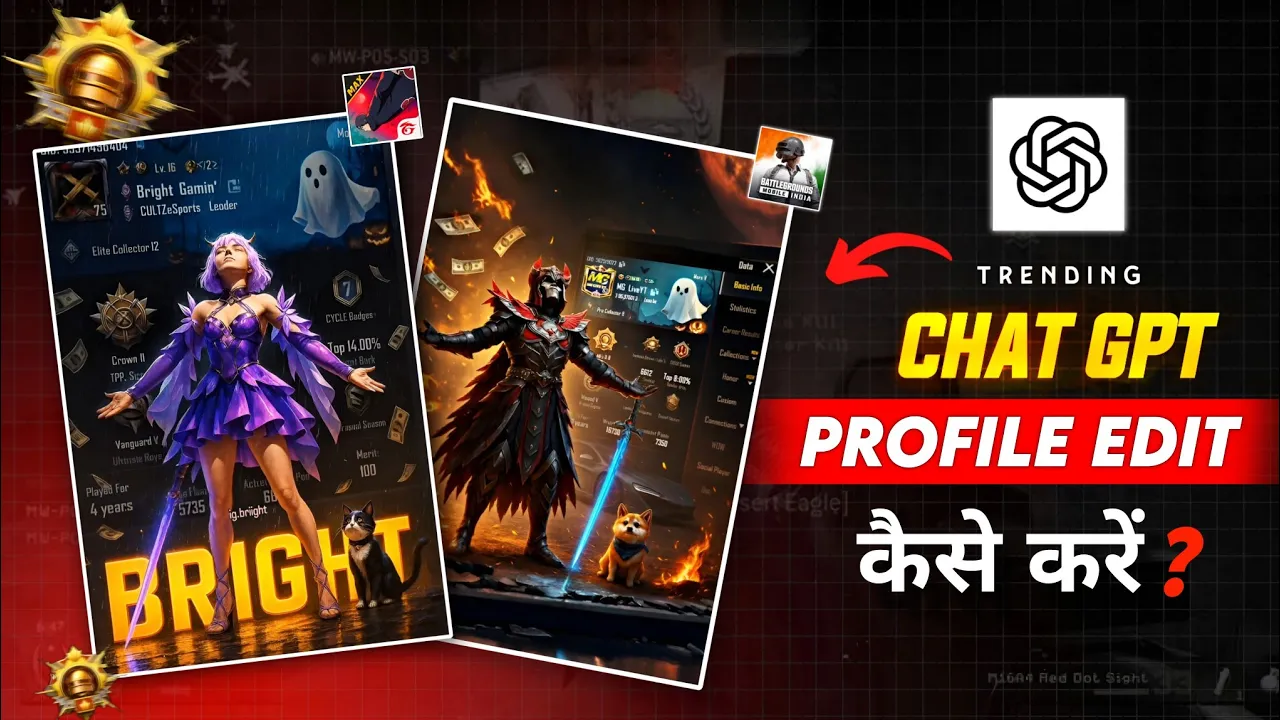
First of all, take a look at this cool effect. These are people’s gaming IDs and their in-game characters, and honestly, this trend is blowing up on social media right now. The best part? You can create the same effect using your own gaming ID.
So what’s up, guys? Welcome back to another brand-new video. These days, this particular AI gaming character effect is trending massively on social platforms. Just look at the views—some creators barely have followers, but their videos are still getting millions of views.
If you’re a small creator on any platform, this trend can seriously help you gain reach. And let’s be real—reach is extremely important in the beginning, no matter which social media platform you’re on.
What You Need to Create This AI Gaming Character Effect
To create this effect, you’ll need just three things:
- An AI tool
- A proper prompt
- Some screenshots of your gaming ID
There are many AI tools available right now, but I personally recommend ChatGPT. The narration and image generation quality is top-notch, especially when you use it in enhanced mode.
You can check out ChatGPT here:
https://chat.openai.com
I’ve already created some basic samples earlier, but those are very simple. Today, I’ll show you an advanced version that looks much cooler and more professional.
Step 1: Take Screenshots from Your Game
First, open your game and take a screenshot of your profile. If you want better clarity, take separate screenshots:
- One of your gaming profile
- One of your character
Try to make sure your character is not holding a gun. Guns often cause confusion in AI image generation. Melee weapons are fine, but avoid firearms for best results.
Step 2: Upload Images to ChatGPT
Now open ChatGPT. On the side, you’ll see a gallery or image upload option. Upload your screenshots there.
In my case, I’ve hit today’s ChatGPT image generation limit, so I’d have to upload images manually from the gallery. Just keep in mind that ChatGPT has daily limits for image generation.
Step 3: Use the AI Prompt
Next, you’ll need a prompt. I’ve already shared a basic prompt in the description (which most people are using). Paste that prompt into ChatGPT.
create a cinematic digital poster for a pubg player. in the background, clearly display the uploaded profile screenshot without binding or blurring any part. the image should remain sharp and readable, showing every detail that naturally appears in the profile (such as stats, icons, texture, badges, numbers, tags, buttons) and must be fully visible and understand to the viewer. in the foreground, place the upload character image standing in a proud, victories pose — with both arms stretched outward (t-pose). the character’s head should be tilted slightly upward, facing the sky with a heroic and thankful expression. include a glowing orange sword by his side and his pet white lion and locket on his neck standing nearby. add dramatic rain, flying pubg currency uc, cinematic glow and soft shadows to enhance the character and profile so they are clearly visible and not overlapping confusingly. in the center of the poster, overlay bold, glowing, 3d gaming-style text: “YOUR NAME” — using a shining blue–sky blue effect, the text must be behind the character, where the lightning comes from the text downward in a floating gradient style
Inside the prompt, you’ll see a section labeled “Your Name”. Simply replace that with your own name.
After that, wait a few minutes. Depending on your device, ChatGPT will generate the image almost instantly.
Advanced Customization (Optional)
Many creators are now modifying this further by replacing the character image with their own real photo. The process remains exactly the same.
Now look at this advanced version. This one uses three images:
- Gaming character image
- Gaming profile screenshot
- Social media profile image
The prompt here is slightly different because the character is placed on a royal chair. I’ve shared this advanced prompt on Telegram as well.
Just remember: ChatGPT has a limit. The more images you upload, the faster your daily image generation limit gets used up.
Customize Characters, Outfit, Pet & Background
If your character doesn’t have a good outfit, you can also download a character image from Google—like a mummy suit or a formal suit.
In upcoming updates, a ghost element will be added. For now, you can modify the prompt:
- Replace the sword section with a baby ghost
- Edit the pet section
For example, the game recently introduced a new companion—a tiger. So in the pet section, simply write Blue Tiger, especially if your outfit is blue.
You can also customize the background:
- Red or yellow outfit → write Magma
- Blue outfit → write Ocean
I personally remove the text/name section from the image because it looks cleaner. But if you want, you can keep it.
Once everything is set, generate the image. It takes a little time but delivers an amazing result.
Convert AI Image into Video
Now let’s talk about turning your image into a video. There are many AI tools available for this, such as:
When you create an account on these platforms, you’ll receive free credits. With those credits, you can easily generate two to three videos.
And that’s it, guys! This is how you can create trending AI gaming character ID videos and boost your reach on social media.
If you’re a small creator, this trend can be a game-changer for you. Try it out and stay consistent!

📢 Join Our WhatsApp Channel
Get daily AI photo editing prompts, tools, and tips directly on your phone.
Join Now on WhatsApp 🚀