How to Create Viral Instagram AI Photos in One Click Using Gemini (Step-by-Step Guide)
Okay! So right now, this type of photo is going extremely viral on Instagram. If you also want to edit your own photo in just one click, make sure you watch this guide till the end. I’ll explain everything in a very simple way, exactly how it’s shown in the video.
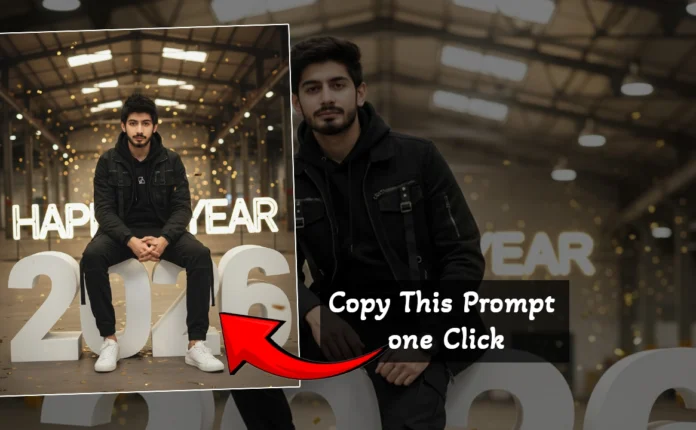
To create this AI photo, you only need one important thing — a prompt. Don’t worry, I’ll also tell you where to get that prompt at the end of this article.
Step 1: Open Google and Search for Gemini
First of all, open Google on your phone or computer and search for Gemini. Once you search, you’ll see the official Gemini website by Google. Open it.
You can also directly visit the official website here:
Now log in using your Gmail ID. As soon as you log in, your account will be created automatically.
Step 2: Go to “Create Image” Option
After logging in, you will see an option with double lines at the bottom (settings/menu). Tap on it.
Now click on the “Create Image” option. This is where the magic starts.
Step 3: Upload Your Photo
Here, you need to upload your own photo. Make sure:
- Your face is clearly visible
- The image is not blurry
- Good lighting gives better results
Once your photo is uploaded, you’re ready for the next step.
Step 4: Paste the AI Prompt
Now you have to paste the prompt. I simply paste the prompt here and then click on the Send button.
Within a few seconds, your AI-generated photo will be ready.
As you can see, our photo is successfully created. This is exactly how you can generate viral Instagram-style photos.
Step 5: Download Your AI Photo
To download the photo, just click on the Download icon. Your image will be saved to your device.
That’s it — simple and fast!
Customize the Prompt for Better Results
Guys, you can also make changes in the prompt. For example, if the prompt mentions New Delhi, you can replace it with your own city name.
This helps personalize your image and makes it look more realistic and relatable.
Where to Get the AI Photo Prompt?
I’ve shared many ready-made prompts on our Whatsapp Channel . You can copy them directly from there.
One prompt is also shown on the screen in the video. You can simply take a screenshot of it.
Generate A realistic, high-detail photograph of the interior of an Indian police station. In the center, the person provided in image is standing having mysterious looks, stands with his head bowed and a somber expression; he is wearing metal handcuffs. A male Indian police officer in a khaki uniform with a mustache is holding his arm, escorting him. In the background, a prominent blue sign reads ‘POLICE STATION – Delhi ‘ in English and Hindi script. A barred gate labeled ‘DETENTION AREA’ is visible behind them, along with stacks of office files and other police officers in uniform. Authentic fluorescent lighting, cinematic documentary style, 8k resolution.”
Generate a realistic, high detail photograph of the interior of an Indian police station. in the centre add a photo of the girl below with head a little bit bowed and somber expression, she is wearing metal handcuffs. A male Indian police officer in khaki uniform with a mustache is holding her arm, escorting her. In the background, a prominent blue sign reads ‘Police Station – New Delhi’ in English and Hindi script. A barred gate labelled ‘DETENTION Area’ is visible behind them, along with the stacks of office files and other police officer in uniform. Authentic fluorscent lightning, cinematic documentary style, 8k resolution’
After that:
- Go to Google
- Click on the Camera (Google Lens) icon
- Select the screenshot you took
- Copy the text easily
- Paste it into Gemini and generate your photo
You can learn more about Google Lens here:
Why These AI Photos Are Going Viral on Instagram?
- They look professional and cinematic
- No editing skills required
- Perfect for Reels, DP, and profile branding
- Created in just one click using AI
If you want to grow on Instagram, these AI photos can seriously boost your profile appearance.
You can also learn more about Instagram content trends from the official source:
Final Words
I hope you liked this guide and found it helpful. If you enjoyed it, don’t forget to like, share, and subscribe to the channel.
We’ll meet again in the next video with another amazing trick.
Thanks for reading!

📢 Join Our WhatsApp Channel
Get daily AI photo editing prompts, tools, and tips directly on your phone.
Join Now on WhatsApp 🚀