Every football fan has imagined the same situation at least once. You see a famous player somewhere unexpected, pull out your phone, and quickly take a selfie before the moment disappears.
For most of us, that moment never actually happens. But AI tools have started making strange things possible including images that look like real photos taken in everyday situations.
So I decided to try a small experiment. Could I generate realistic-looking selfie photos with Cristiano Ronaldo using AI?
Instead of dramatic scenes or cinematic images, I wanted something simpler. Just normal moments that might happen in real life walking through a stadium, standing on a rooftop, sitting at a café.
To do that, I used Google Gemini and focused heavily on writing detailed prompts. The results were surprisingly convincing once the descriptions included natural lighting, small imperfections, and casual body language.
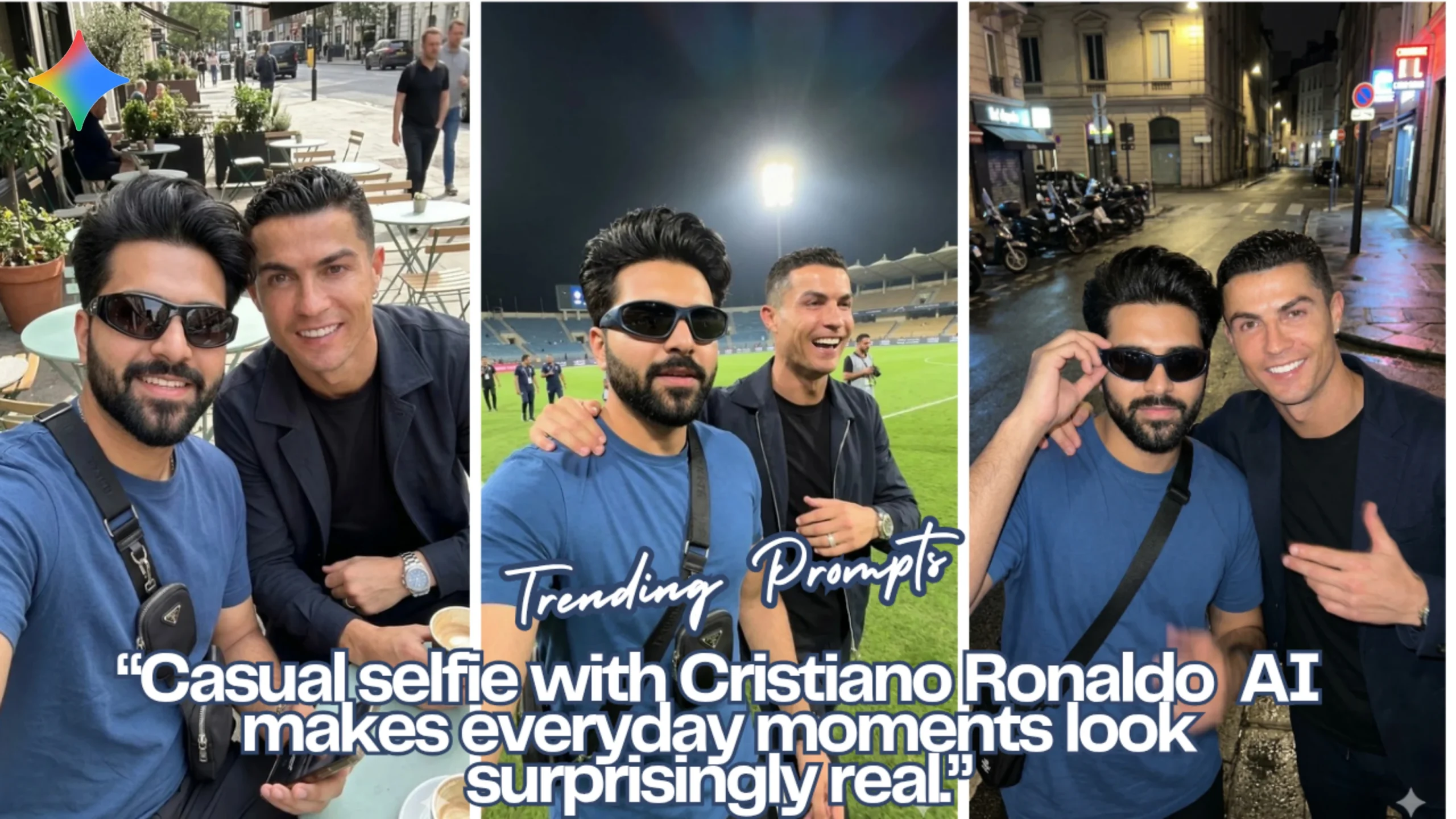
Here are the three prompts I tested and the type of scene each one creates.
Image 1: Walking Across the Stadium Field

Example Prompt:
Identity-locked 9:16 handheld selfie of me in a blue T-shirt with a black crossbody bag and dark sunglasses walking across a stadium field with Cristiano Ronaldo after a match, Ronaldo in a dark jacket over a black T-shirt with his arm slightly around my shoulder, both laughing naturally, stadium seats and floodlights behind, slight motion blur while walking, casual spontaneous phone-photo look with no filters or cinematic effects.
Image 2: Rooftop Sunset Selfie
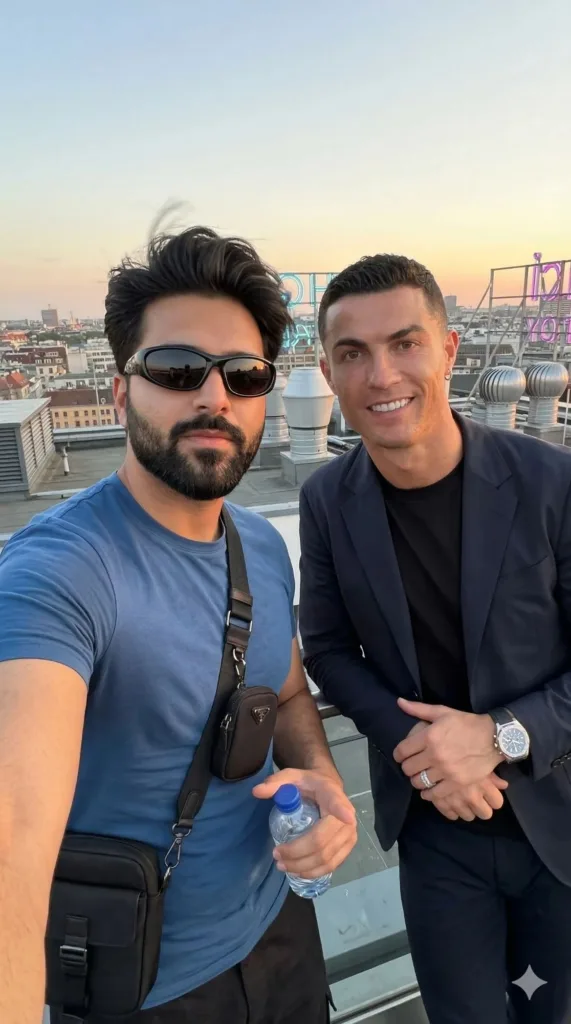
Example Prompt:
Identity-locked 9:16 handheld rooftop selfie of me in a blue T-shirt with a black crossbody bag and dark wraparound sunglasses leaning against a railing with Cristiano Ronaldo in a dark jacket over a black T-shirt, both smiling casually at sunset, me holding a small water bottle toward the camera, city skyline and rooftop details behind, slightly crooked spontaneous phone-photo look with natural light and no filters or cinematic effects.
Image 3: Café Table Selfie
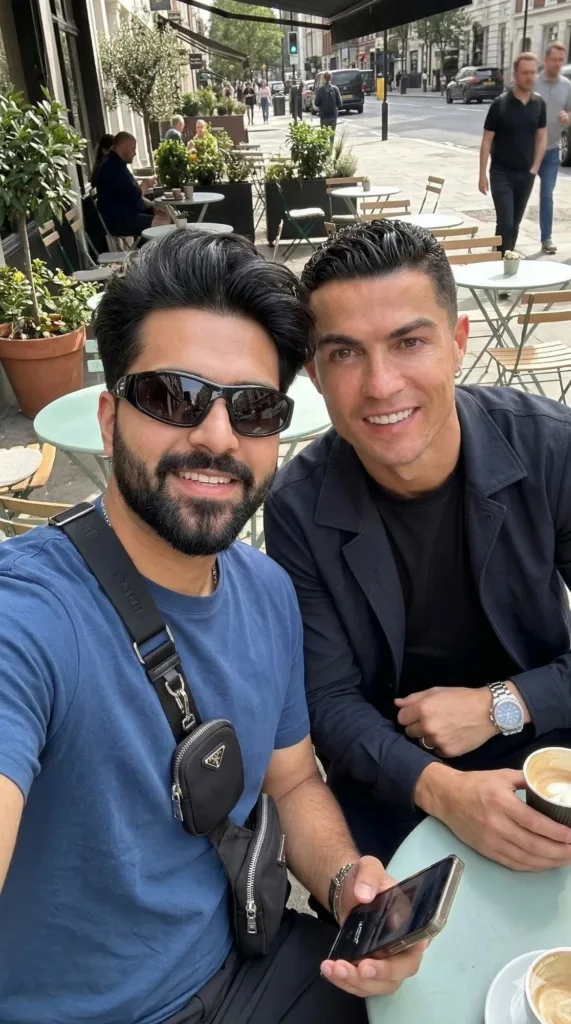
Example Prompt:
Identity-locked 9:16 handheld café selfie of me in a blue T-shirt with a black crossbody bag and dark wraparound sunglasses sitting at an outdoor table with Cristiano Ronaldo in a dark jacket over a black T-shirt, Ronaldo holding a coffee cup while we lean slightly together and smile, casual street café background with tables and plants, natural sunlight, slightly crooked spontaneous phone-photo look with no filters or cinematic effects.
How These Images Were Generated
The process itself isn’t complicated.
I opened Google Gemini, pasted the prompt describing the scene, and generated the image. Most of the work actually happens before that step while writing the prompt.
What made the biggest difference was including details that real phone photos usually have: slightly crooked framing, small motion blur, uneven lighting, and relaxed expressions.
Without those details, the images looked polished but artificial. Once they were added, the results started feeling much closer to normal social-media photos.
Conclusion
AI image generation is moving fast, and experiments like this show how realistic the results can become when prompts are written carefully.
The trick isn’t just describing the scene. It’s describing how the photo is taken — the lighting, the camera angle, the tiny imperfections.
Those small details can turn a simple prompt into an image that feels like it came straight from someone’s phone gallery… even if the selfie happens to be with Cristiano Ronaldo.
Try Google Gemini Here:
This blog post and AI prompts were created by Shahbaz Ahmad.
Follow me on TikTok @Dudefrompak for more ready-to-use prompts.

📢 Join Our WhatsApp Channel
Get daily AI photo editing prompts, tools, and tips directly on your phone.
Join Now on WhatsApp 🚀